Stock Portfolio
Bring holdings, allocation, market context and headlines into one dashboard.
Flow 2.2 · Living Documents
Start with 28 Living Documents. Inspect their Jobs, connect data to charts and tables, and review the work in files you own.
Explore the product tour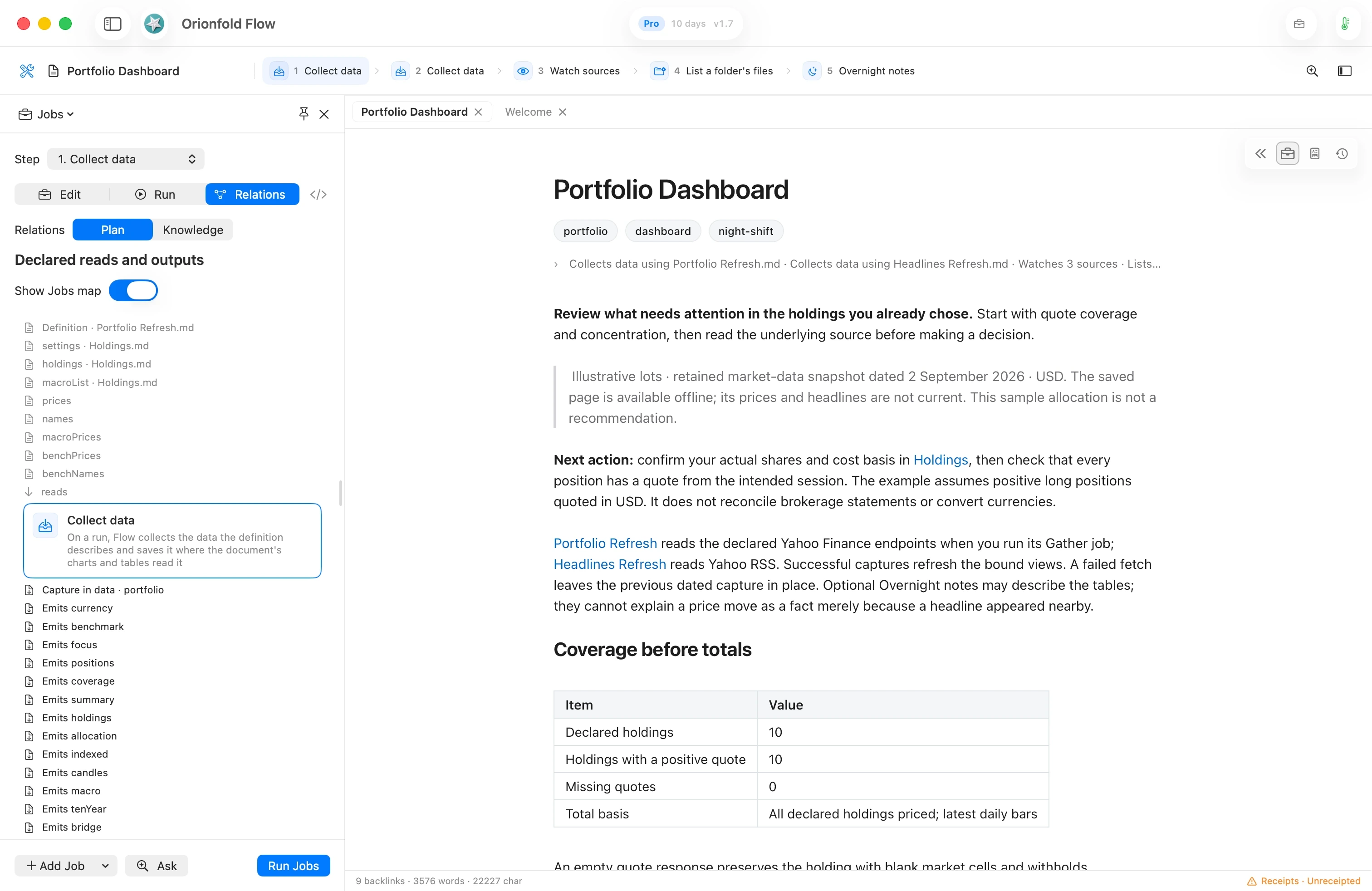
01 · Connect the source
A chart or table can draw from a file in the document's folder. Change that source and Flow redraws the bound block. Your title, chart type and table layout stay yours.
Flow notices source changes as they happen, when you return to the app, on Refresh Folders and after the Night Shift. A source that changed while Flow was closed is picked up at launch.
The document remains ordinary Markdown. Its sources are files you can inspect and edit.
02 · Give it a job
The document's Jobs open in the Workbench beside it. Use Edit to choose a step and its inputs, Relations to inspect declared reads and outputs, and Run to see the result.
Save changes to the Jobs, then choose Run Jobs for this document. Relations distinguishes a ready local input from a declared web source that has not been fetched. The Jobs map shows those dependencies; its arrows do not run another document.
03 · Begin with a real routine
Choose Start with useful work to browse all 28 Living Documents. Search or explore four categories: Research & Markets, Business & Teams, Personal & Money and Learn Flow. Five featured documents help you begin. Create an independent copy with its inputs and assets, then inspect its Jobs before running it.
Here are seven examples from the library.
Bring holdings, allocation, market context and headlines into one dashboard.
Organize tax inputs and estimates, with the IRS pages you choose to watch.
Compare spending with the plan, track income and read the savings rate.
See applications and next steps on a timeline, with careers pages and resume files alongside.
Track your comparison table and notice changes on named public pricing pages.
Bring each person’s update file into one table, with confidence and milestones.
Copy a folder with each construct wired once. Keep what your routine needs.
These are editable examples with sample data. They organize your work; financial and tax examples do not replace qualified advice.
04 · Return with context
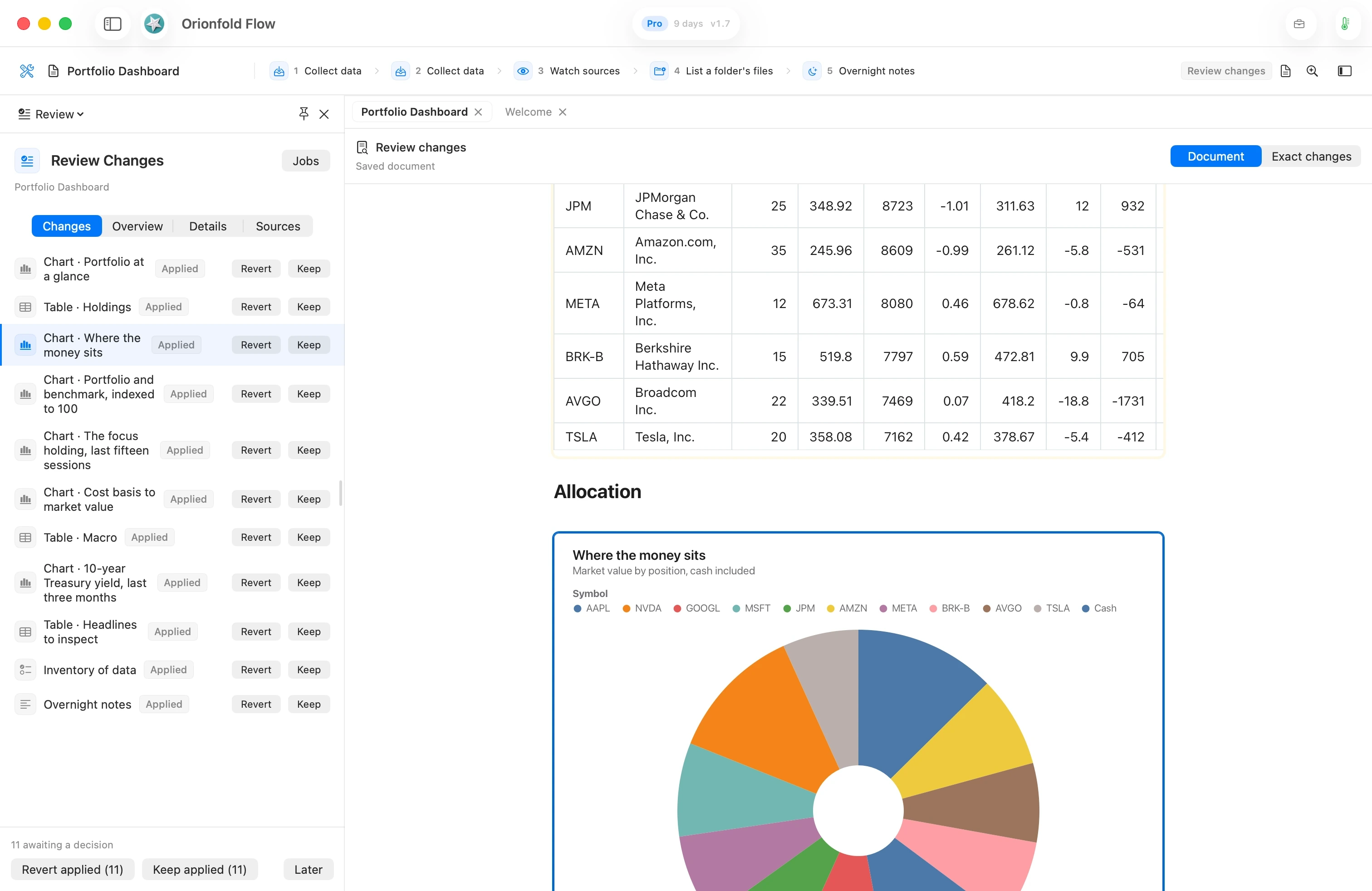
The document, the data and the next step stay together. The Night Shift reports what changed in the Morning Briefing, and marks applied changes for your review.
Select a change to inspect that part of the document. Keep records your review; Revert restores that part; Later leaves the decision pending. Document and Exact changes give you two ways to inspect it.
See the Night Shift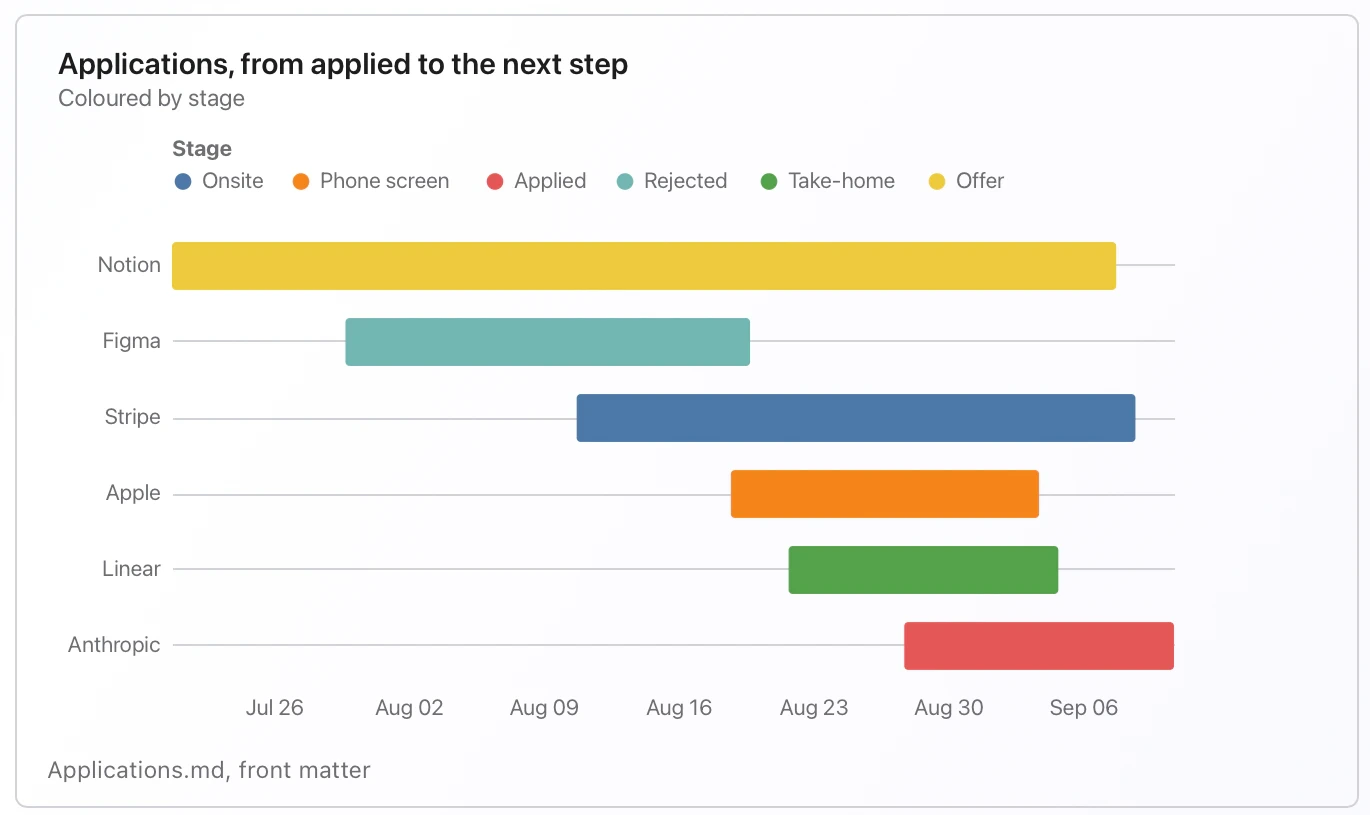
Make it yours
Choose Start with useful work, create your own copy, and inspect its Jobs in the Workbench. Replace the sample inputs before relying on the result.