Flow Paths · 20 walks Real work.Walked end to end. Start with a path on Flow’s Home screen, an idea in Chat, or a document you already have. We tried each workflow on a Mac and wrote down the time, the cost, and what we could not check.
New in Flow 4 Teach it once.You sign off. Four walks on the released Flow 4. Find a place to start, teach your Fold how you work, share your method as a Playbook so every client gets it, then sign off on what changes.
Flow 4.0 · Start here
People getting started with Flow or returning to an open workspace
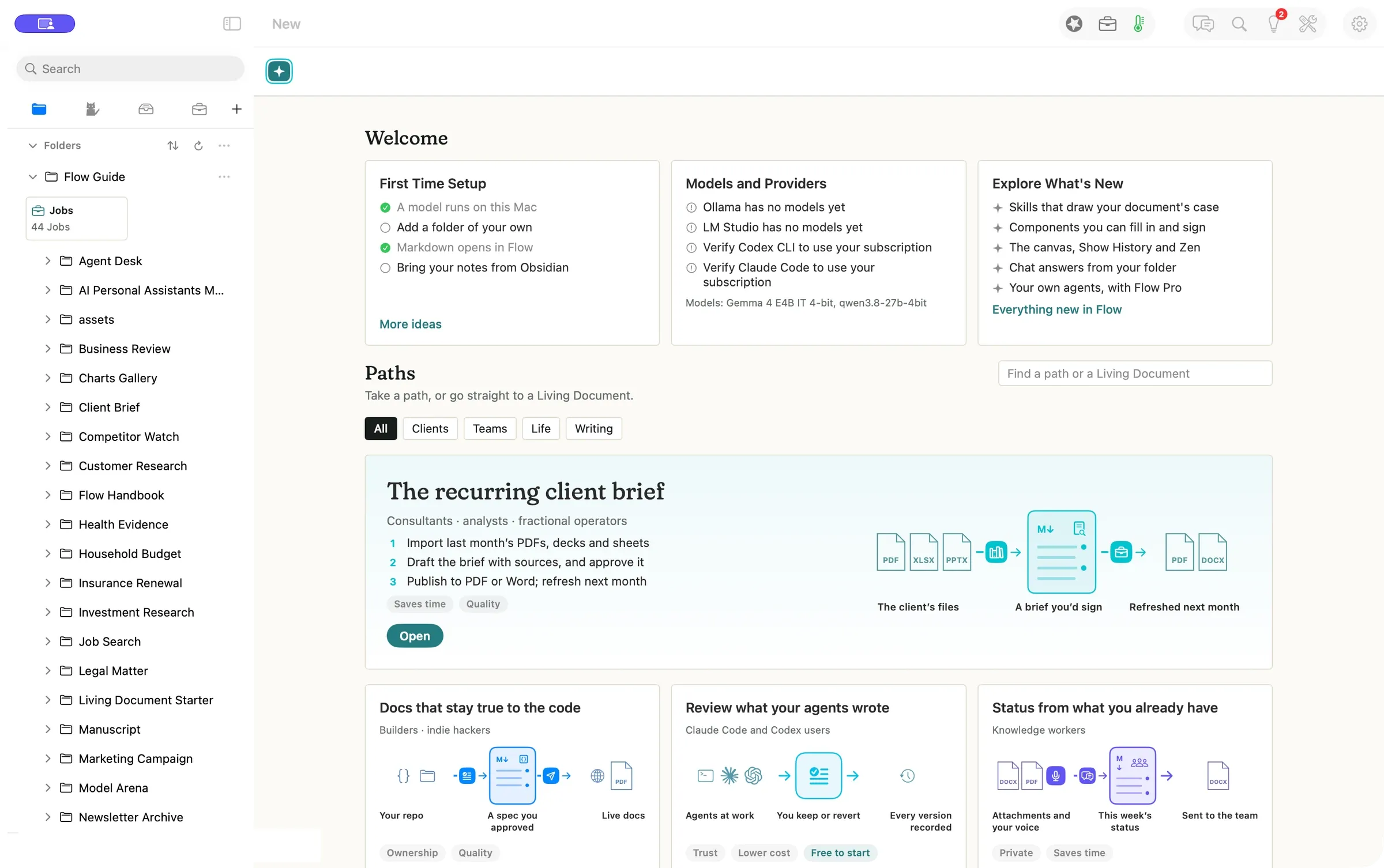
Press New, pick a worked example, and open it as your own copy. Tomorrow it is one click away in the sidebar, with your open documents still a tab away.
Press New to open Welcome and Paths Open a path as your own copy Come back through the sidebar $0.00 to open a path, no model called
Read the walkthrough → Flow 4.0 · Teach your expertise
People who bring the same editorial preferences to several projects
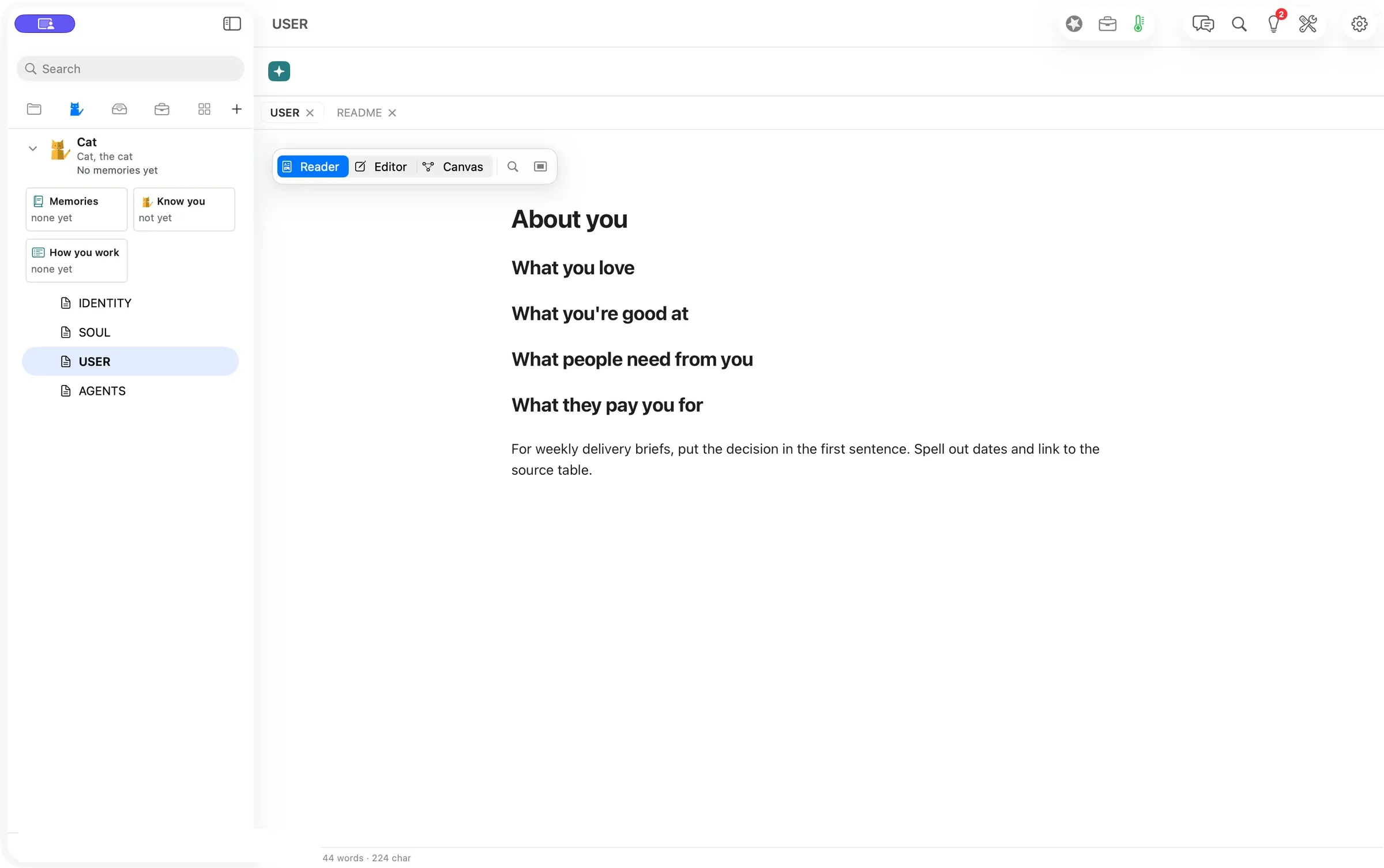
Teach your Fold how you work once. Write it in the Fold’s own files, or start a Chat message with Remember, and Flow carries it into the next brief.
Open Folds and edit About you Start a Chat message with Remember Check it with Show, or take it back with Undo $0.00 to save a preference by hand
Read the walkthrough → Flow 4.0 · Every client gets it
Experts who package a repeatable method and the people who use it
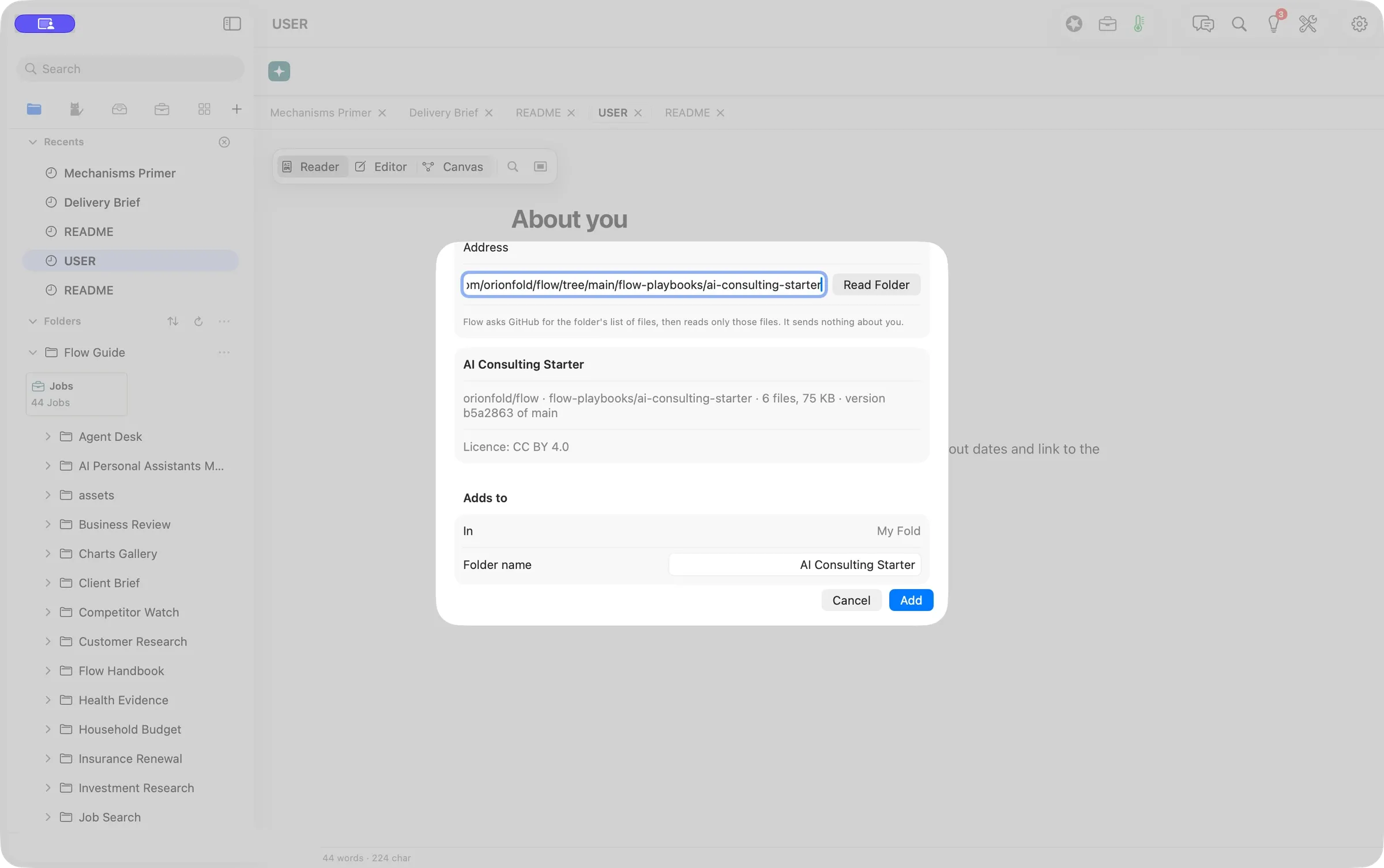
A Flow Playbook is your method in a folder that AI can follow. We brought in the free AI Consulting starter, read its license first, and chose which updates to take.
Choose File ▸ New from GitHub… Read the preview, then press Add Check for updates and pick what to apply 6 of 6 files matched GitHub byte for byte
Read the walkthrough → Flow 4.0 · You sign off
People who review recurring updates to living documents
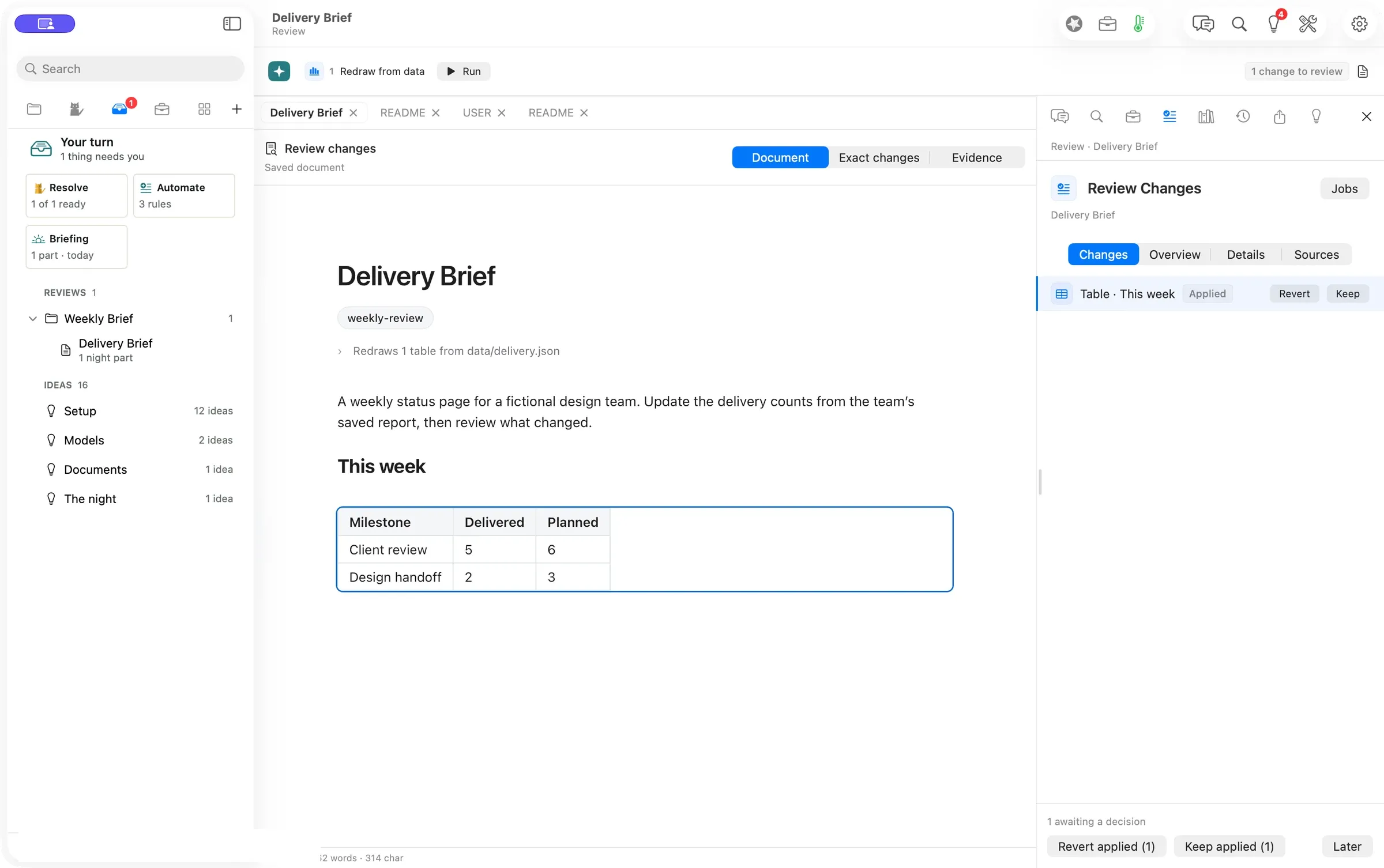
A Job refreshed one number in a brief. Your turn took us to that exact line, we pressed Keep, and nothing else was waiting. You sign off on what changes.
Open Your turn (⌘7) See the exact change Press Keep or Revert 1 Keep and the review queue was empty
Read the walkthrough → Paths 16 jobs, Each walk covers the work, the review, and the record it leaves. Try the example files first, then bring your own work.
Flow · Canvas
Consultants and analysts
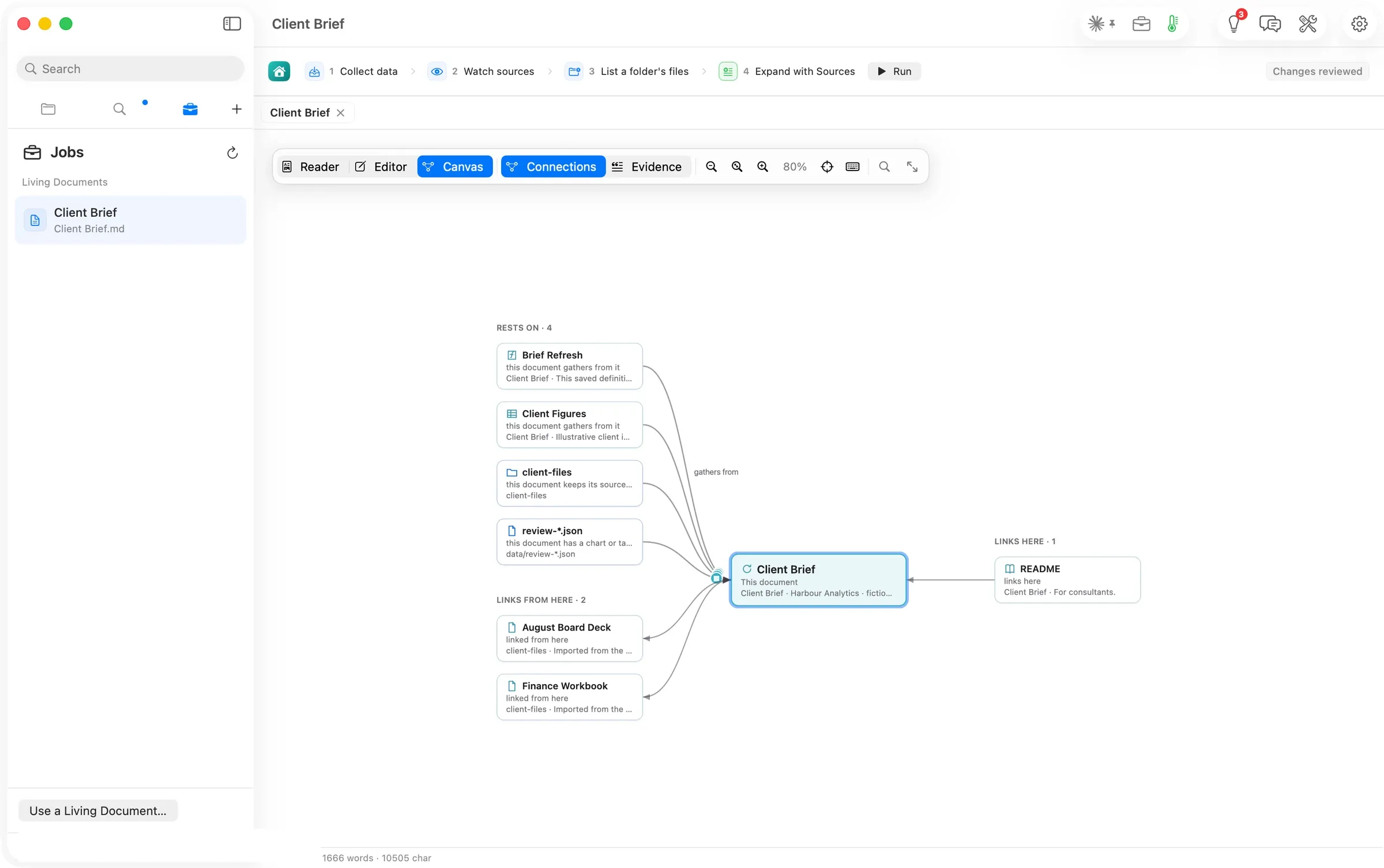
Configure Jobs, ask Flow Chat, then trace the result through Connections, Evidence and History. Two routes to one brief, with sources, time and cost recorded.
Configure the brief’s Jobs Ask Chat to refresh the same section Trace the result on the canvas 71 s Jobs run to review ready
Read the walkthrough → Flow · Diagrams
Writers and technical teams
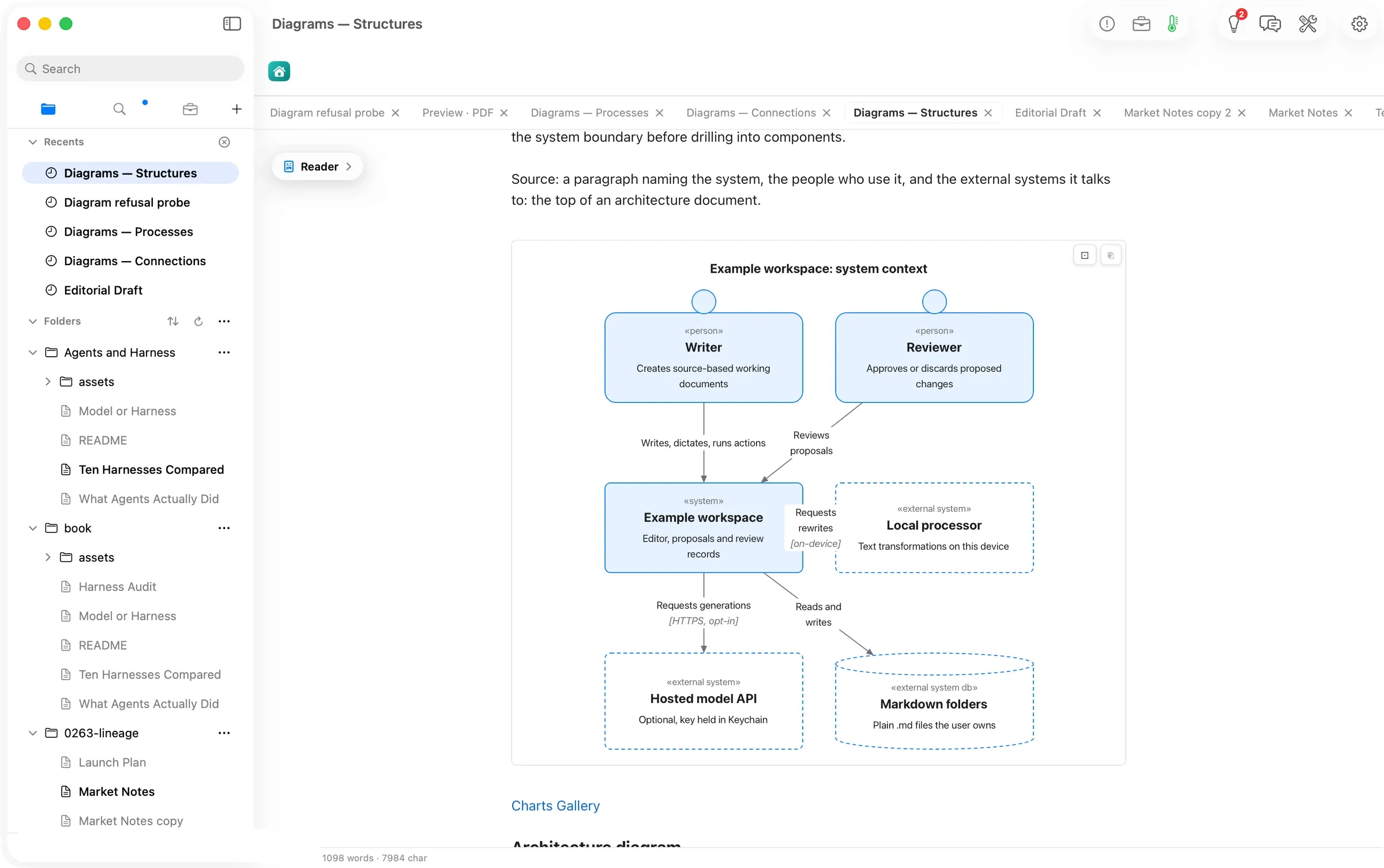
Write a diagram as text. Read it in either appearance, copy it as a picture, and carry it into the PDF preview.
Copy a starter from Charts Gallery Read it or copy it as a picture Preview the drawings in a PDF 20 / 20 Guide diagram forms drawn
Read the walkthrough → Flow · Sign-off
Consultants and small agencies
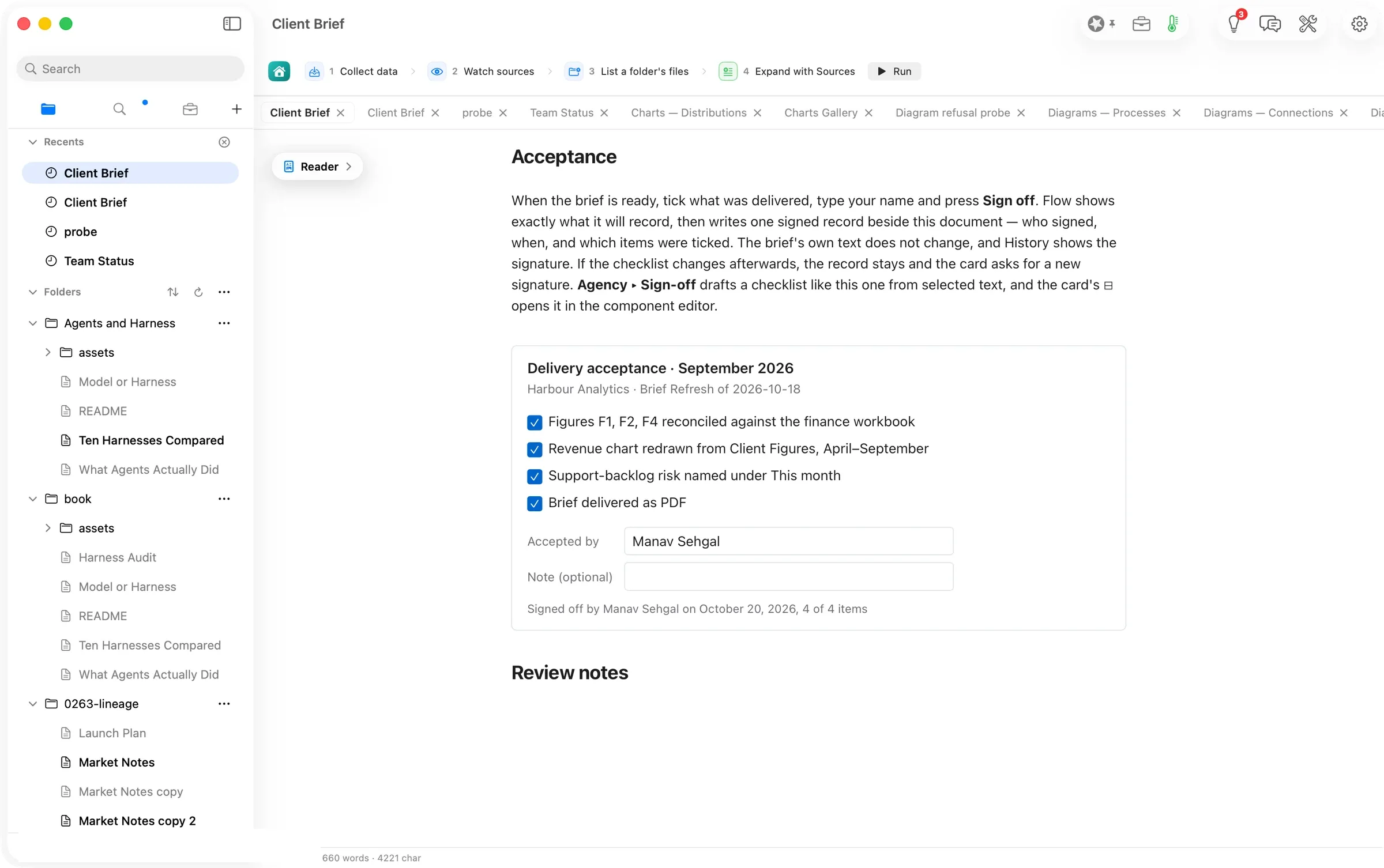
Tick the deliverables, confirm a name and keep an acceptance record beside the document. Draft another checklist from selected text.
Tick the checklist and type a name Confirm what Flow will record Find the acceptance in History 1 record written by one sign-off
Read the walkthrough → Reader Agents and Harness / What Agents Actually Did.md
What Agents Actually Did
Agents and Harness · chapter 1 · written through Flow Chat
Research brief Over the past twelve months, AI agents have moved from forecast risk to recorded incident.
A dated timeline, built from both sides, with a footnote on every line. It says plainly which statements it could not read.1 2
Chat
Authors starting from a blank page
One idea in. A researched three-chapter ebook out, with footnotes, pictures and a cover, built one sentence at a time in Flow Chat. You keep or undo every change.
One idea Chat, sources, review A finished ebook Time Trust
54 min Empty folder to finished EPUB
Reader Investor Update / Investor Update.md
Tidewell investor update
August 2026 · 13 slides when published
MRR ($k)
Mar Apr May Jun Jul Aug
MRR $248k +6.9%
NRR 117%
Runway 17.9 mo
Founders
Founders
Your numbers from the workbook. The market section drafted from sources Flow checked that day. Published as a deck.
M↓ Web and metrics A checked update To investors Time Trust
79 s 422 cited words, $0.00
Reader Client Brief / Client Brief.md
Cascadia Freight steering brief
Pinecrest Partners · monthly brief · September 2026
Parcels by hub (k)
Tacoma 412 428
Portland 287 301
Boise 133 142
Hub performance
Hub On time Cost / parcel Tacoma 96.9% $4.29 Portland 95.1% $4.52 Boise 93.4% $4.71
Clients
Consultants · analysts · fractional operators
A monthly client brief with a source on every sentence, drafted on your Mac. Next month starts from this one.
M↓ Client files A brief to sign Fresh next month Time Quality
43 s cited draft, local model
Reader Agent Desk / pricing.md
Lumen Invoicing pricing
Agent Desk · 239 words · proofread by Codex
Exact changes · 3 lines
buisnessbusiness
definatelydefinitely
get started withget started with,
What the agent carried
Words on the page 239
Tokens sent in 21,831
Agents
Claude Code and Codex users
Run the agent you already pay for inside a Flow folder. Its edits wait in review, line by line.
Agents at work Keep or revert Full history Trust Cost
27 s Codex proofread, in review
Reader Marketing Campaign / Launch Post.md
Fieldstone Bikes Q4 launch post
Denver and Salt Lake City · English and Spanish
The Commuter, on a 6-mile ride to work. Q3 trials by channel
Paid social 612
Search 455
Employer partners 301
Podcast 118
Marketers
Marketers
A brief and a results workbook in. A cited launch post out, in two languages, as a Word file and a web page.
M↓ Your sources A cited campaign In two languages Quality Time
15 s Spanish version, footnotes kept
Reader quayside / docs/scheduling-spec.md
Scheduling spec
Quayside · docs/scheduling-spec.md
Request path
Client Rate limiter Scheduler Worker
Proofread · 4 fixes on 2 lines
can notcannot
an otheranother
daysday’s
avaliableavailable
Code
Builders · indie hackers
Open a repository in place, proofread its docs on your Mac, and publish a PDF. Every change is an ordinary git edit.
M↓ Your repo An approved spec Live docs Ownership Quality
4 s local proofread, 4 fixes
Reader Team Status / My notes.md
Status, week of September 28
Brightwater Commerce · six points
Confidence
Dana 90
Priya 85
Marcus 60
Sam 35
Item Owner Due Partial refund fix Kestrel Oct 2 Webhook retry policy Brightwater Sept 30
Teams
Knowledge workers
A vendor’s Word update, a sprint review PDF and your notes in. A six-point status out, approved by you, saved as a Word file.
M↓ Files and voice Weekly status Sent to the team Time Privacy
16 s model time on the laptop, $0.00
Reader Sales Account / Account Brief.md
Meridian Retail account brief
Refreshed from the lead sheet before Discovery 04
Questions for the meeting
Id Question Owner R4 Windows reviewers Mara R6 Store-cluster roll-up Elliot
Exact changes · 1 out, 1 in
R3 · Export for counsel · OpenR6 · Store-cluster roll-up · Open
Sellers
Sellers
A lead sheet in. An account brief that redraws itself before each call out, and an Excel workbook where every row names its source.
Lead sheet Jobs refresh it Brief for the call Time Trust
17 s Brief redrawn, on this Mac
Reader Stock Portfolio / Portfolio Dashboard.md
Portfolio dashboard
Fictional lots · public prices, 30 September 2026 · not investment advice
Value 111,233
Day change 510
Gain on cost 16%
Largest holdings
NVDA 17,294
AAPL 13,305
GOOGL 10,434
Money
Investors
A brokerage export in. A dashboard that redraws itself from public prices out, with a note where every number traces back to the data.
M↓ Holdings, quotes A dashboard Notes on this Mac Privacy Ownership
10 views Redrawn in one press
Reader Newsletter Archive / issues/Issue 03.md
The Harbour Letter, issue 3
Writing in the open · spoken, then filled out from the notes
40 readers and 11 replies in the first week. 9 drafts since August, at 3.4 replies each. 2 corrections, 0 unsubscribes.1
Alt text, from Describe Picture A stylized scene depicts a small red boat in the foreground with several other boats in the background under a pale sun.
Writing
Creators
A spoken draft in. A finished issue with figures from your notes and alt text on its picture out, and the year of issues bound into an EPUB.
M↓ Voice and notes This week’s issue A book of the year Ownership Time
267 words From a 114-word spoken draft
Reader Manuscript / chapters/The ferryman’s ledger.md
The ferryman’s ledger
The Estuary · chapter 3, imported from Word
Proofread · 3 fixes
writenwritten
Their wereThere were
it’s painterits painter
Before anything leaves this Mac
Service OpenRouter · Gemini 3.1 Flash Lite Image What leaves this Mac Title, subtitle, author, one sentence Estimated cost 0.0336 USD a picture Allow Once Authors
Authors
A Word chapter in. A proofread chapter and an EPUB with a drawn cover out, and every fix waits for your yes.
M↓ Word manuscript Proofread Book and cover Ownership Cost
3 fixes Proofread, nothing else changed
Reader Fernhill Studio / 2026-09-08 Marlow kickoff.md
Marlow kickoff
Fernhill Studio · meeting notes
Fernhill Studio Clients Meeting notes 2026-09-08 Marlow kickoff Reading list.csv Proofread · 38 of 142 words
dana says the delivery thing is the whole problem honestlyDana says the delivery step is the whole problem.
Own your notes
Coming from Notion
A Notion export in. A folder of Markdown you own out, with links that open pages, and a meeting note tidied on your Mac.
Notion export Smart Routing Mac or your key Ownership Cost
6 s Proofread on this Mac, $0.00
Reader Household Budget / Household Budget.md
Household budget, September
Harbor Credit Union statement · a fictional household
Spent $6,916
Plan $7,810
Savings rate 29.4%
Travel against its budget ($)
Budget 300
Spent 386
Life
Tax · budget · insurance · travel
A bank statement in. This month’s budget out, with what was spent against the plan, what ran over, and the lines no rule could place.
M↓ Your statements This month’s review Totals that redraw Time Privacy
1 s Month worked out on your Mac
Moving from a notes app, or pairing Flow with a tool you already pay for? See Compare →
Pick the job you already do. Choose a walkthrough and follow its starting steps. Try the Guide’s example files first, then bring your own work.
Download Flow for Mac macOS 26 or later, Apple silicon or Intel  ORIONFOLD
 What Agents Actually Did.md