 ORIONFOLD
All pathsFlow 4.0 path / You sign off
Review only what needs you
A saved Job refreshed a number in our delivery brief. Your turn brought us straight to the changed line and cleared the review after we kept it.
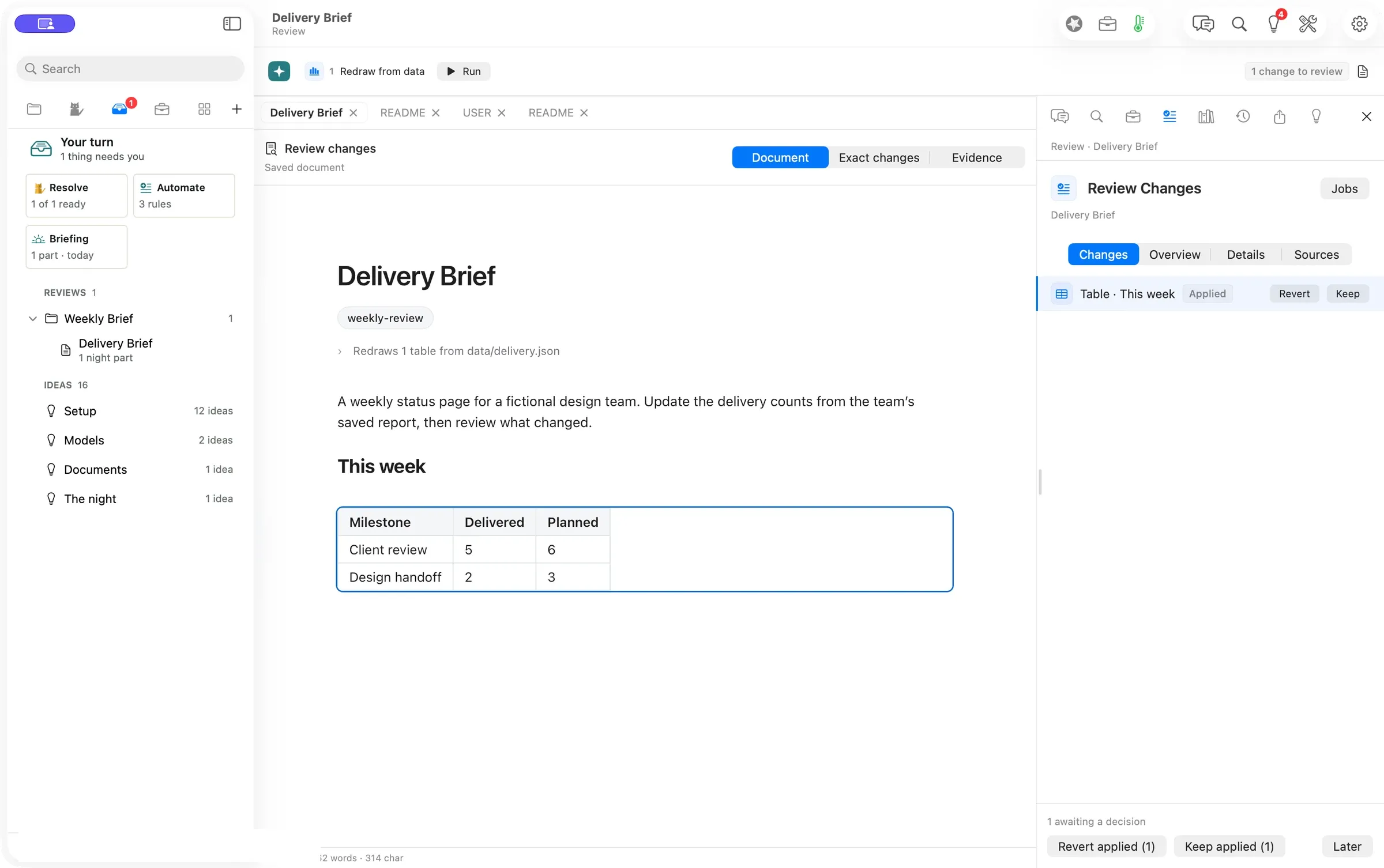
Flow puts waiting decisions together and takes you to the exact change. A Job can refresh a figure from the same source every week. Your turn shows which documents have something to decide and lets you handle the routine updates with rules you can inspect. AI does the routine part. You sign off.
“Take me to the part I need to decide. I’ve already read the rest of the brief.” Illustrative scenario.
Decide a change
- Open Your turn (⌘7). Open the document under Reviews.
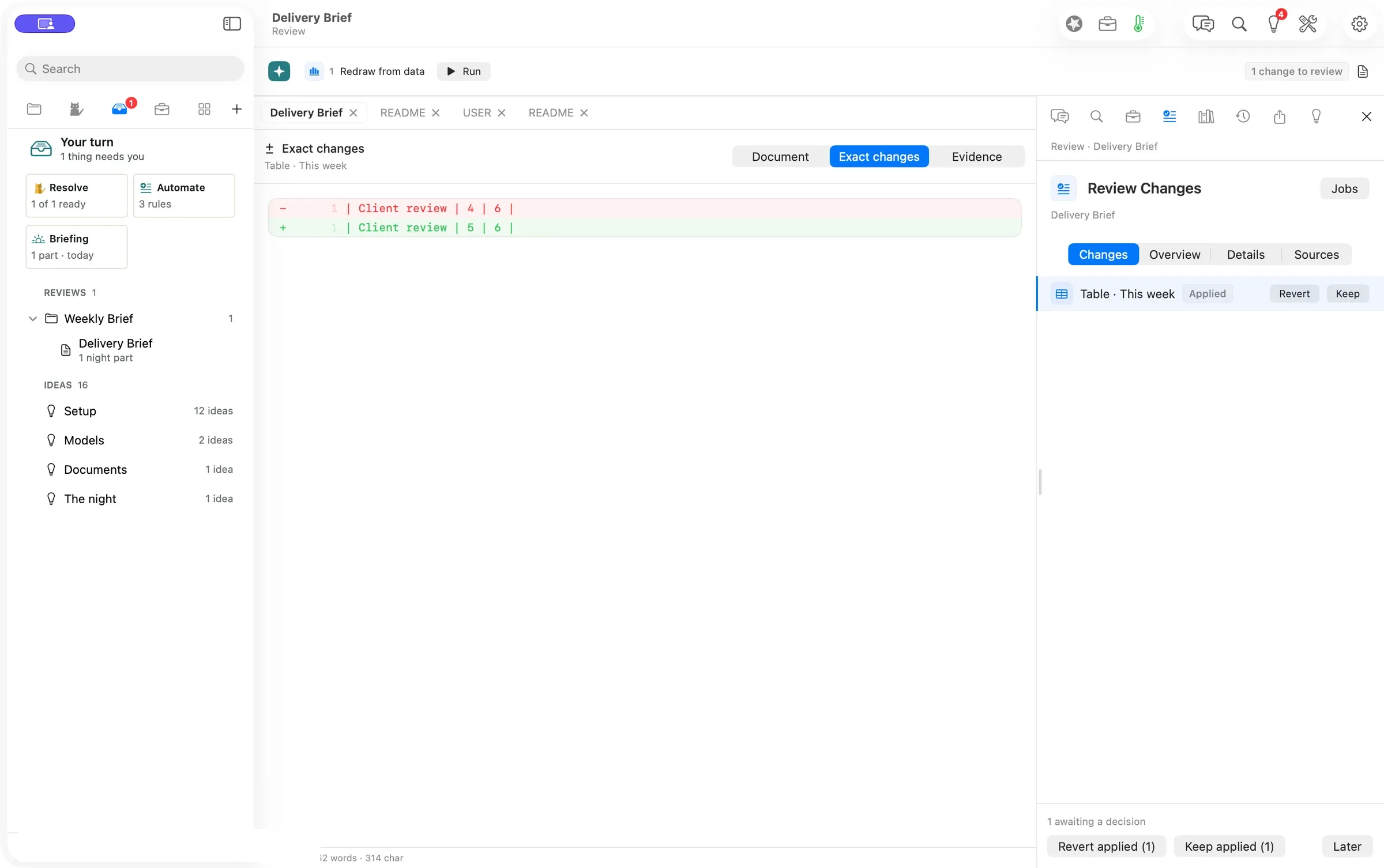
- In Review Changes, select the table change and use Exact changes to compare the old and new line.
- Press Keep or Revert. The queue updates when you decide.
The brief’s Redraw from data Job read the saved delivery report. Client review moved from four delivered to five, with six still planned. We kept the applied table change, and Your turn returned to Nothing needs you.
Handle the familiar updates
In Flow Pro, Resolve keeps the eligible updates shown as ready at the time you press it. Automate explains what each rule would keep and what still needs you. Use it to inspect and refine a rule before deciding what to do. When Flow learns a rule, it offers Undo for the rule.
Evidence
| What we checked | Result |
|---|---|
| Waiting review | Verified. One table update appeared, then the queue cleared after the manual Keep. |
| Changed figure | Verified in Exact changes. Delivered went from 4 to 5. Planned stayed at 6. |
| Model cost | Verified. The local refresh and manual decision used no model and showed $0.00 in session spend. |
| Resolve and Automate | Verified separately on the accepted Pro release review. The shots show the queue and manual review. |
Walked on: Flow 4.0.0 (4383), isolated arm64 Release bundle from 0a584a48, macOS 26.6, 1512 × 949 pt, walked by Codex at 21:32–21:34 PST.
Data: A fictional design team’s Delivery Brief and its local JSON report
Written by the Flow product team from the walk's own records. Numbers are labelled verified, derived, assumed or unknown.
MORE PATHS
Another job,
walked the same way.
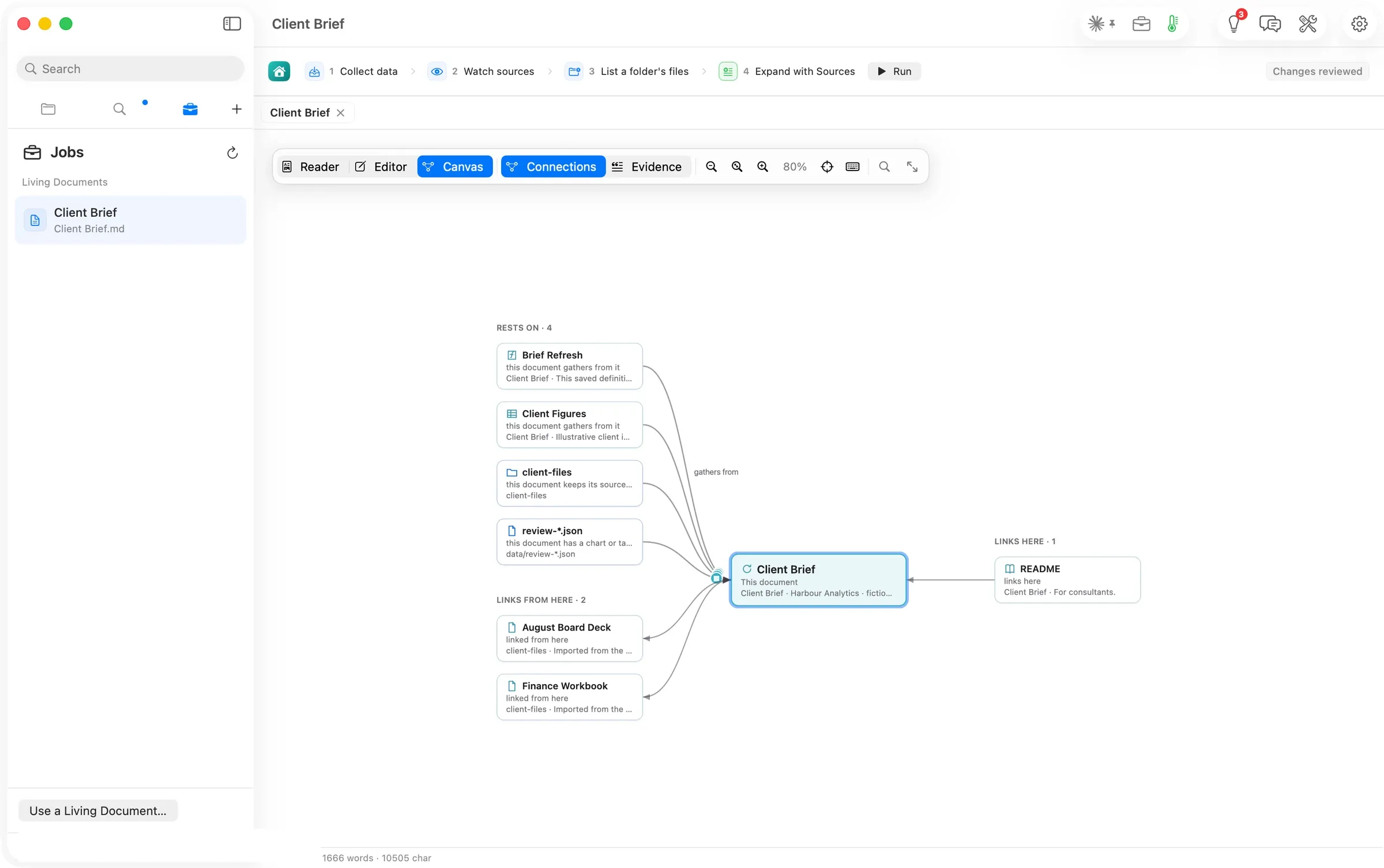
One brief, three ways
Consultants and analysts
Configure Jobs, ask Flow Chat, then trace the result through Connections, Evidence and History. Two routes to one brief, with sources, time and cost recorded.
- Configure the brief’s Jobs
- Ask Chat to refresh the same section
- Trace the result on the canvas
71 sJobs run to review ready
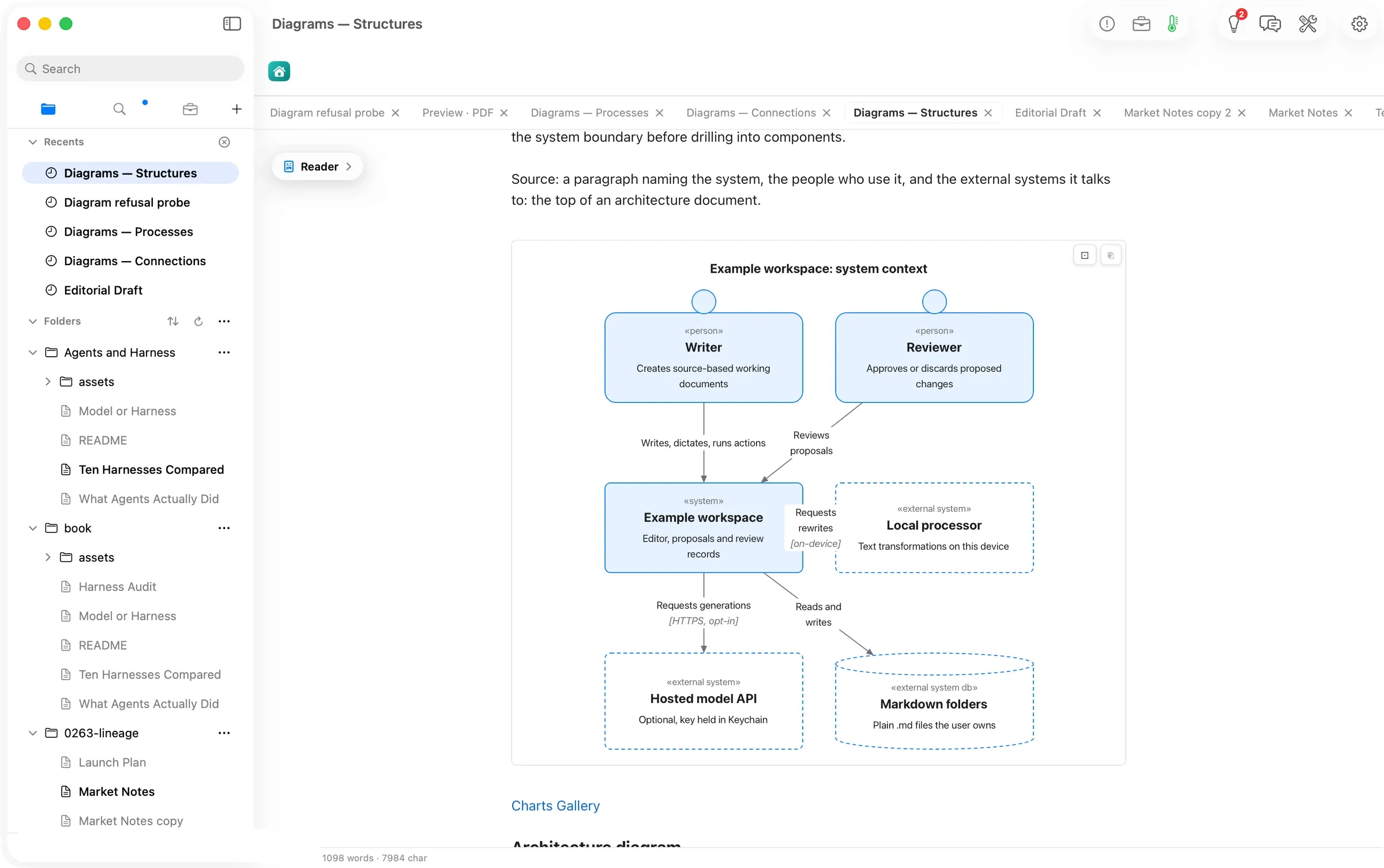
Diagrams that draw anywhere
Writers and technical teams
Write a diagram as text. Read it in either appearance, copy it as a picture, and carry it into the PDF preview.
- Copy a starter from Charts Gallery
- Read it or copy it as a picture
- Preview the drawings in a PDF
20 / 20Guide diagram forms drawn
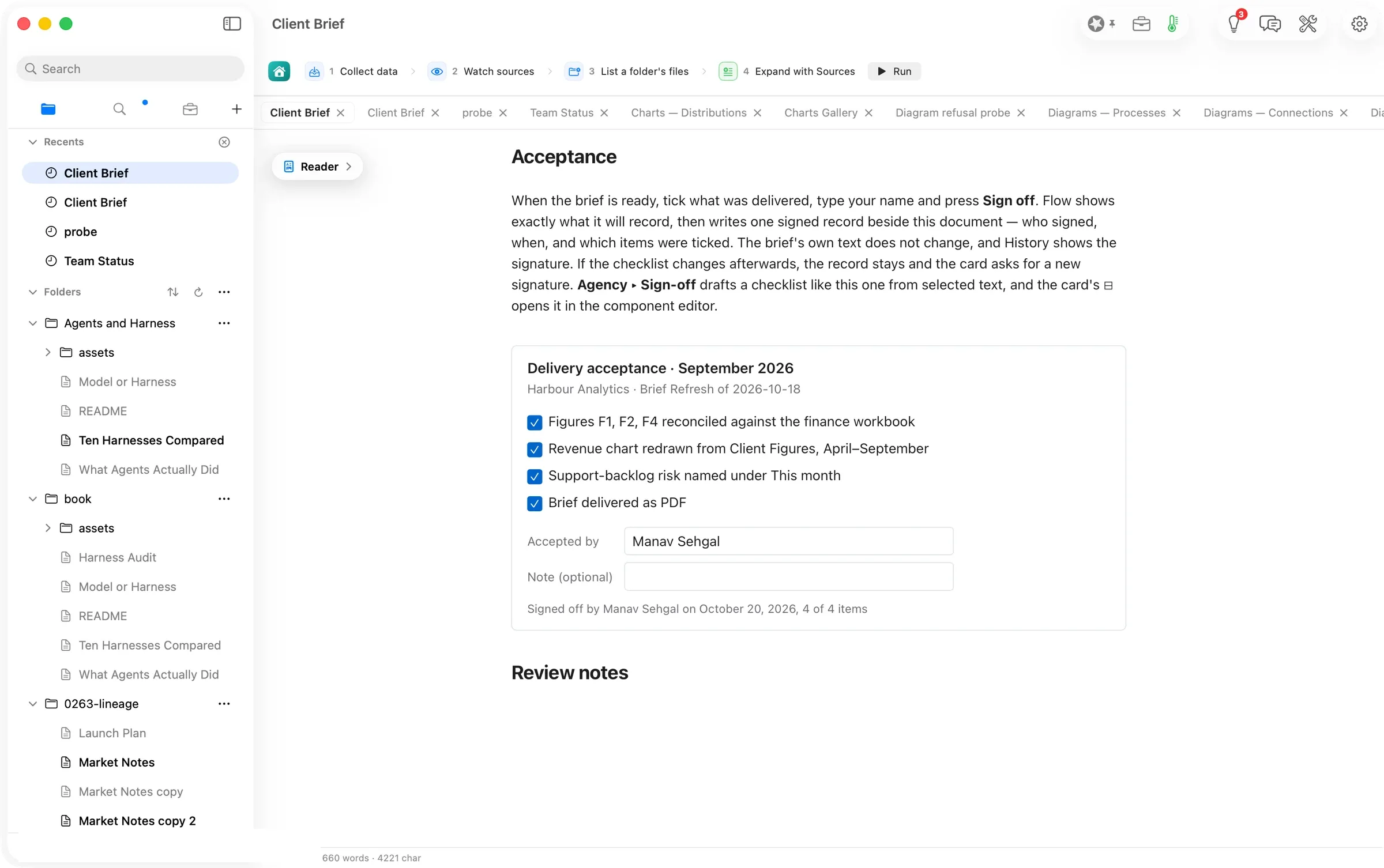
A checklist you can sign, inside the document
Consultants and small agencies
Tick the deliverables, confirm a name and keep an acceptance record beside the document. Draft another checklist from selected text.
- Tick the checklist and type a name
- Confirm what Flow will record
- Find the acceptance in History
1 recordwritten by one sign-off