 ORIONFOLD
All pathsFlow path / Canvas · Consultants and analysts
One brief, three ways
Refresh the same client brief through Jobs or Flow Chat, then trace what changed on the canvas. This walk records the sources, review decisions, time and cost for both routes.

Watch the walkthrough
83.5 seconds, with narration. Recorded on review build 0274-3. The canvas now uses Connections or Evidence with a single Grid toggle.
What Flow does
A living document can be driven three ways, and the canvas shows what happened whichever way you chose. In Orionfold Flow a document carries its own workflow as Jobs. They are a saved definition that collects the figures, a watch on the files they come from, a reconcile against the folder, and a draft of one section from named sources. A power user configures each step in the Jobs tab, with the section, the sources, the length and the model in view, and presses Run; every proposal lands in Review Changes. Someone in a hurry types one sentence to Flow Chat, which reads the folder, checks the figures, rewrites the section with a link on every sentence, and starts Flow’s heavier actions when asked; every change carries Undo and waits in Review. Either way, the canvas then draws the document in the middle, what it rests on to the left, what it links to below, and what links to it on the right; Evidence shows which file each sentence cites; History lists what the document was derived from and plays its saved versions. In our walk the hand-configured run proposed a section of about twelve hundred words from three sources in just over a minute, and Chat rewrote the section with a citation on every sentence in half that.
The answer first
- Open a living document such as the Guide’s Client Brief. The ribbon under the title lists its Jobs as steps, with Run at the end.
- To configure it yourself, press a step in the ribbon to open the Workbench on Jobs. Set the step’s definition, section, sources and length, or press </> to read the declaration as text. Run Jobs, then decide each proposal in Review Changes.
- To have Chat do it, open the Workbench on Chat and say what you want: bring this month’s brief up to date from the files in client-files. Chat changes the document at once with Undo on each change, shows the same change in Review, and starts Flow’s actions when you ask for them.
- To see what happened, press Canvas in the document toolbar (⌥⌘3). Connections shows what the document rests on and links to; Evidence (⌥⌘4) shows what each sentence cites; the Workbench’s History tab lists what the document was derived from, and View ▸ Show History (⌥⌘Y) plays the saved versions.
The job
A consultant sends Harbour Analytics a brief every month. The figures come from the client’s finance workbook and board deck, imported into a client-files folder. The brief has to say what changed, cite where each number came from, and be ready to publish, and next month it has to happen again without starting over. The Guide’s Client Brief carries that workflow as four Jobs. It also carries an image, three cards, a revenue chart and a table bound to the figures, so the walk is on a document that looks like real work.
Level one: the Jobs, configured by hand
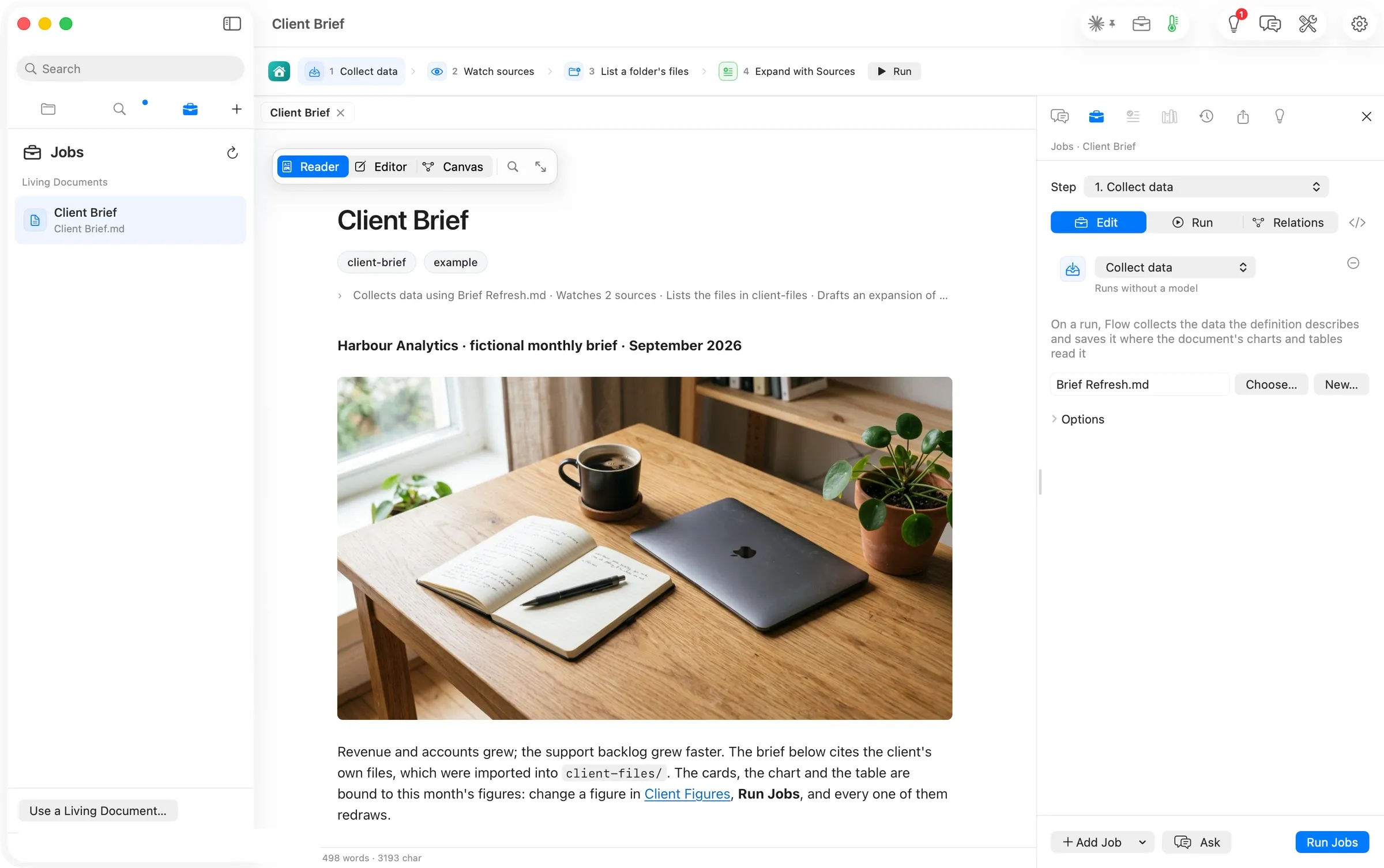
Pressing a step in the ribbon opens the Workbench on the Jobs tab, one step at a time. Step 1 collects data. It names the saved definition, Brief Refresh.md, says it runs without a model, and explains that on a run Flow saves the result where the document’s charts and tables read it.
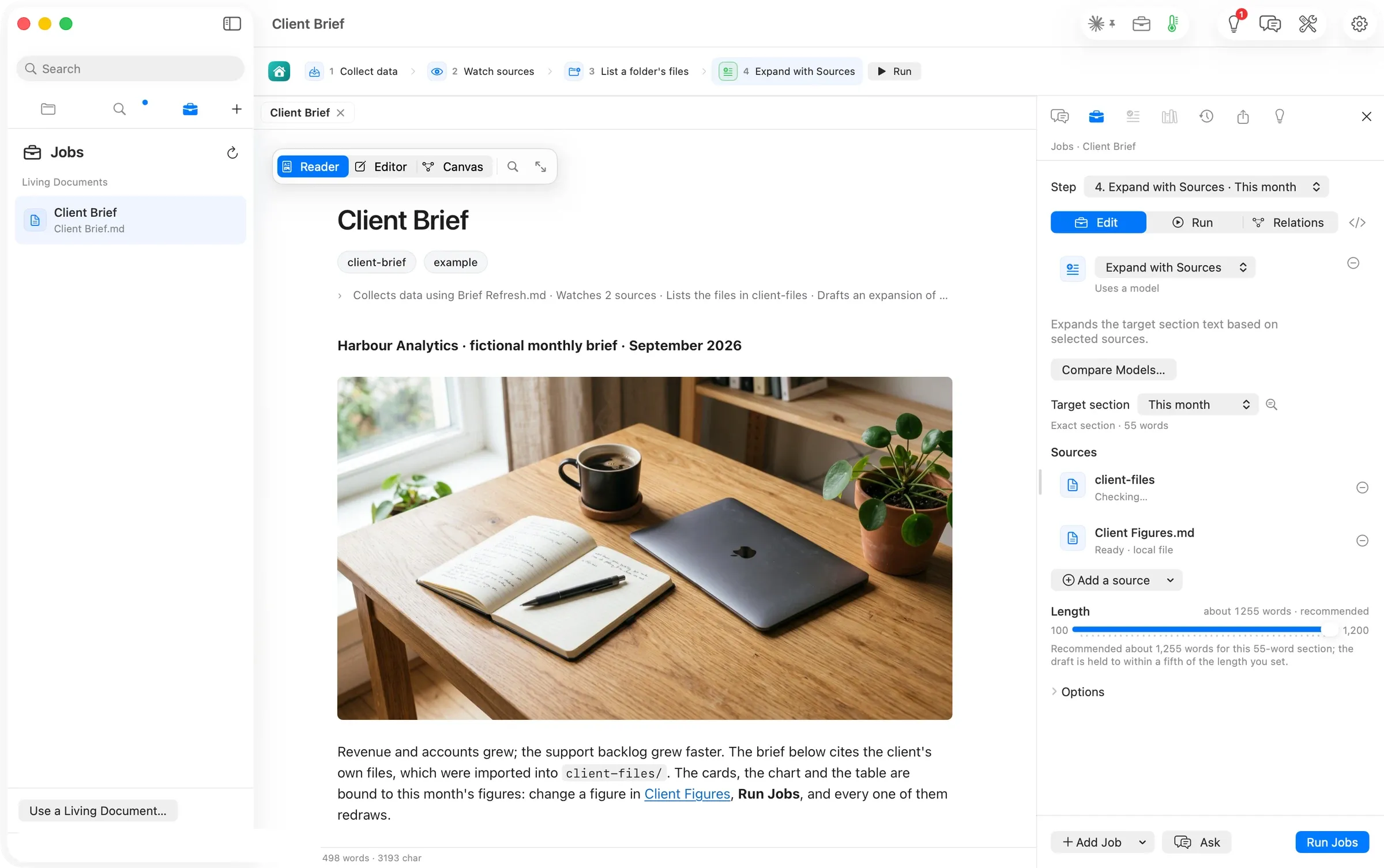
Step 4 is where the power user lives. The target is the This month section, 55 words; the sources are the client-files folder and Client Figures, each with its readiness; the length slider recommends about 1,255 words for a section that size; Compare Models… runs the same step on two models. Nothing here is hidden from the person who wants it.
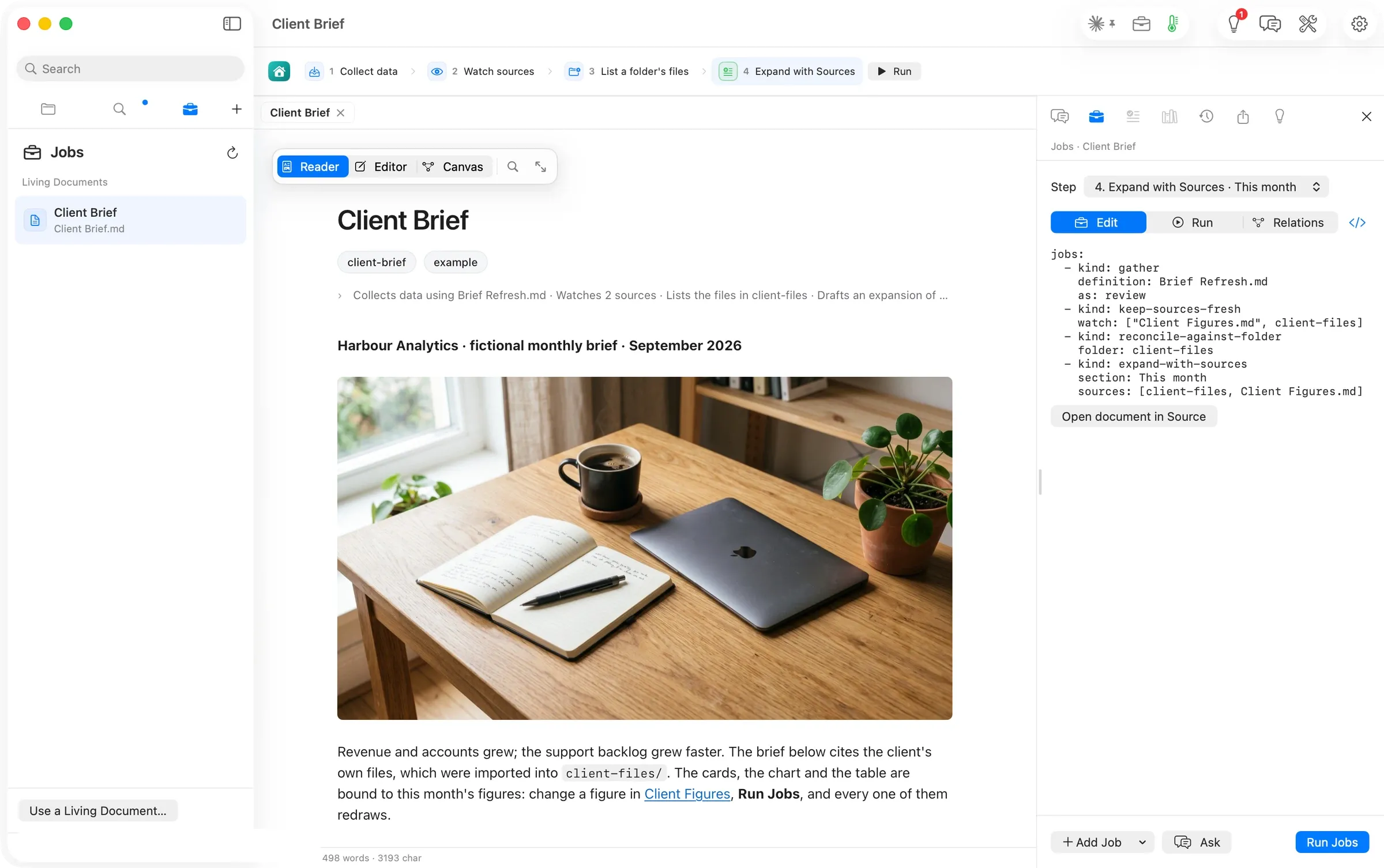
Pressing </> shows the declaration as text, the four jobs in the document’s own front matter. The step picker above it lists them by name.
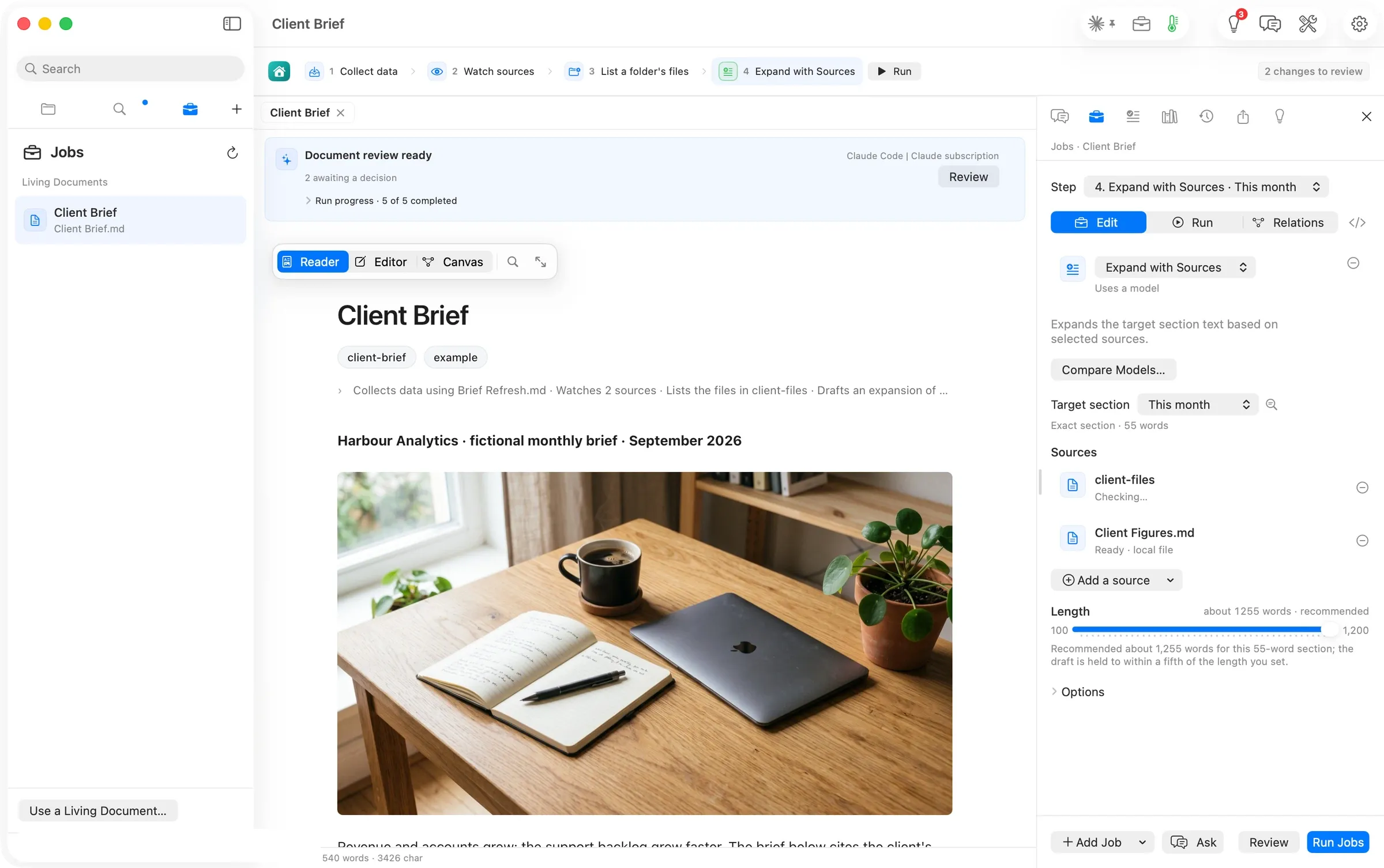
Run Jobs, and 71 seconds later the banner read Document review ready · 2 awaiting a decision. No consent sheet appeared. The run went to Claude Code on the author’s subscription.
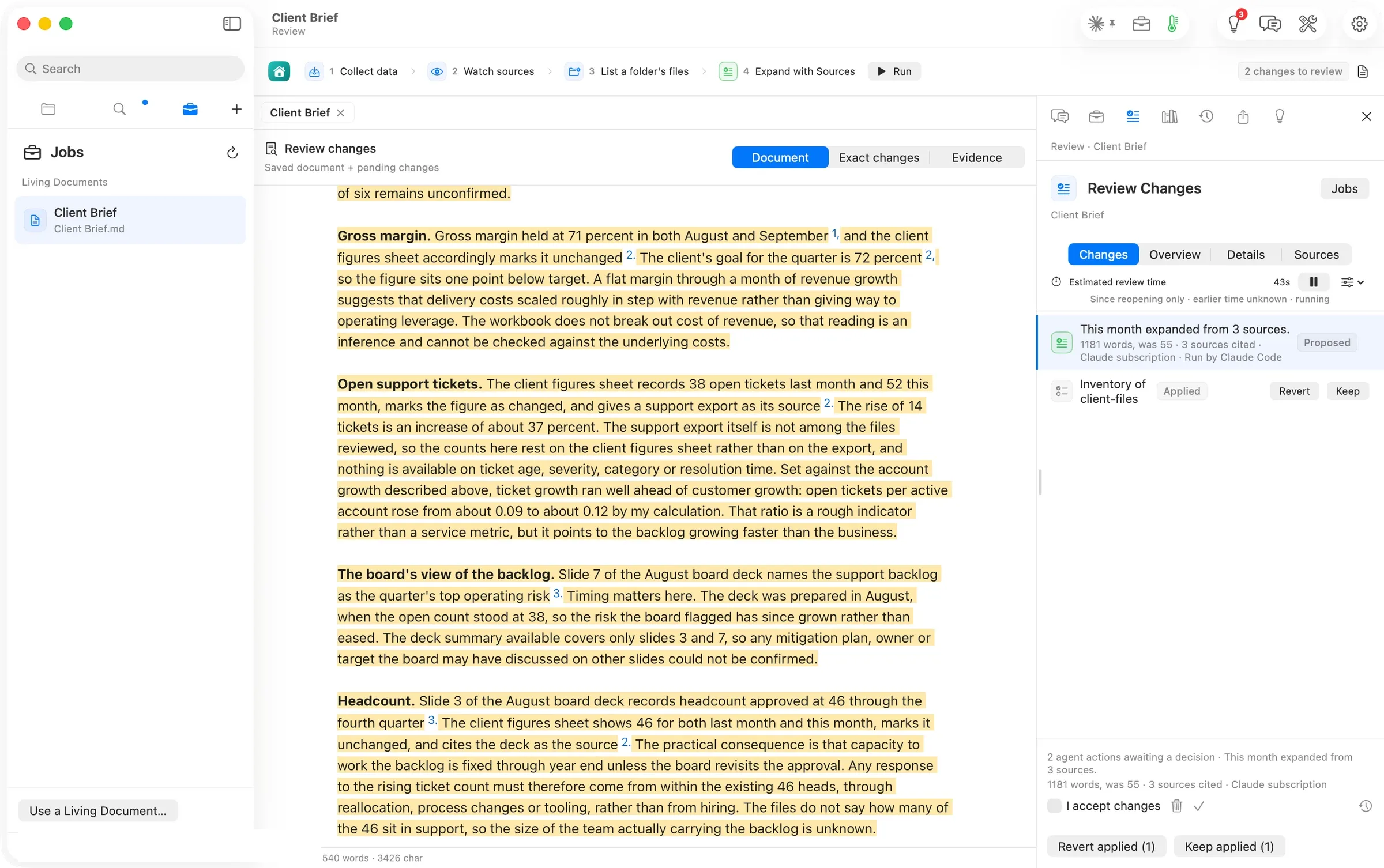
Review Changes shows the proposal in the document, highlighted, with a superscript on every cited sentence, and in the Workbench the two decisions. One is the expansion, 1181 words, was 55 · 3 sources cited · Claude subscription · Run by Claude Code, proposed. The other is the inventory of client-files, applied. The draft is careful. It says which arithmetic is its own and what the sources do not say. We ticked I accept changes, approved, and kept the inventory.
Level three, first pass: what the canvas shows after that run
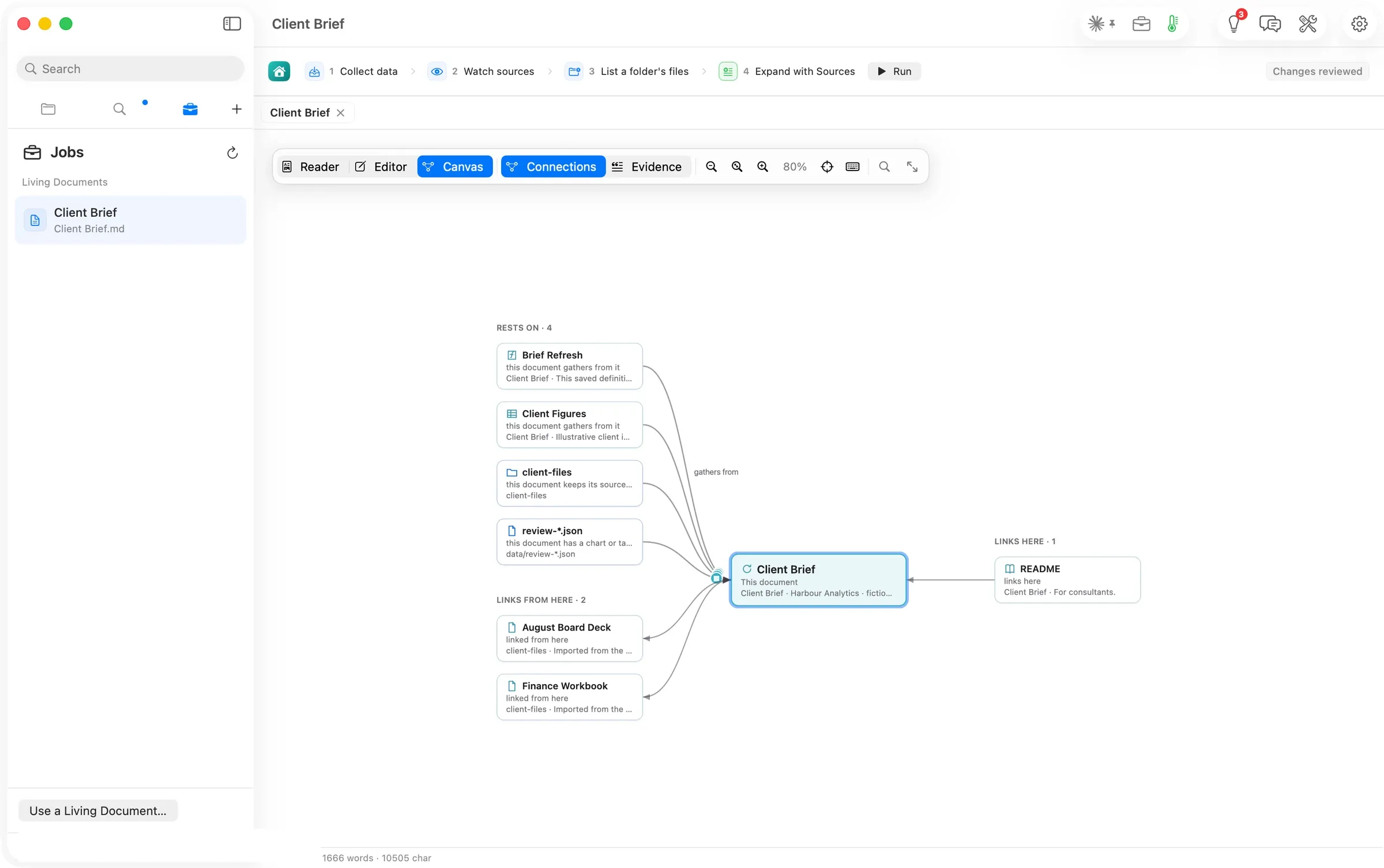
Canvas ▸ Connections lays the brief in the middle. To the left, Rests on · 4: the definition it gathers from, the figures it gathers from, the folder it keeps its sources fresh from, and the review-*.json capture its chart and table read. Below, Links from here · 2: the board deck and the finance workbook, which the new section now cites. To the right, the README that links here.
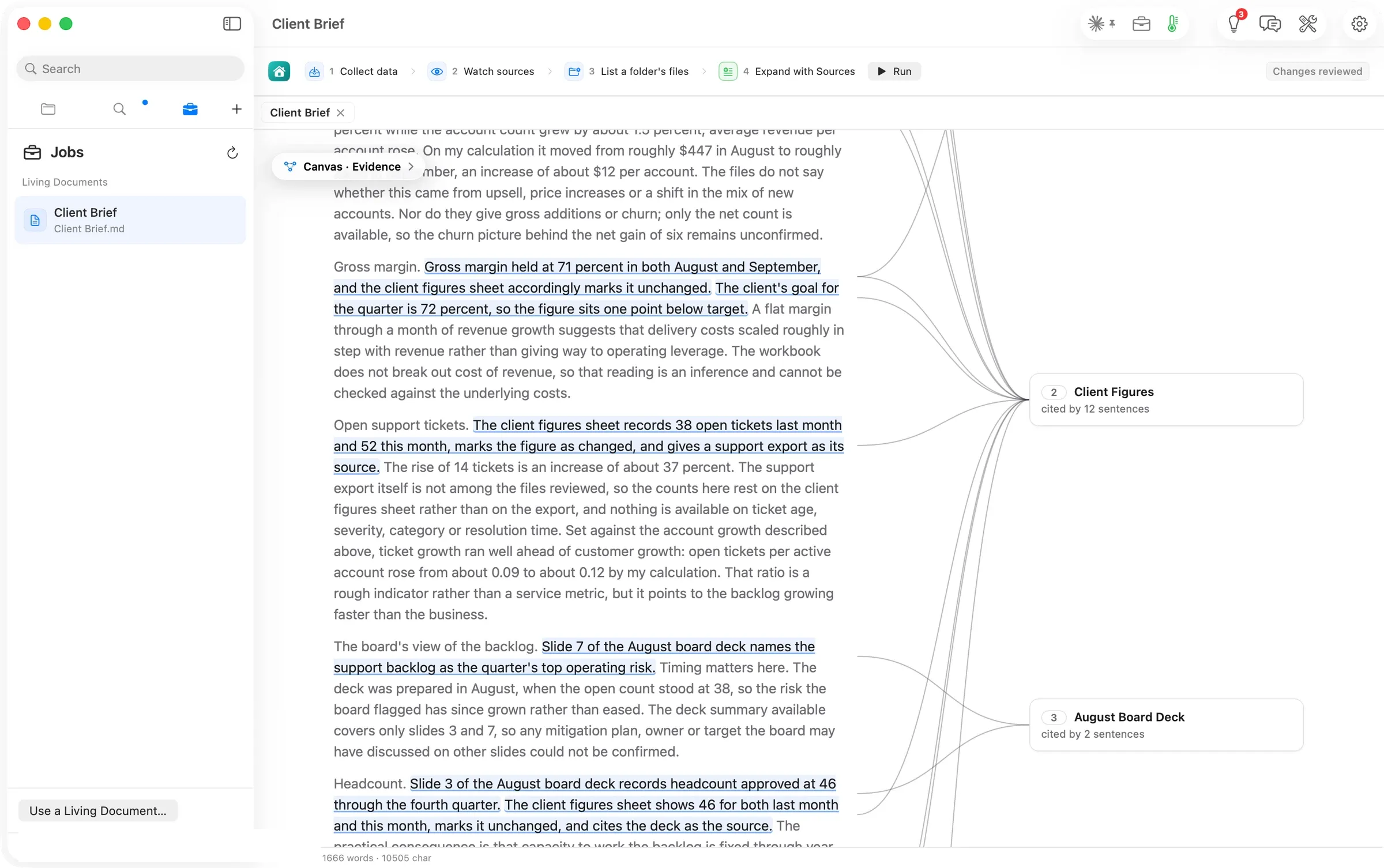
Evidence is enabled now that the brief cites something. Each cited sentence is underlined and joined to its source in the margin, and each source card counts the sentences that rest on it: Client Figures · cited by 12 sentences, August Board Deck · cited by 2.
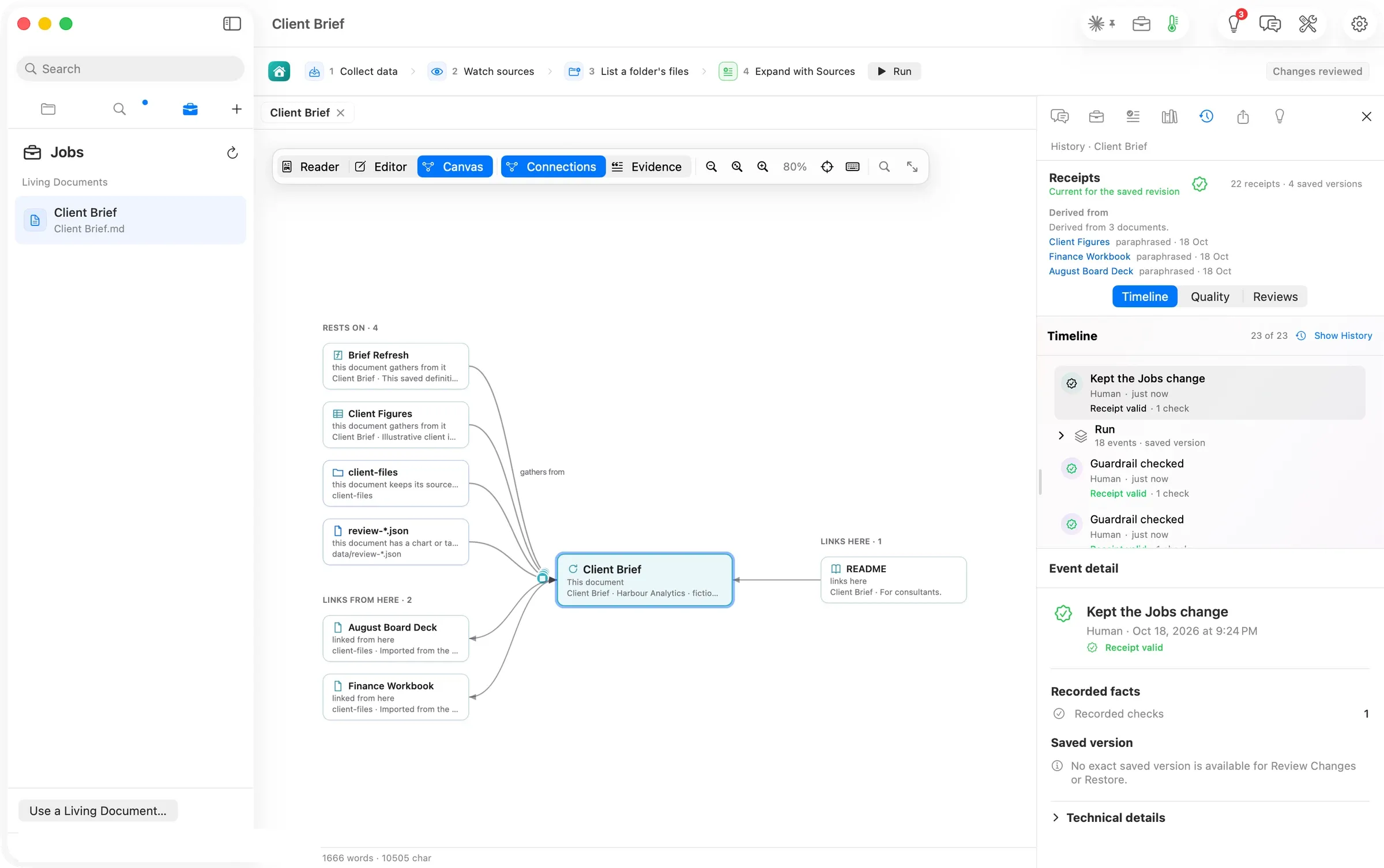
The Workbench’s History tab says where the words came from: Derived from 3 documents, Client Figures, Finance Workbook, August Board Deck, each paraphrased · 18 Oct, with 22 receipts · 4 saved versions and a timeline of 23 events, the run and its saved version among them. View ▸ Show History plays those versions back in the Reader, stepped by arrow keys or a two-finger swipe.
Level two: the same work, asked for in one sentence
A fresh clone of the brief, four Jobs declared and nothing run.
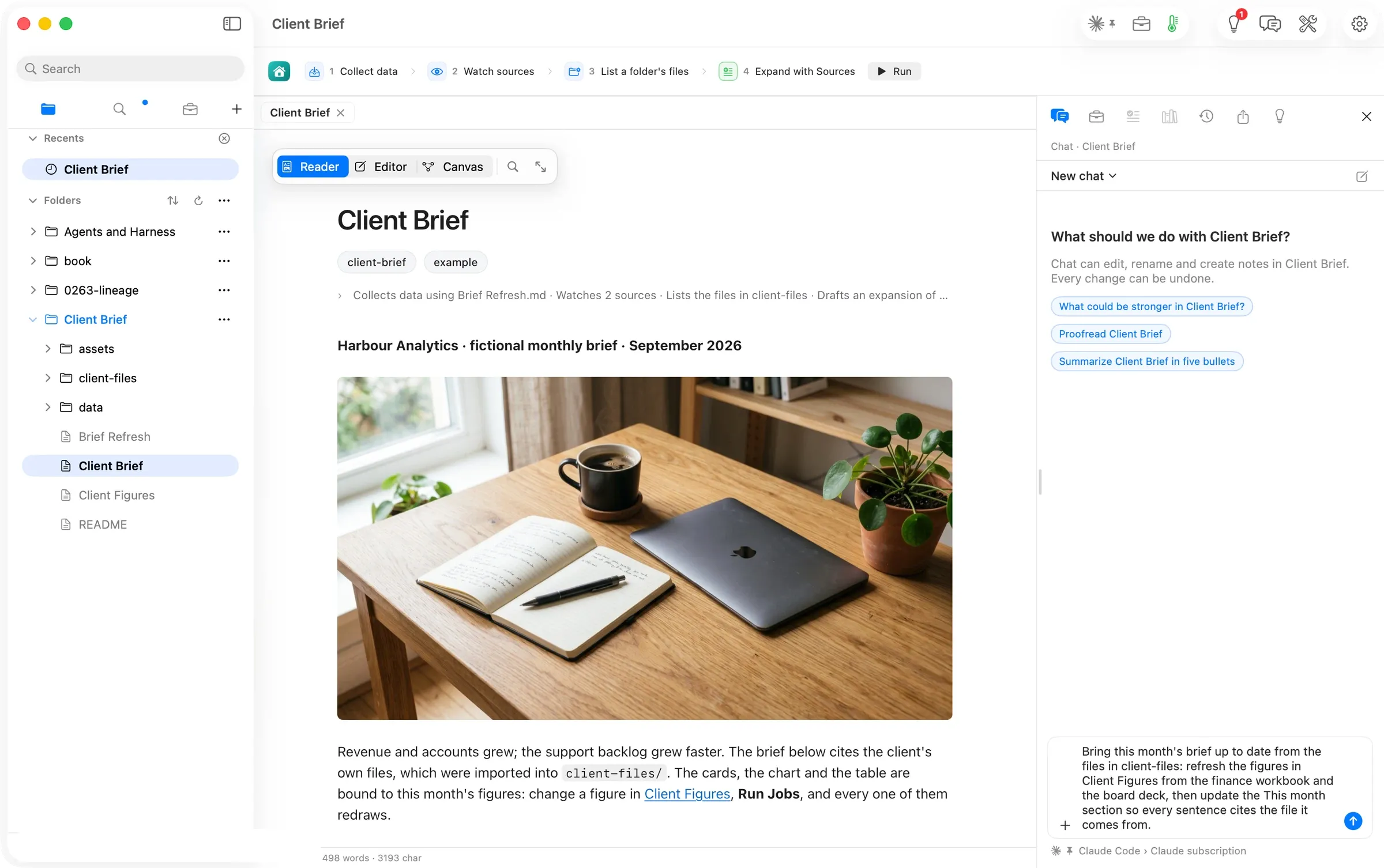
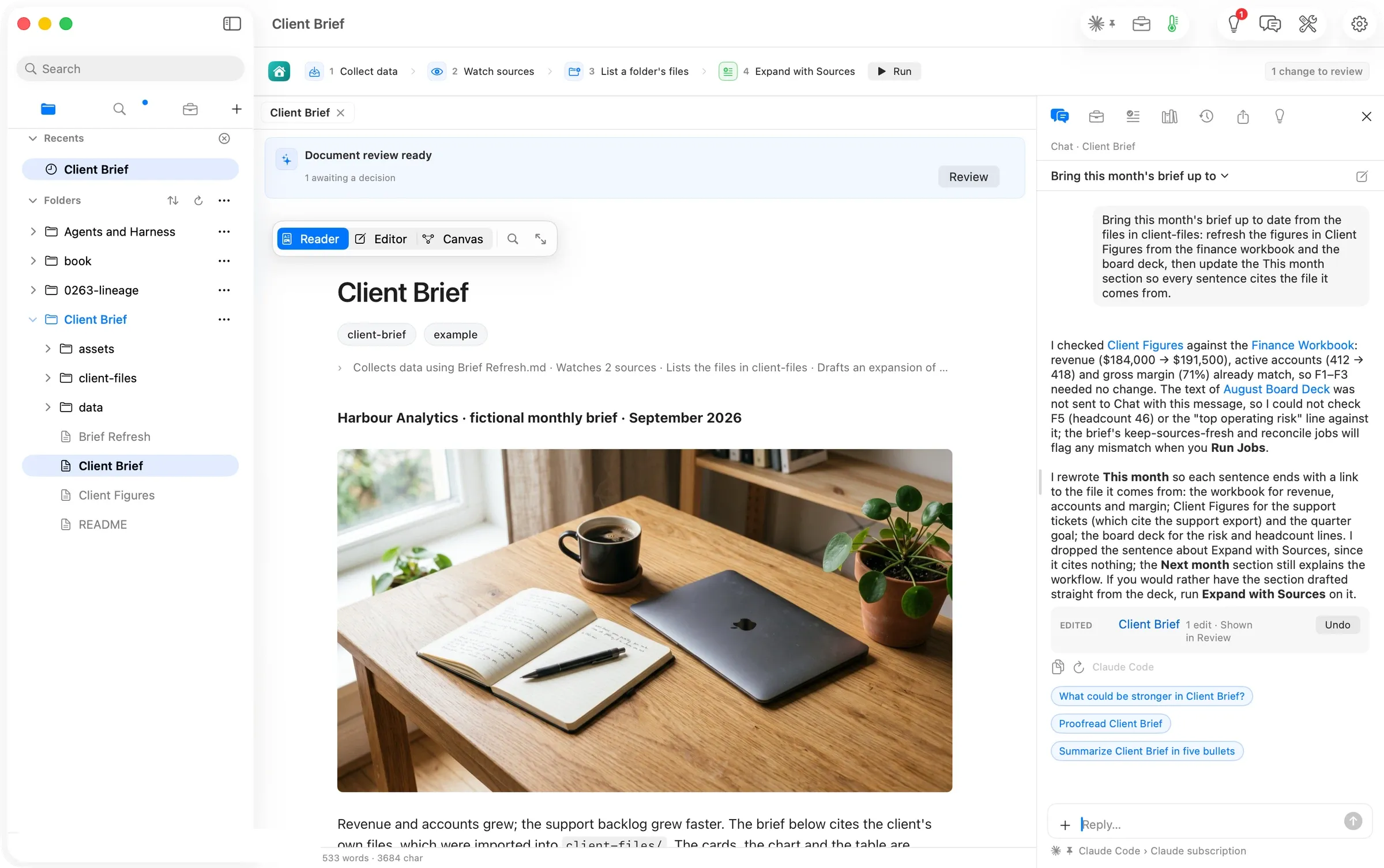
The reply came 34 seconds after the send. Chat had read Client Figures against the finance workbook and found revenue, accounts and margin already matched, so it left that file alone. It rewrote This month so every sentence ends with a link to the file it comes from, dropped a sentence of instructions that came from no file, and said plainly what it could not do. The board deck’s text had not come with the message, so the headcount and the top-risk line were left as the brief already cited them. Then it offered the next step, either Run Jobs so the cards and chart redraw, or Expand with Sources for a fuller draft written from the deck itself. One change card, Edited · 1 edit · Shown in Review, with Undo.
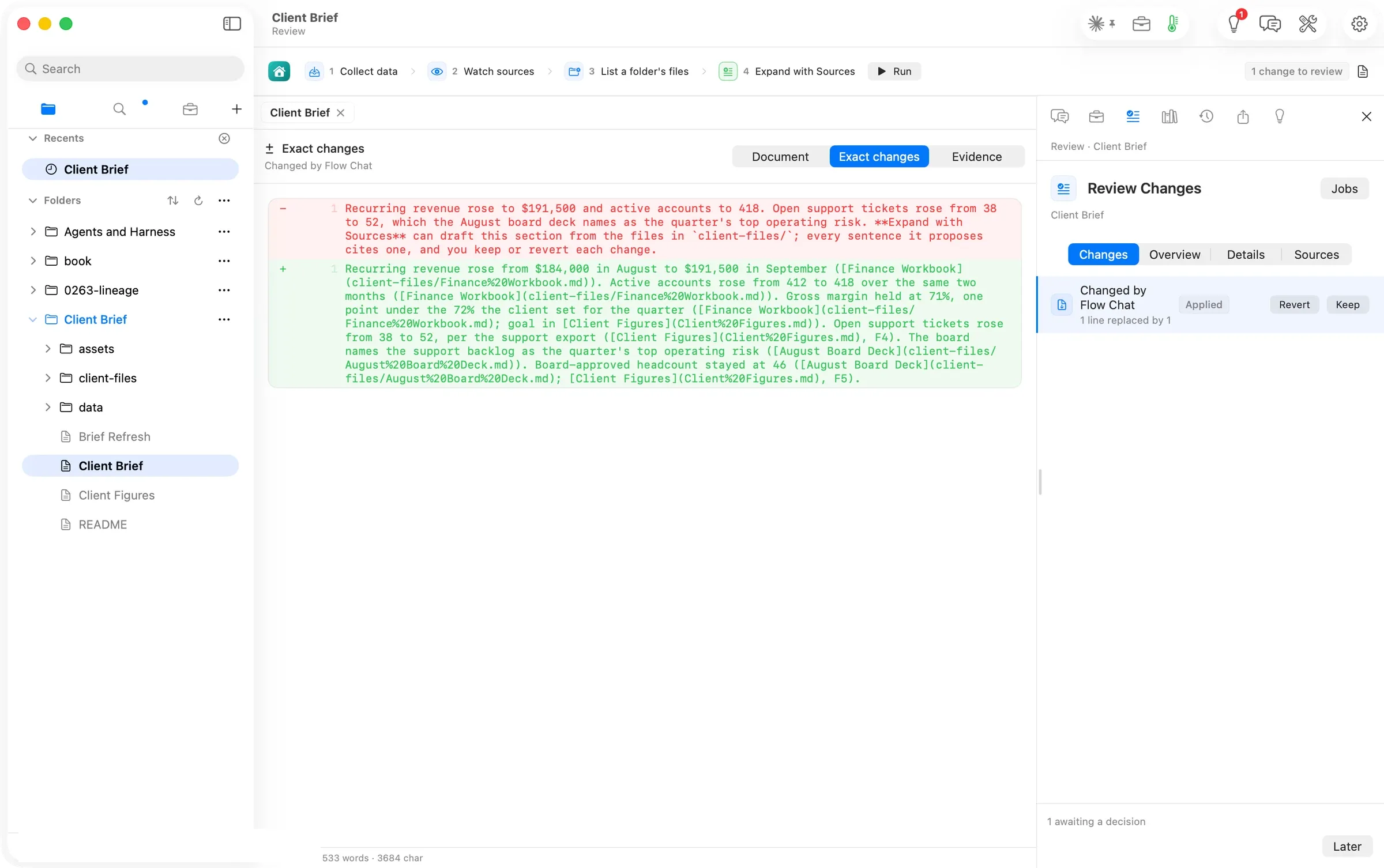
The same edit waits in Review Changes, where Exact changes shows the one line Chat replaced, captioned Changed by Flow Chat, with Keep and Revert. We kept it.
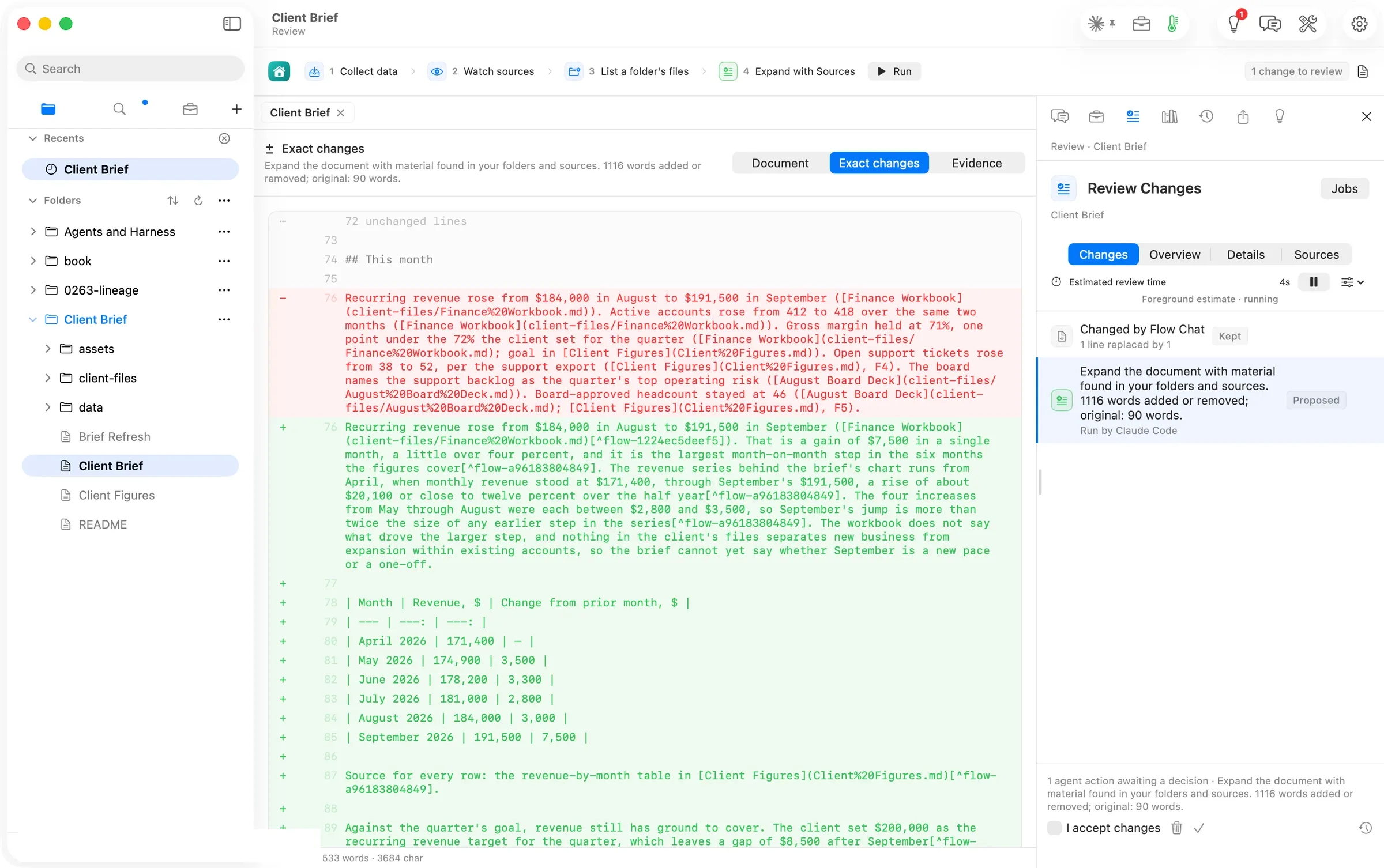
We said yes to the heavier run. Chat started Expand with Sources and told us what it would stand on: the brief’s own job settings point it at the This month section with client-files and Client Figures as sources. Ninety-four seconds later Review Changes opened on the proposal, 1116 words added or removed; original: 90 words · Run by Claude Code, with the month-by-month table the run drew from the figures sheet and a citation on every claim. The run Chat starts takes the same section and sources the hand-configured step declares.
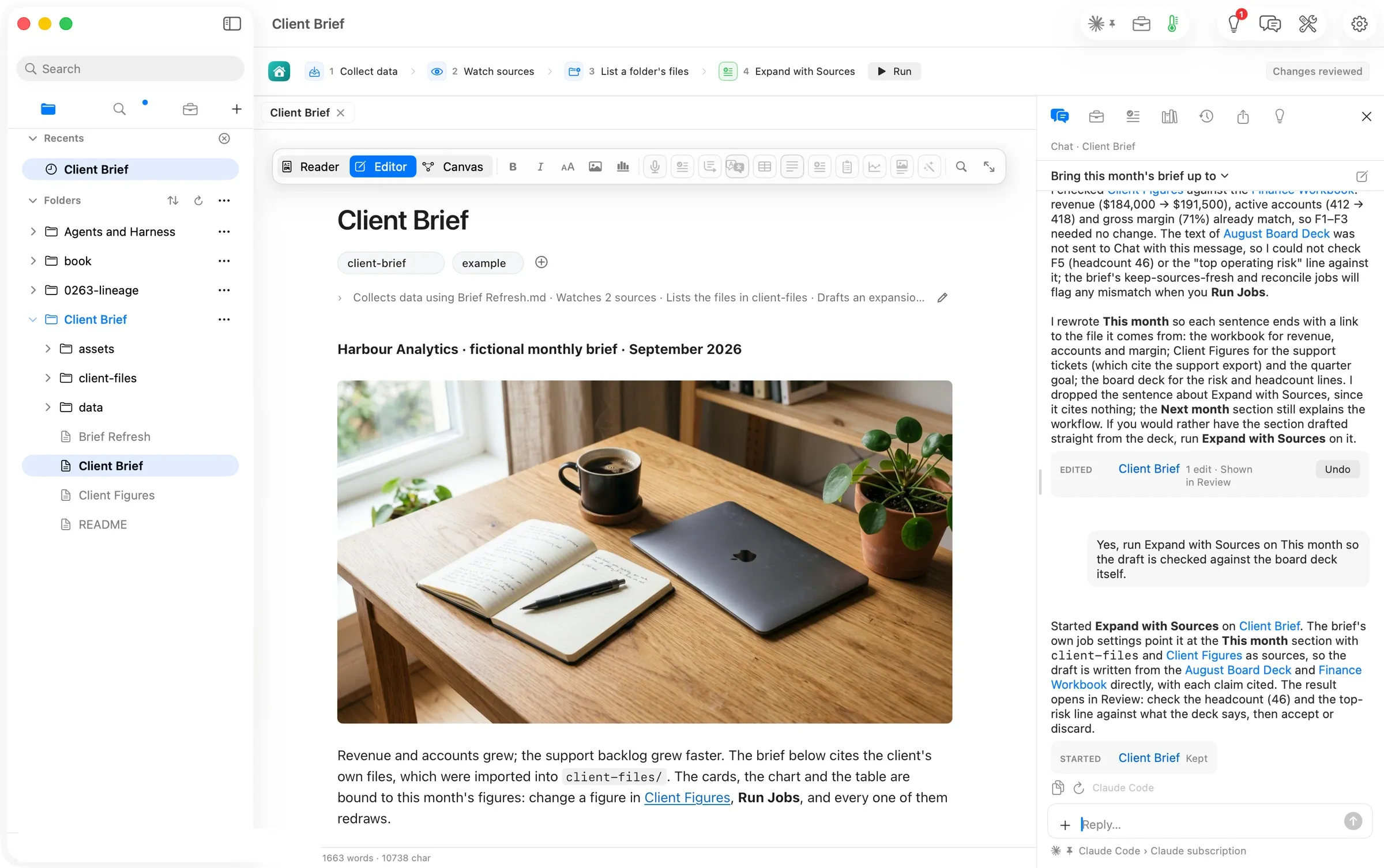
Approved, the card in Chat reads Started · Client Brief · Kept: the conversation keeps the record of what it set in motion and how it ended.
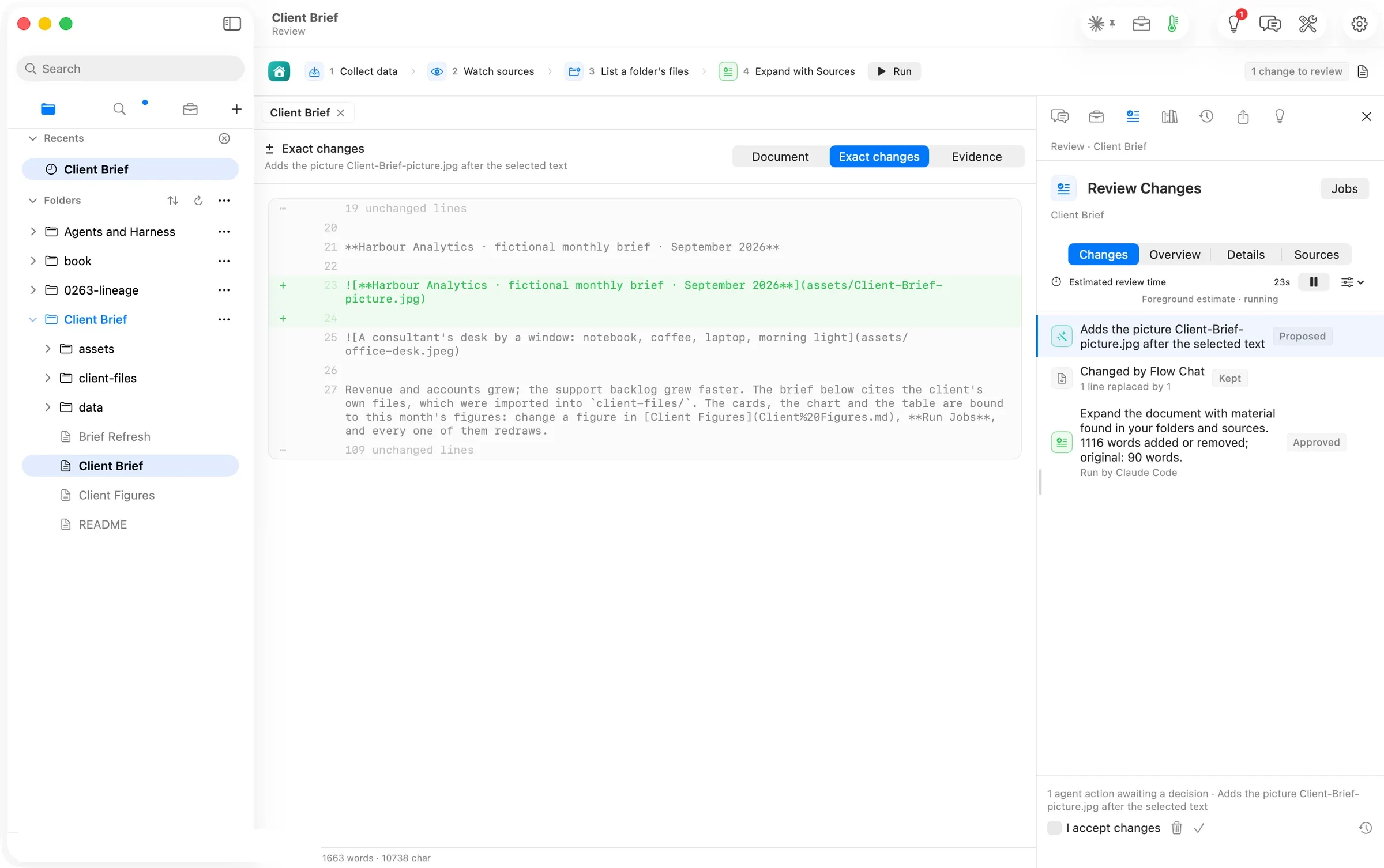
One more sentence asked for a picture of the client’s harbour at dawn. Chat started a picture run, the banner named the provider and the model and said usually under a minute, and 29 seconds later Review Changes proposed the image line. Flow places a picture Chat asks for after the document’s lead line; if you want it somewhere else, drag the line there once you accept it, or ask Chat to move it.
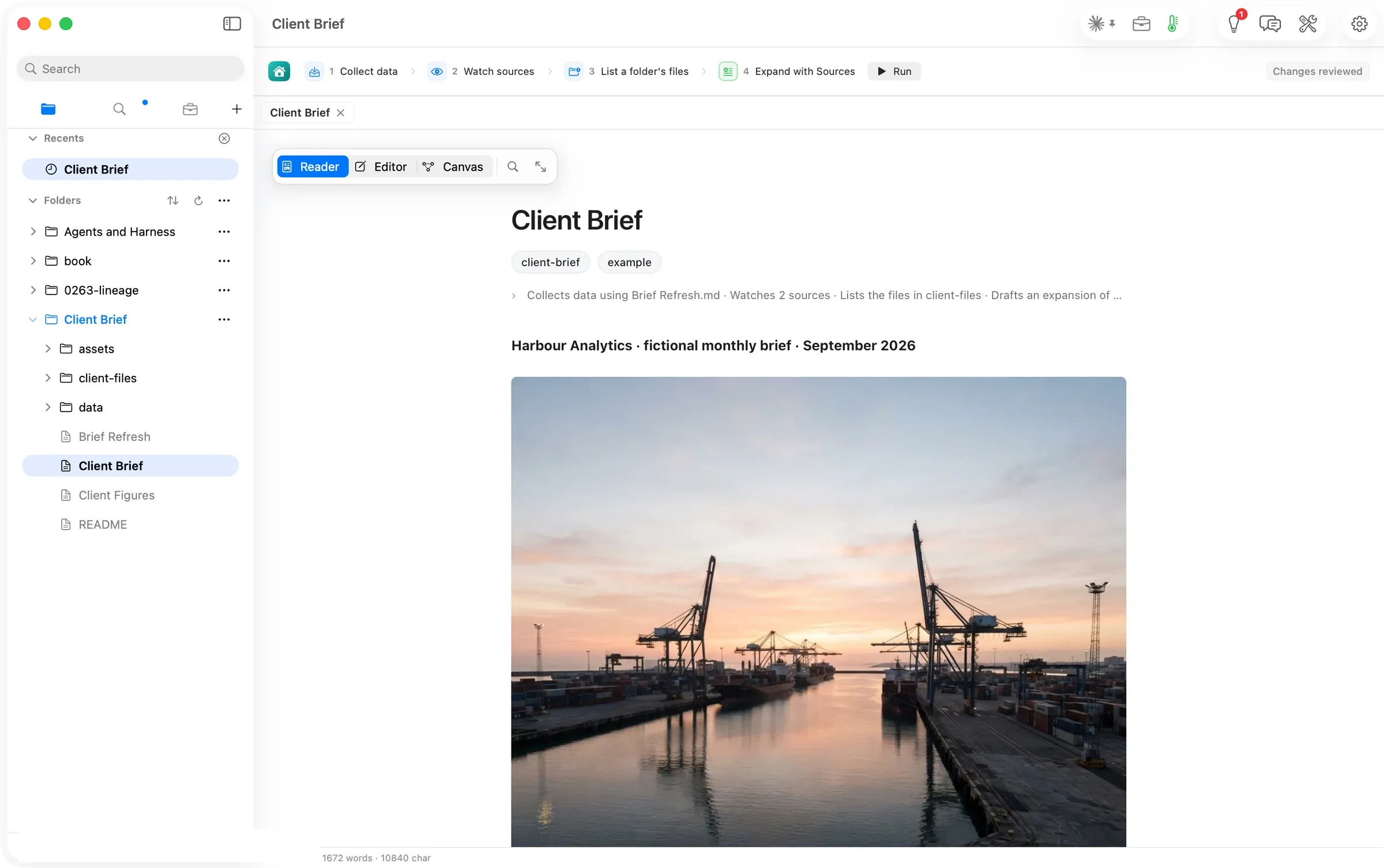
Accepted, the picture is saved into the document’s assets folder and drawn in the Reader. It is the one run in this walk that was billed, at three cents on the author’s own OpenRouter key.
Level three, second pass: what the canvas shows after Chat
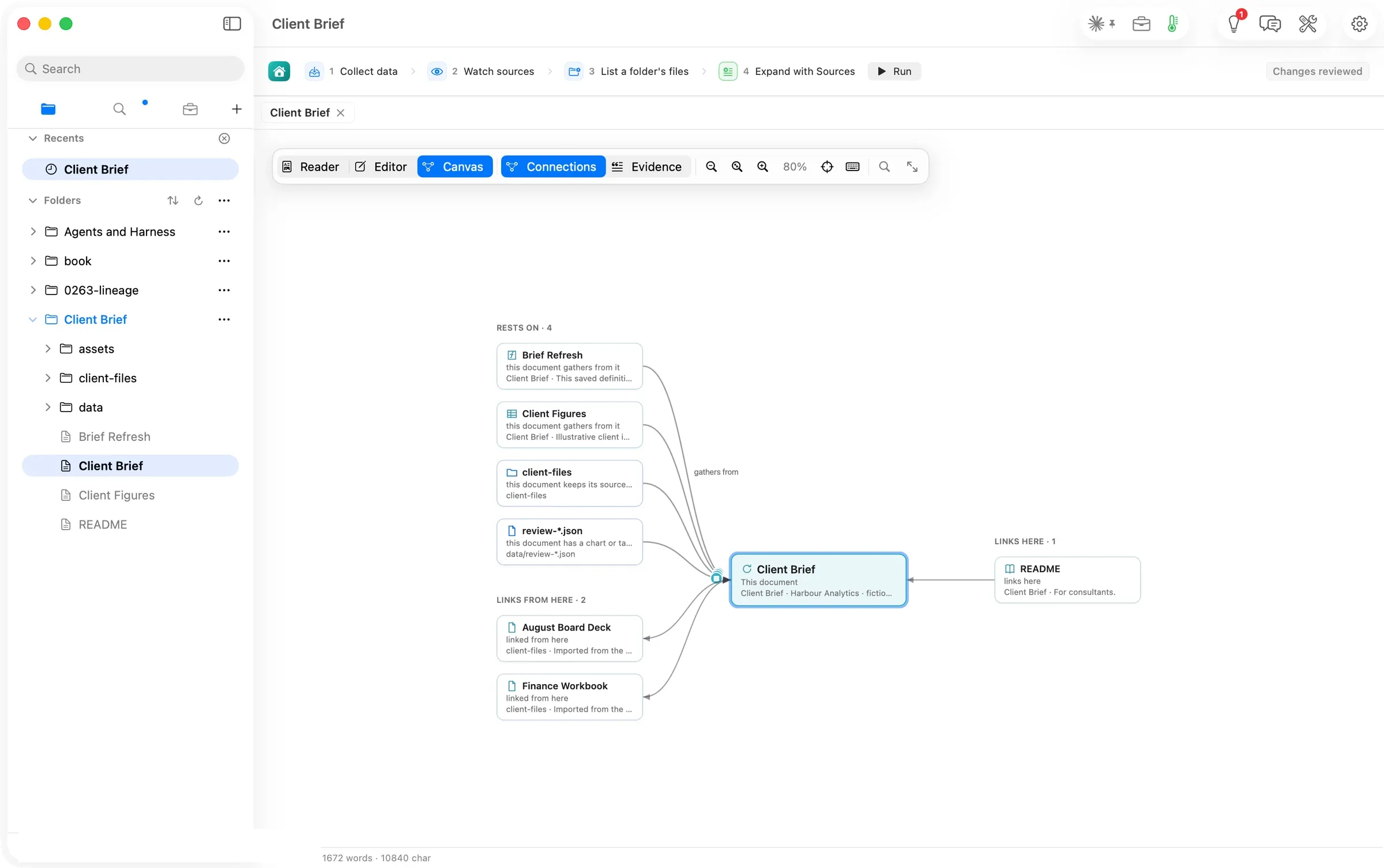
The canvas draws the same shape, with Rests on · 4, Links from here · 2 because Chat’s sentences link the files they cite, Links here · 1.
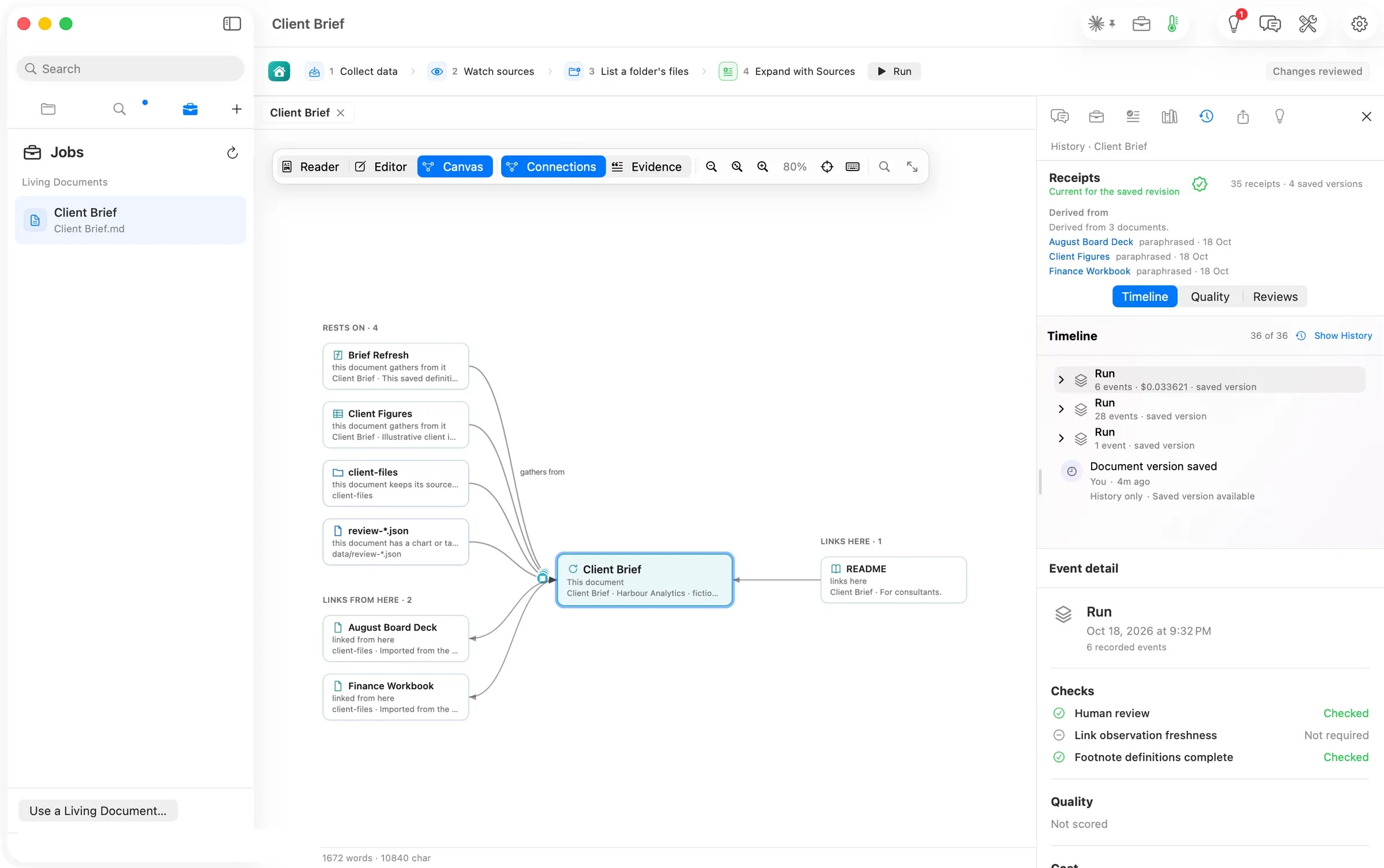
History says Derived from 3 documents, with 35 receipts · 4 saved versions and a timeline of 36 events. Among them are the picture run with its cost on the line, the expansion, Chat’s edit as a run of its own, and the version each one saved. The person who asked in sentences gets the same account as the person who configured every step.
The numbers
| Figure | Value | Status and source |
|---|---|---|
| Hand-configured run, Run Jobs to review ready | 71 s, 21:20:41–21:21:52 PDT | verified (clock around the press; the review file’s write time) |
| The proposal | 1,181 words where there were 55; 3 sources cited | verified (the Review row read back, shot 06) |
| Step 4’s recommendation | about 1,255 words for a 55-word section | verified (shot 03) |
| Chat, message to reply | 34 s, sent 21:27:10 PDT | verified (clock around the send; the review file’s write time) |
| Chat’s direct change | 1 edit to the brief, 0 to Client Figures | verified (the change card; Client Figures unchanged on disk) |
| Chat-started Expand with Sources | 94 s, sent 21:28:51 PDT; 1,116 words added or removed, original 90 | verified (the Review row read back, shot 13) |
| Chat-started picture | 29 s, sent 21:31:00 PDT; 1024×1024 | verified (the receipt’s recorded time and picture size) |
| Spend | $0.0336 for the picture (OpenRouter, google/gemini-3.1-flash-lite-image, reported basis); every text run on a Claude subscription, marginal cost assumed $0 | verified (the run’s receipt; the route line) |
| Canvas after the hand run / after Chat | Rests on 4 · Links from here 2 · Links here 1, both times | verified (shots 07, 17) |
| Evidence after the hand run | Client Figures cited by 12 sentences; August Board Deck by 2 | verified (shot 08) |
| History after the hand run | Derived from 3 documents; 22 receipts, 4 saved versions, 23 events | verified (shot 09) |
| History after Chat | Derived from 3 documents; 35 receipts, 4 saved versions, 36 events | verified (shot 18) |
| Decisions after the hand run | 2 awaiting a decision; run progress 5 of 5 | verified (shot 05) |
| Steps that needed anything outside Flow | 0 | verified (journal) |
More Flow walks
Walked on: Orionfold Flow review build 0274-3 (dev, main 673ec53f), macOS 26.6, MacBook Pro M3 Max 36 GB, window 1512×949; walked 2026-10-18 21:18–21:33 PDT by the agent on the operator's word ("screen is yours"), one Flow instance.
Data: The Flow Guide's Client Brief workspace (Harbour Analytics, a fictional engagement) cloned into ~/flow-staging, once per level; never the operator's real work. The account row is painted over in every shot.
Written by the Flow product team from the walk's own records. Numbers are labelled verified, derived, assumed or unknown.
MORE PATHS
Another job,
walked the same way.
Find your work in Flow 4
People getting started with Flow or returning to an open workspace
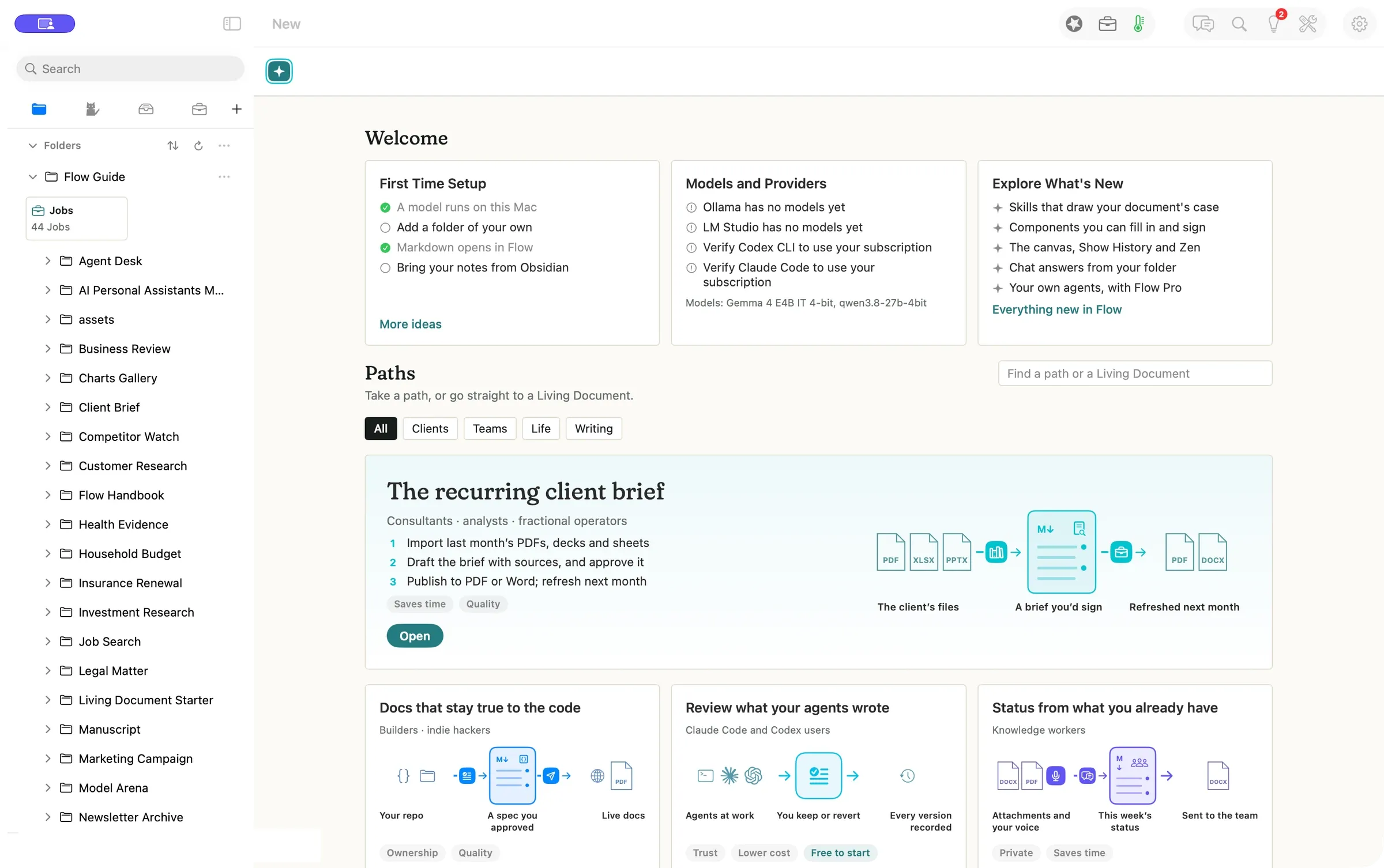
Press New, pick a worked example, and open it as your own copy. Tomorrow it is one click away in the sidebar, with your open documents still a tab away.
- Press New to open Welcome and Paths
- Open a path as your own copy
- Come back through the sidebar
$0.00to open a path, no model called
Give your Fold a working memory
People who bring the same editorial preferences to several projects
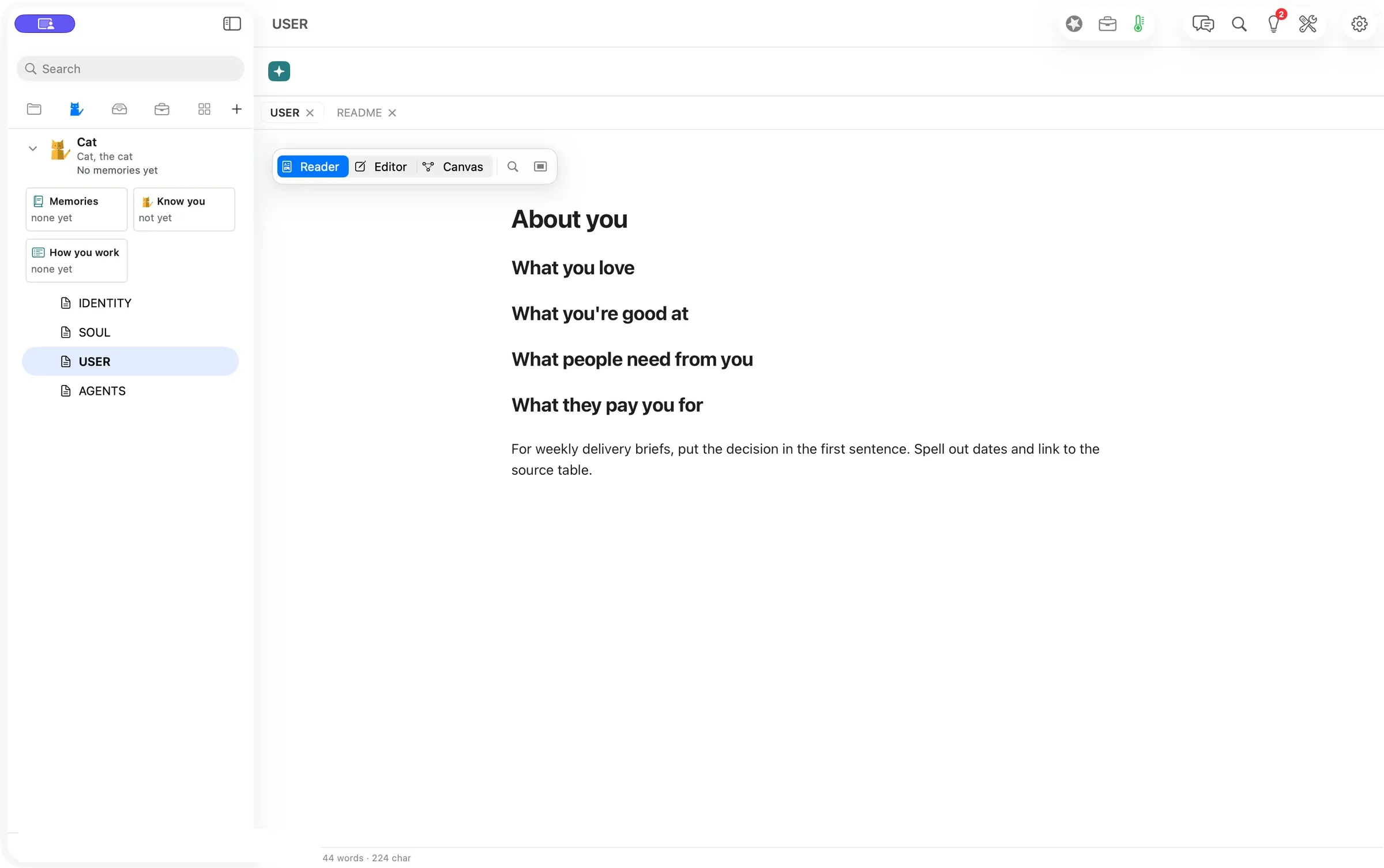
Teach your Fold how you work once. Write it in the Fold’s own files, or start a Chat message with Remember, and Flow carries it into the next brief.
- Open Folds and edit About you
- Start a Chat message with Remember
- Check it with Show, or take it back with Undo
$0.00to save a preference by hand
Share a Playbook that can keep getting better
Experts who package a repeatable method and the people who use it
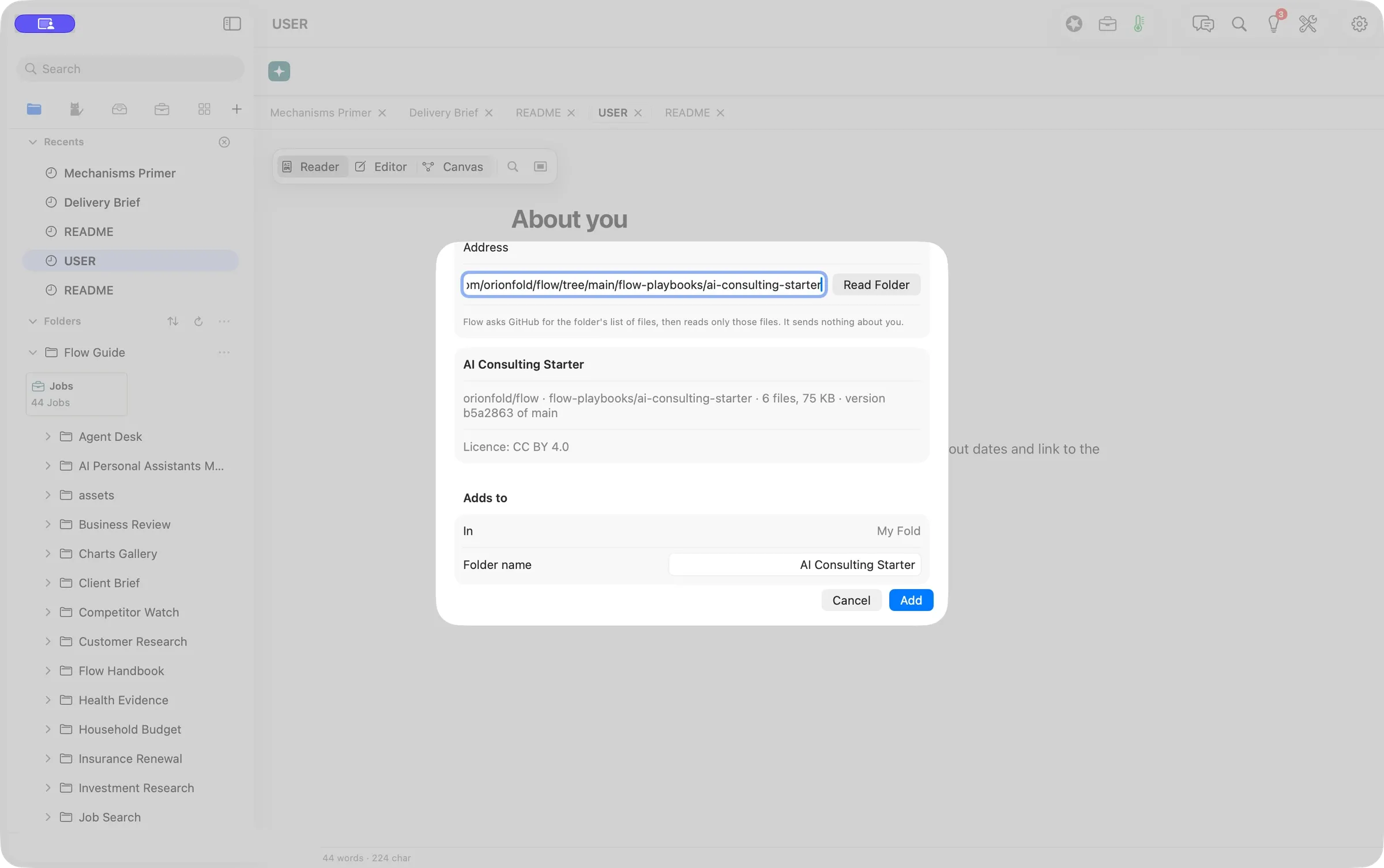
A Flow Playbook is your method in a folder that AI can follow. We brought in the free AI Consulting starter, read its license first, and chose which updates to take.
- Choose File ▸ New from GitHub…
- Read the preview, then press Add
- Check for updates and pick what to apply
6 of 6files matched GitHub byte for byte