Flow 2.2 · Settings
Your Mac. Your choices.
Keep Settings beside your document. Inspect models, storage and measurements, and choose what can leave your Mac.
Explore the product tour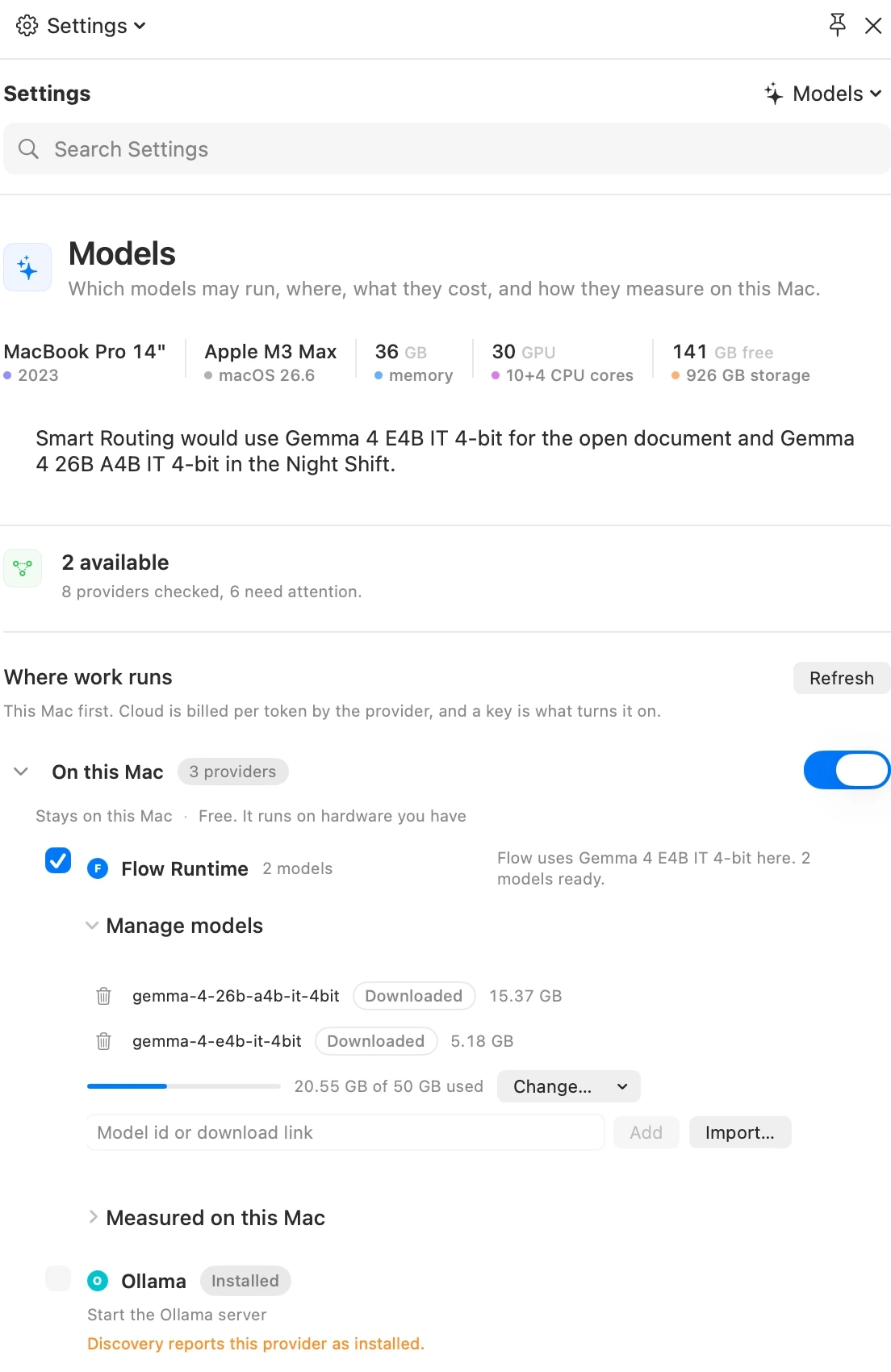
Your choices, beside the work
Six categories. One Workbench.
Settings opens in the Workbench beside your document, with a category menu and search. Find plan and licence controls in General, editing and saving in Documents, providers and measurements in Models, and checks in Evidence.
First launch opens the Guide's Welcome page without a setup form. Start with useful work, inspect what Ideas found on your Mac, and return to Settings when you want to change a choice.
01 · General
The essentials, together.
Your plan, licence, app updates, the Flow Guide and privacy controls live in General. App updates are not tied to a paid subscription; security fixes remain available if it lapses.
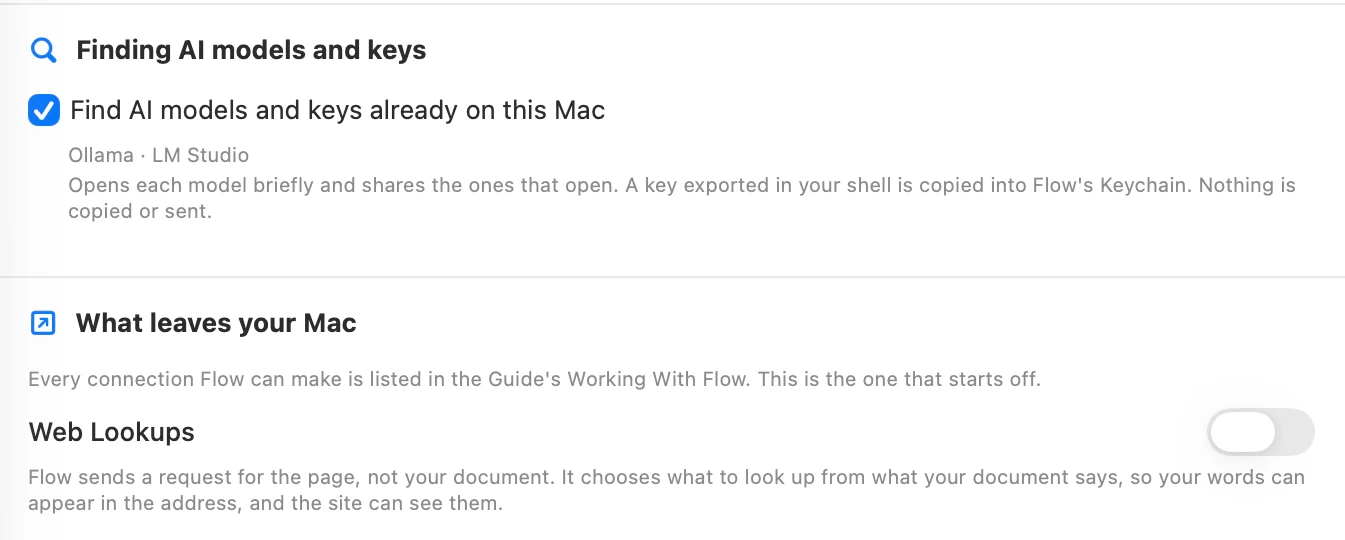
Find compatible models already on this Mac, and control Web Lookups. Web Lookups starts off. When enabled, a lookup requests a page; words from the document may appear in its address and be visible to that site.
02 · Documents
Find it. Write it. Save it.
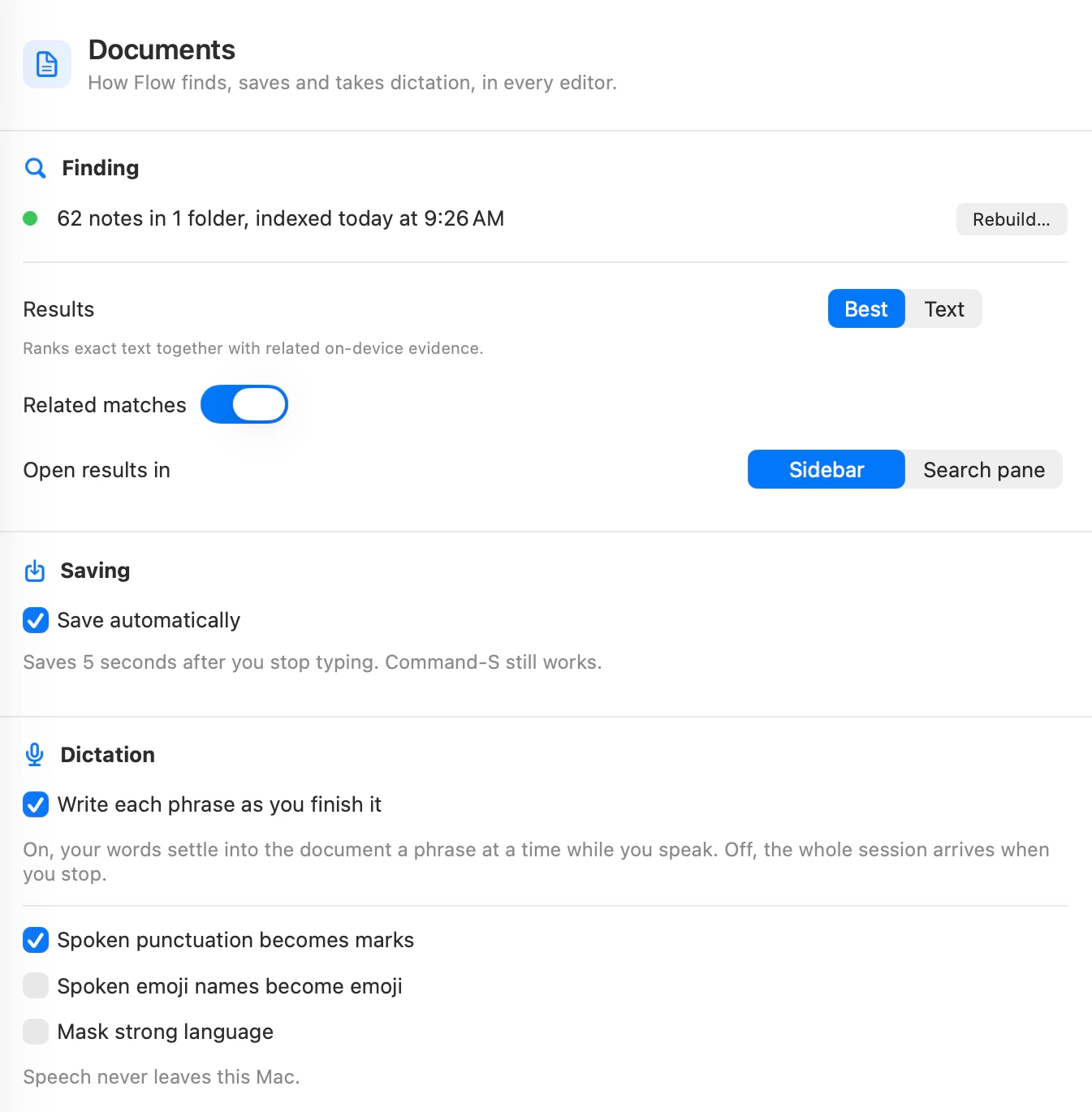
Choose text or related search results and where they open. Set automatic saving, then use the same dictation controls across editors.
Automatic saving waits five seconds after you stop typing. Command-S still works. Dictation stays on this Mac, with controls for punctuation, emoji names and strong language.
03 · Models
Start with the Mac you have.
See this Mac and the models Flow would use for the open document and the Night Shift. Providers, cost, storage and local measurements live together in the Workbench.
Ideas shows local models and keys found on your Mac. A selected shell key is copied into Flow’s Keychain only when you choose Use selected. Manage models shows downloaded and shared models; cloud providers use your configured API key and bill their own token use. Measurements describe fit and speed, not answer quality.
04 · Smart Routing
Know why that model was picked.
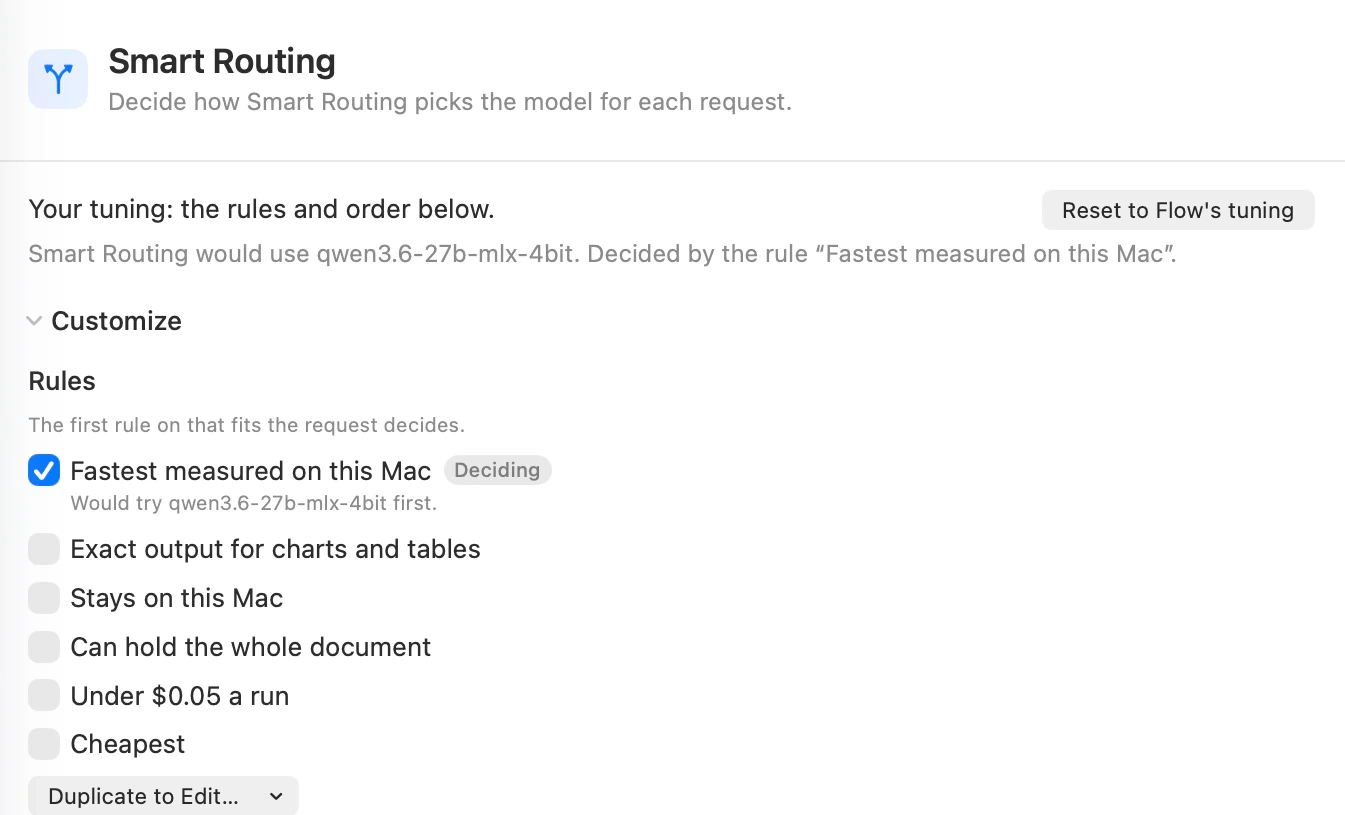
One sentence names the model and the deciding rule. Start with Flow’s tuning or open Customize to change the ordered rules and providers.
The first rule that fits the request decides. Flow Runtime comes first in the default provider order. You can reset to Flow’s tuning or choose the model yourself.
05 · Evidence
Make the checks visible.
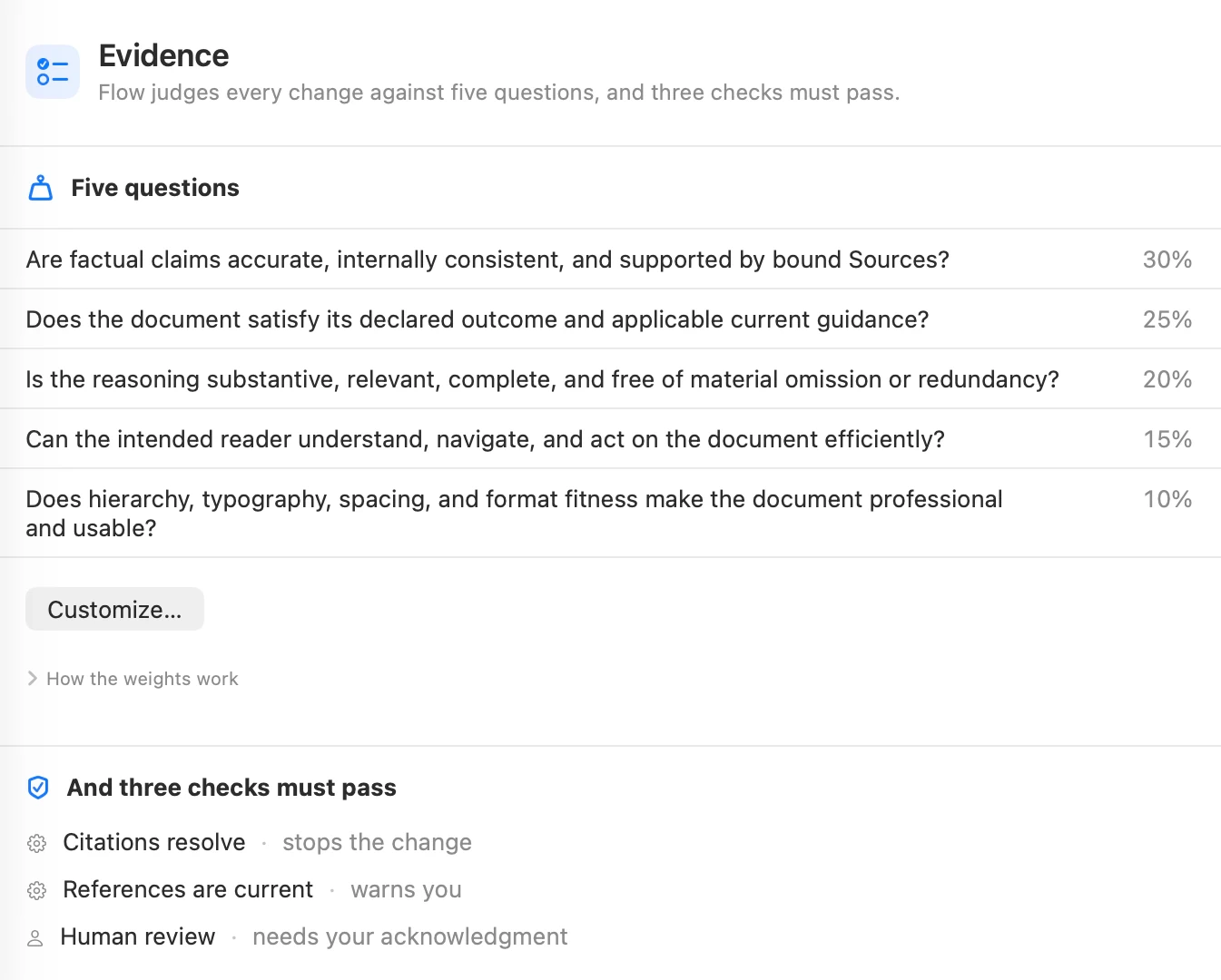
Five weighted questions cover factual support, the outcome, reasoning, reader clarity and presentation. Open Customize to change those weights.
Three checks are shown separately: citations resolve, references are current and human review. Their effects are explicit: a stop, a warning or a required acknowledgment.
06 · Night Shift
Set the hours. Keep the controls.
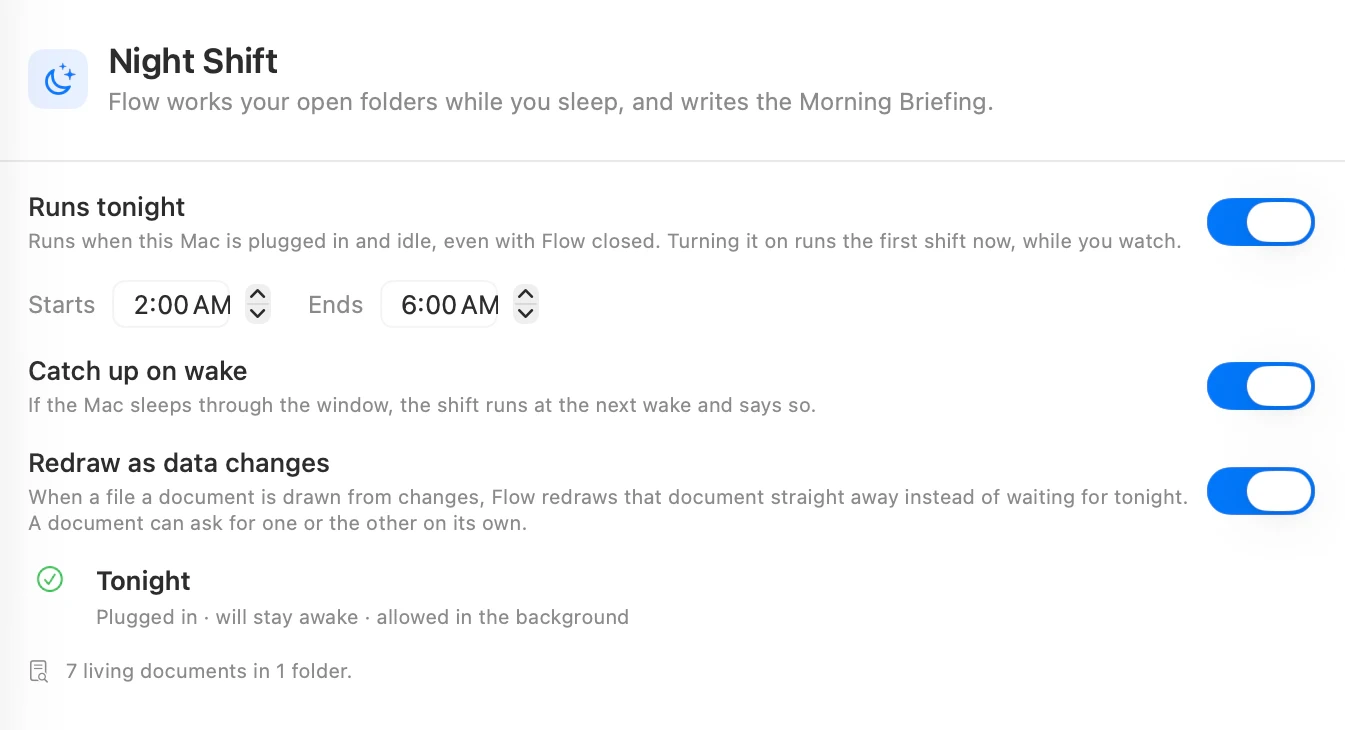
Choose tonight’s window, catch up on wake and decide whether bound charts and tables redraw as data changes. The readiness line tells you whether this Mac is ready.
Runs tonight works when the Mac is plugged in and idle, even with Flow closed. Use Run now to watch progress and open the Morning Briefing to review the result.
Make it yours
Start with one recurring document.
Choose Start with useful work, create your own copy, and inspect its Jobs in the Workbench. Replace the sample inputs before relying on the result.