 ORIONFOLD
All pathsFlow 4.0 path / Start here
Find your work in Flow 4
Start with a path when you need a place to begin. Come back to it when you need another, with your open documents still a tab away.
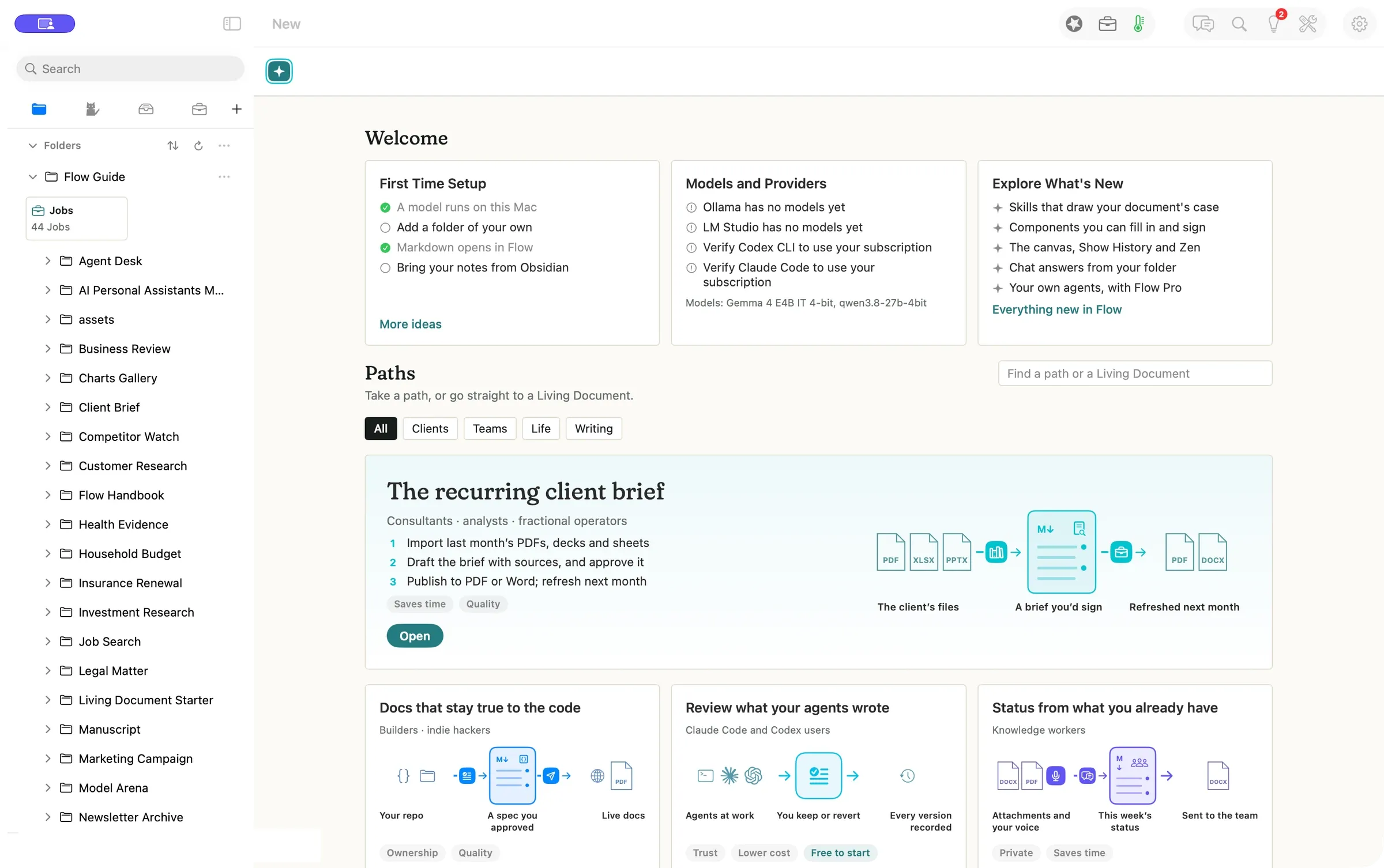
Starting a job and coming back to it now have their own places. Welcome helps you get set up. Paths gives you worked examples to open as editable copies. The sidebar holds the things you’ll come back to, including folders, your Folds, reviews and Jobs.
“I need a place to start on Monday and a way back to the same work on Tuesday.” Illustrative scenario.
Open your first path
- Press New above the document to open Welcome and Paths.
- Search for a path or narrow the list with a category such as Clients. Open The recurring client brief to make a copy.
- Read the steps in its README. Use Open the Living Document to see the worked brief. When you need another example, press New again.
A client brief you can make your own
A recurring brief needs a place for the source files, a way to review what changed, and a document you can send. The sample README lays those steps out and links to a finished example. Edit your copy as you go. The Guide keeps the original.
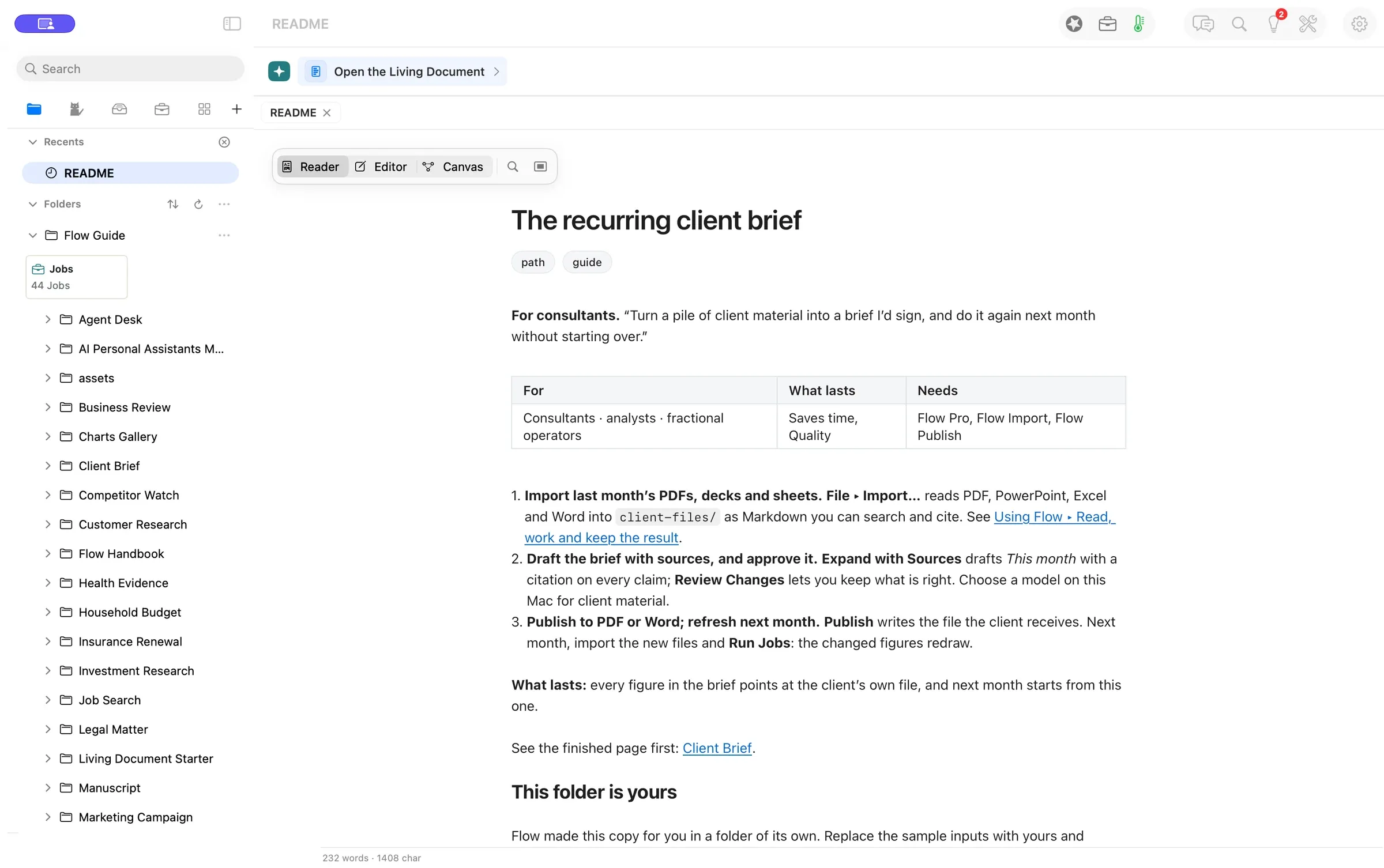
Use Folders to find the copy again, Folds for your personal Fold and Playbook Folds, Your turn for decisions, and Jobs for saved work that can run. The Workbench opens beside a document when you want its own Review, History, or Jobs.
Evidence
| What we checked | Result |
|---|---|
| Opening the example | Verified. Flow opened a separate copy of the README. |
| Model cost | Verified. No model was called to open the path. |
Walked on: Flow 4.0.0 (4383), isolated arm64 Release bundle from 0a584a48, macOS 26.6, 1512 × 949 pt, walked by Codex at 21:29 PST.
Data: Bundled Flow Guide and its fictional Client Brief
Written by the Flow product team from the walk's own records. Numbers are labelled verified, derived, assumed or unknown.
MORE PATHS
Another job,
walked the same way.
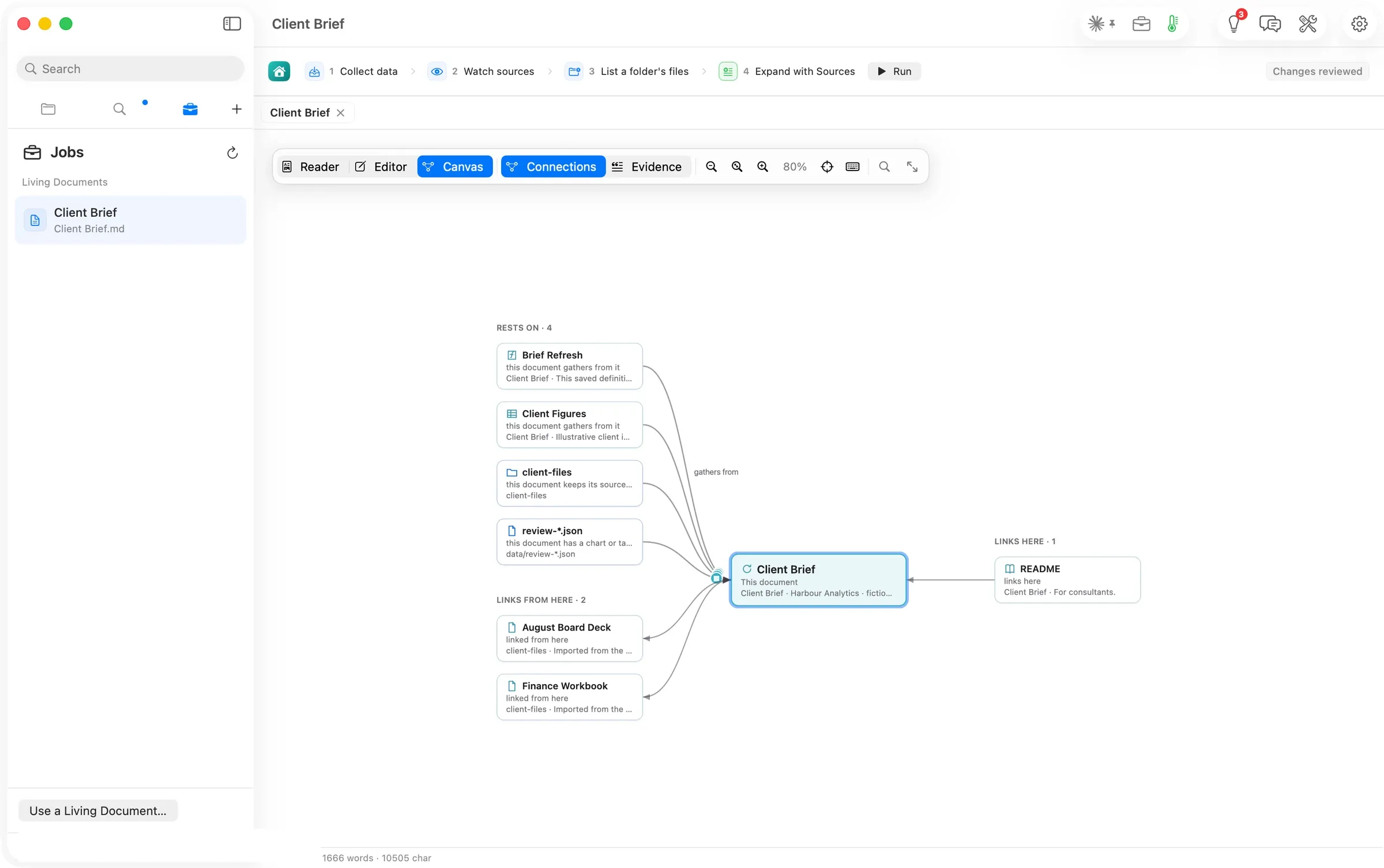
One brief, three ways
Consultants and analysts
Configure Jobs, ask Flow Chat, then trace the result through Connections, Evidence and History. Two routes to one brief, with sources, time and cost recorded.
- Configure the brief’s Jobs
- Ask Chat to refresh the same section
- Trace the result on the canvas
71 sJobs run to review ready
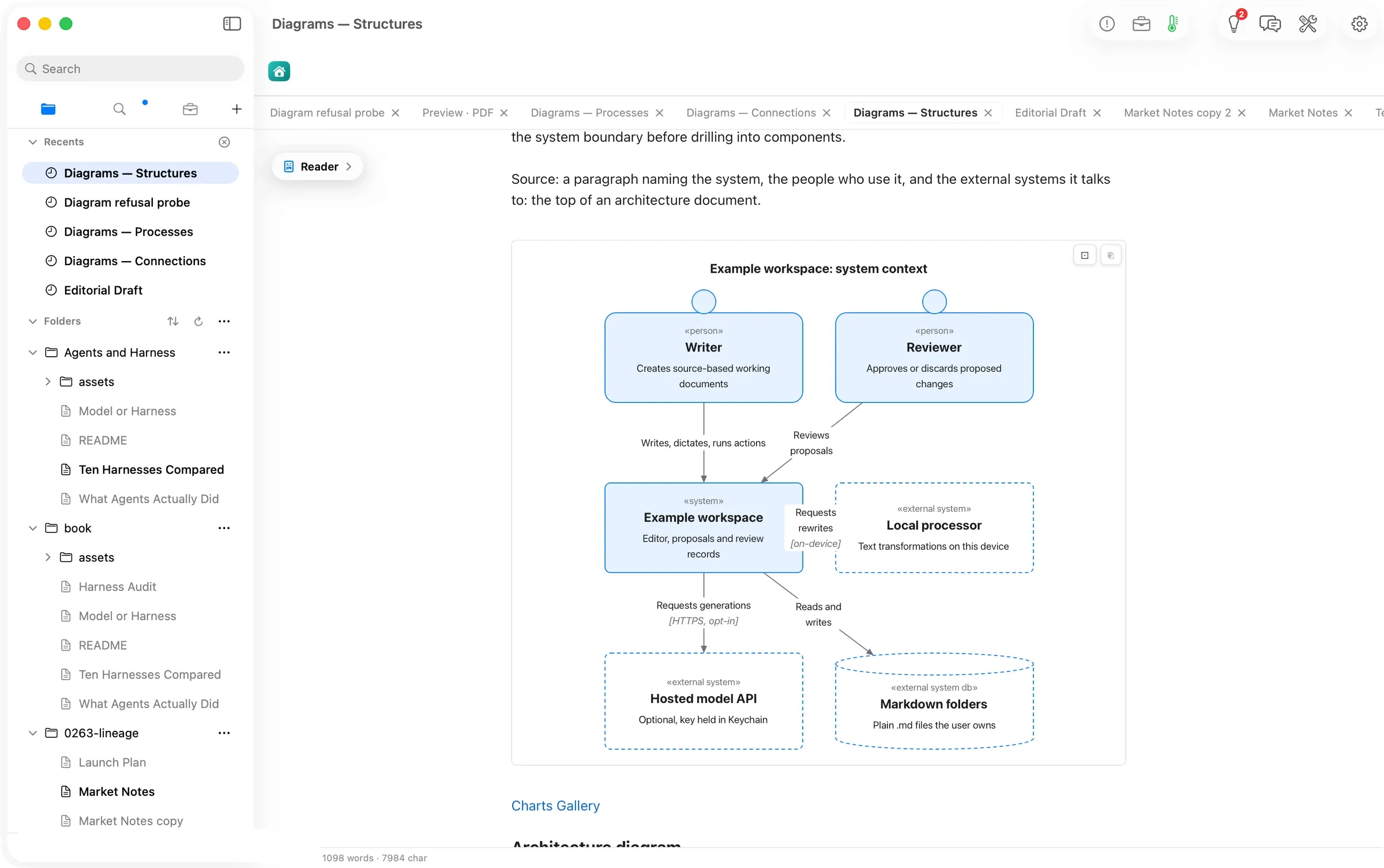
Diagrams that draw anywhere
Writers and technical teams
Write a diagram as text. Read it in either appearance, copy it as a picture, and carry it into the PDF preview.
- Copy a starter from Charts Gallery
- Read it or copy it as a picture
- Preview the drawings in a PDF
20 / 20Guide diagram forms drawn
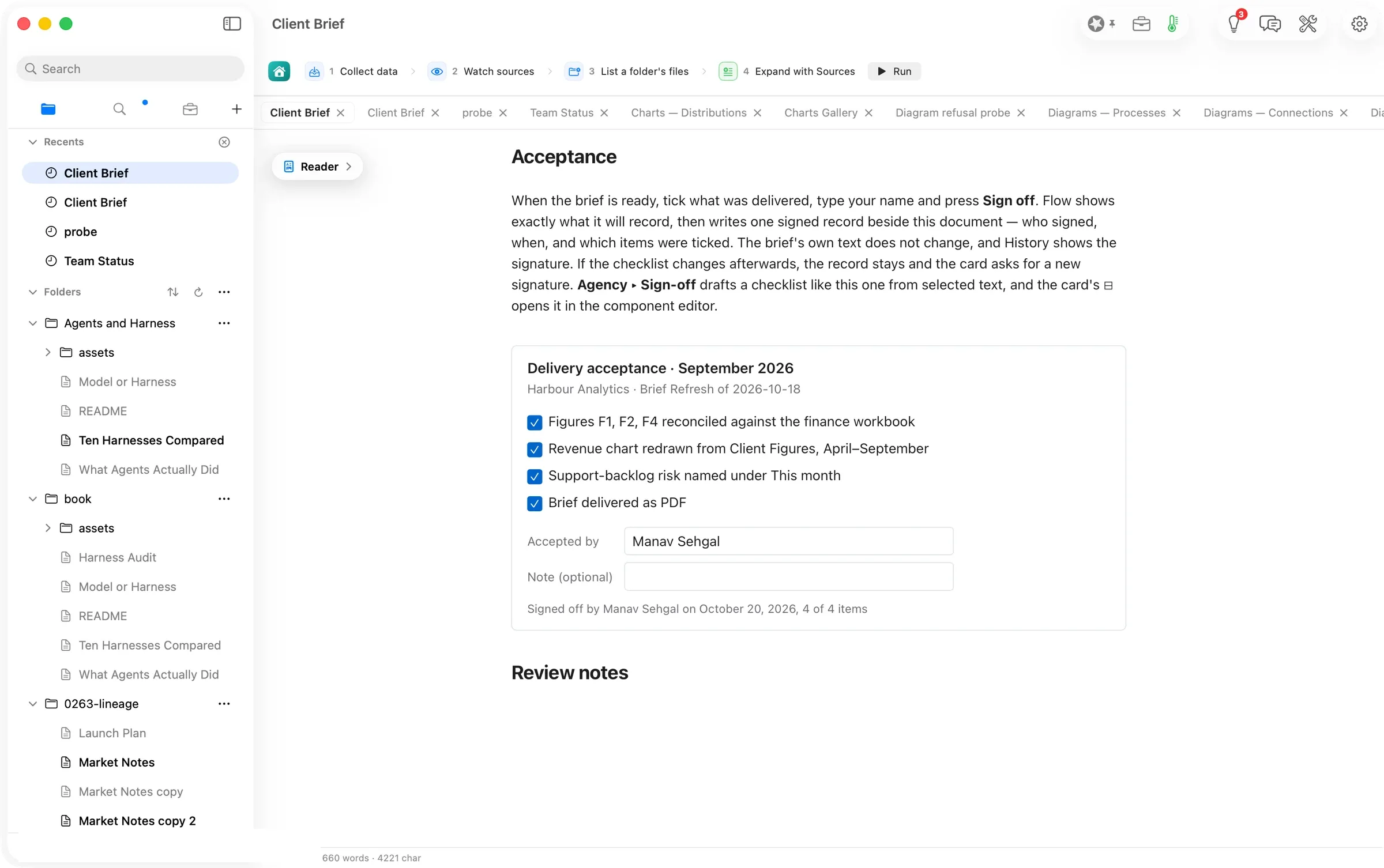
A checklist you can sign, inside the document
Consultants and small agencies
Tick the deliverables, confirm a name and keep an acceptance record beside the document. Draft another checklist from selected text.
- Tick the checklist and type a name
- Confirm what Flow will record
- Find the acceptance in History
1 recordwritten by one sign-off