Product tour · Part 3 of 4
Choose where AI runs. Every time.
Keep work on your Mac or route to cloud API providers you choose. Flow shows the place, model, rule, and cost before the run.
The proof
One named domain, model, deciding rule, and cost before every run.
Trust boundaries
Set the boundary before the model.
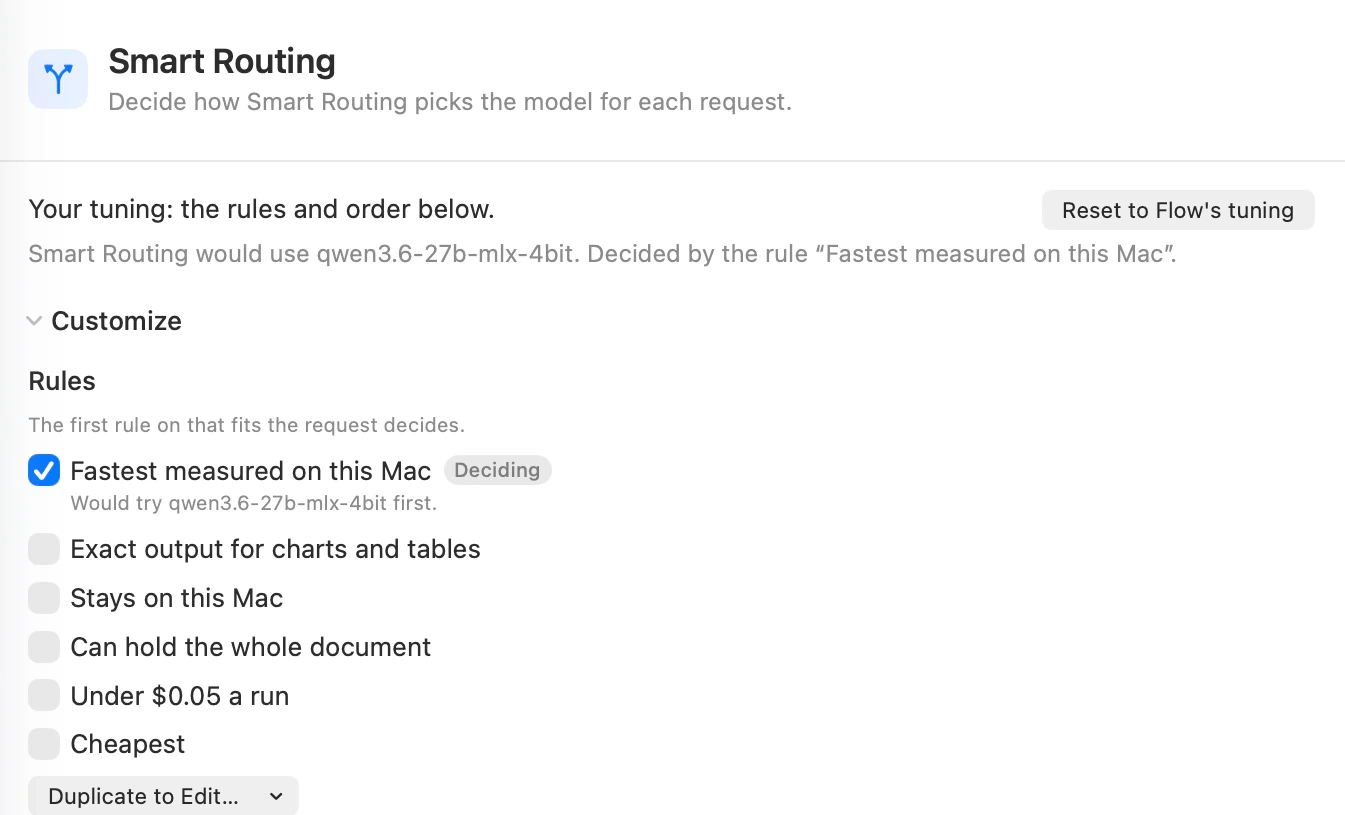
Start on this Mac or add a key for a cloud provider. Settings tells you where work runs and what it costs. A cloud key turns that provider on.
Local discovery opens compatible models briefly and shares the ones that work with Flow Runtime. Cost is compared before an AI run and recorded after it. A fallback that would leave this Mac stops and asks.
Explore Models settings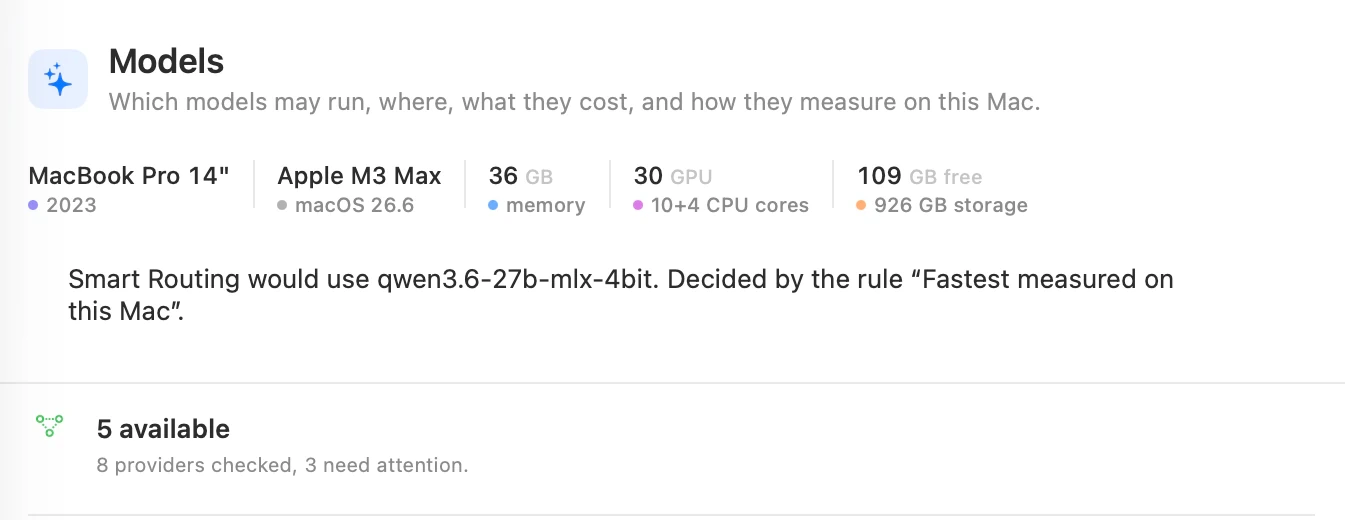
Flow Runtime
Local AI comes with the app.
Install Flow and use a compatible model already on your Mac, or download one in Models. Flow Runtime is included with the app. Your writing actions still pass through review before they change the file.
First launch opens the Guide's Welcome page. Ideas shows models and keys found on your Mac; choose which to use. A selected shell key is copied into Flow's Keychain only after you choose Use selected.
With local discovery enabled, compatible models found through Ollama and LM Studio are shared with Flow Runtime automatically. They stay where they are. A loaded LM Studio text model can also run Agency directly.
Measured 2026-08-14 on one M3 Max. Across 399 network samples, generation stayed on loopback.
2 engines
Both common local model formats on a Mac.
0 bytes
Re-downloaded when Flow used a compatible 4.7 GB model already on disk.
Smart Routing
Your rules choose. Flow shows why.
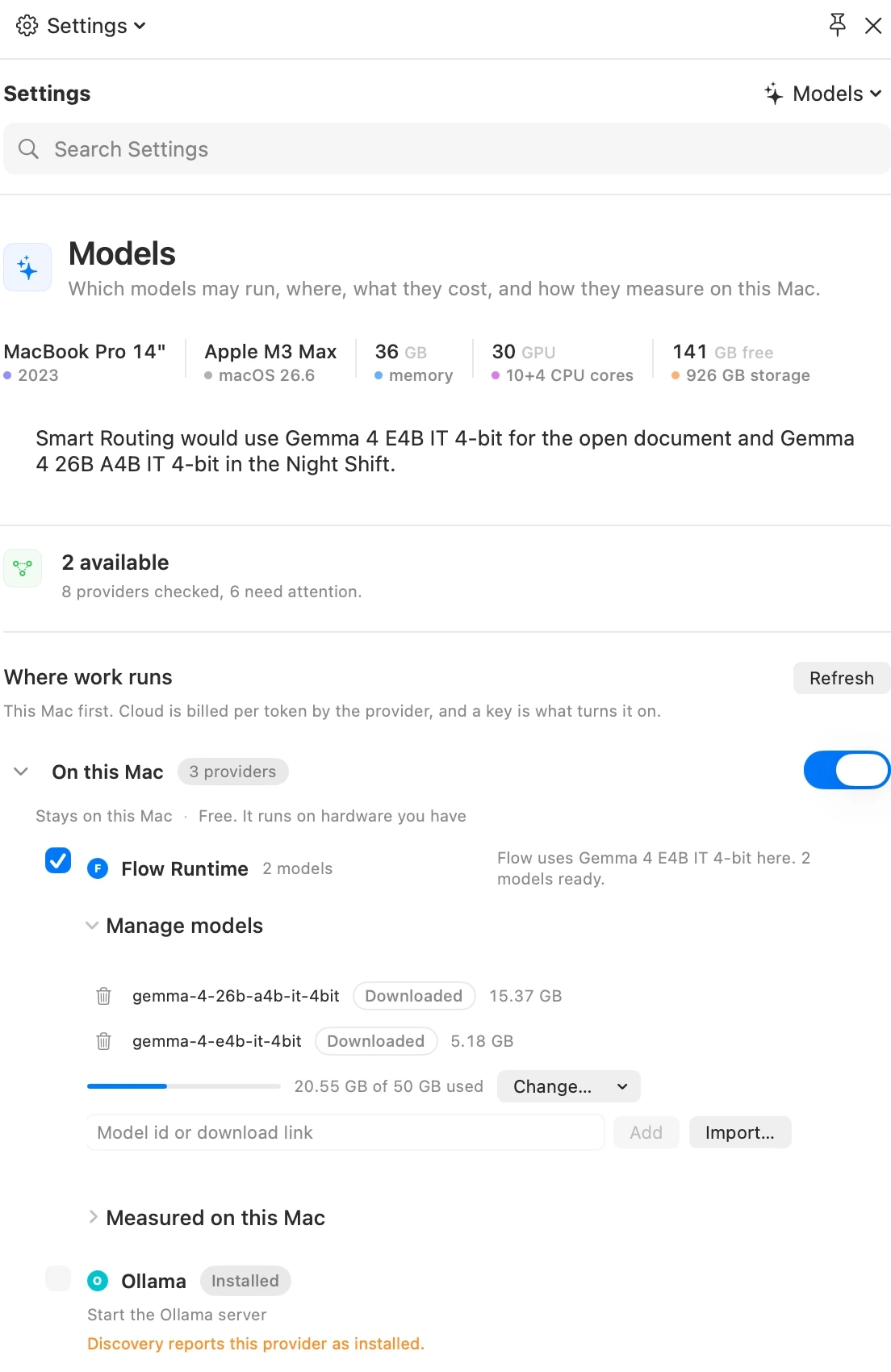
Rules decide in order; the first one that fits the request applies. Six built-in rules cover local speed, exact chart and table output, locality, document fit and cost. Duplicate a rule to edit it.
One sentence names the model, followed by “Decided by the rule.” Choose a model yourself and no rule takes credit. Flow Runtime comes first in the default provider order.
A rule with no qualifying model says so. Unmeasured models are not speed-ranked, missing prices are never guessed, and rules never judge answer quality.
Explore Smart Routing What it is using
See what the run asks of your Mac.
Processor, memory, whole-Mac graphics use, heat, the loaded model, tokens, and running cost appear in one readout while Flow works.
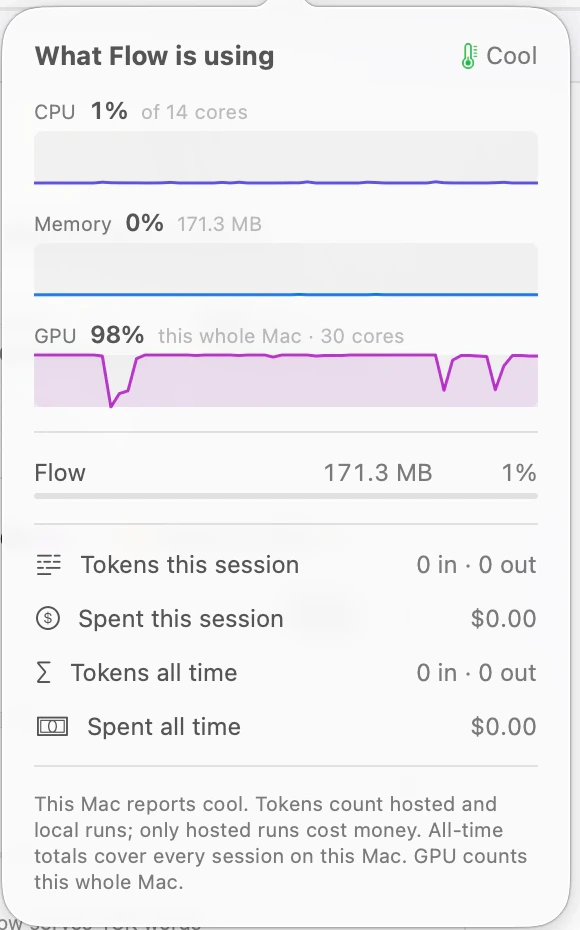
- Flow's own footprint sits beside the model's.
- Graphics is labeled for the whole Mac; macOS exposes no honest per-process figure.
- Local tokens accrue while the charge remains absent because nothing was billed.
- Heat uses the Mac's own Cool, Warm, Hot, or Too hot verdict.
Captured during one live local run on an M3 Max. The figures describe that machine, not a typical result.
Need the exact limits?
Requirements, formats, model states, plan boundaries, and qualified measurements live in Tech Specs.