Product tour · Part 1 of 4
Write with AI. Keep the final word.
Seven focused actions help draft, check, translate, structure, source, and visualize your work. Every result arrives as a review you approve before it changes the file.
The proof
Before and after bytes. One human review gate. Nothing saved without approval.
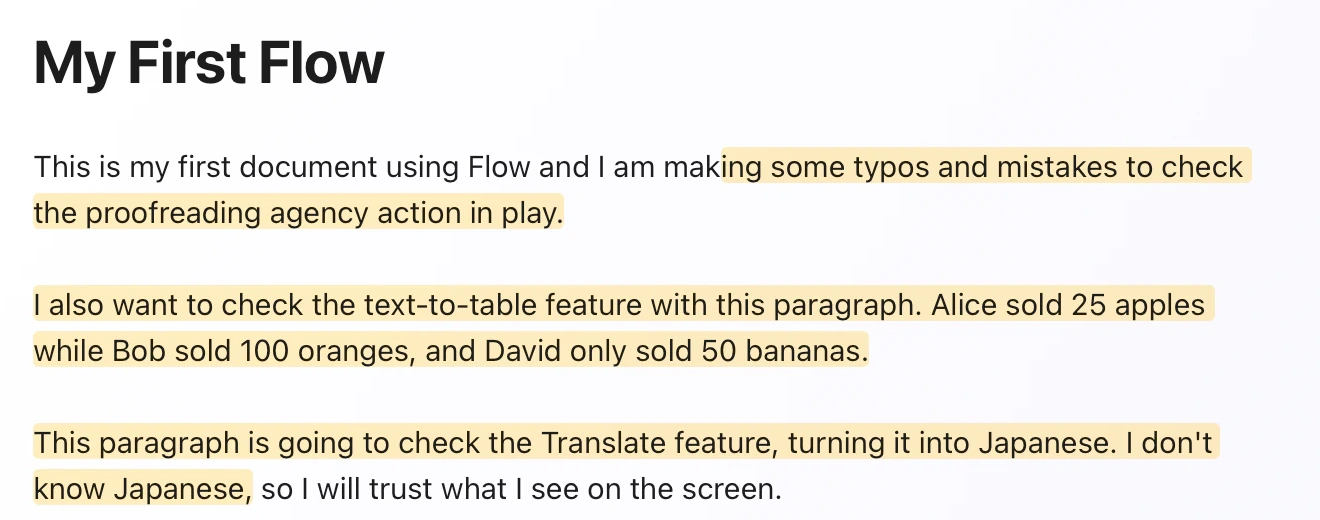
Agency
One path from request to approved change.
Proofread, Summarize, Translate, two table conversions, Expand with Sources, and Visualize all use the same trust path. Flow states the scope, route, and cost first. The result arrives as a review. The file changes only after you approve it.
-
Before
Know the bargain before the run.
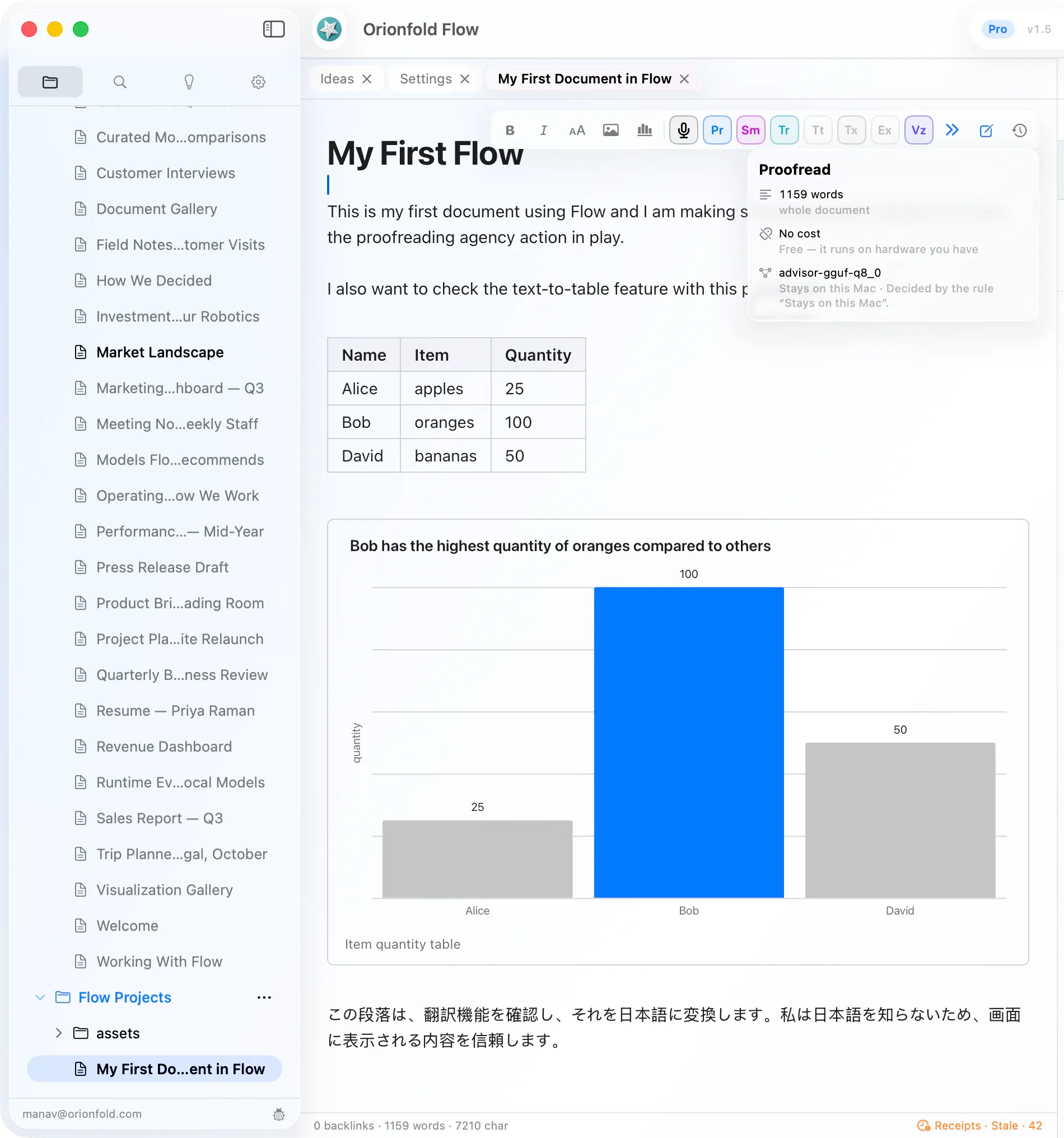
Hover an action to see what text it will use, what it should cost, which model will run, and whether the text leaves your Mac.
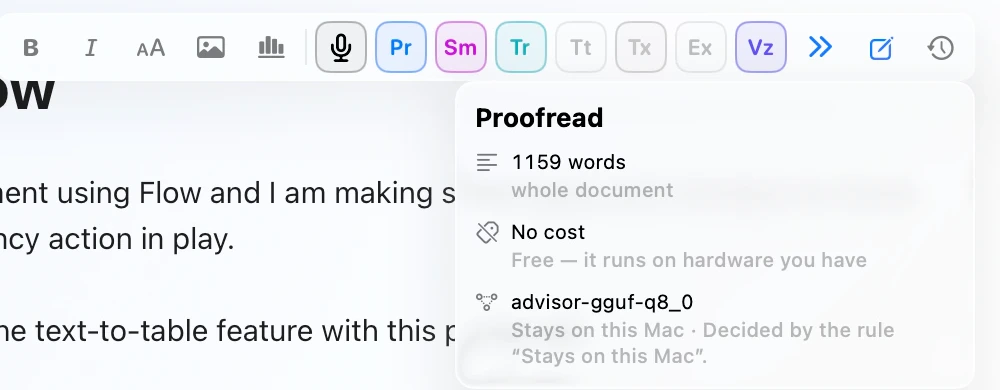
Scope, cost, model, and locality · Before the click -
Review
Judge the writing. Inspect the bytes.
Flow opens on the proposed document with the change highlighted. Exact changes, evidence, and named checks stay one tab away.
The result first · Exact changes one tab away -
Approve
Your review unlocks the save.
Approve & Save stays disabled until you confirm the review. Reject changes nothing. A byte guard stops an older run from landing over newer work.

Nothing saved until you approve · Reject changes nothing
Expand with Sources
See the agent work. Stop it when you want.
Expand can read the document and search folders you opened. Flow names each lookup as it happens, counts real tokens and cost, and keeps pause and stop in reach. The final writing still returns through the same review and approval path.
In Flow 1.6, lookups run on this Mac with a local model as well as through supported Anthropic models. The local path reads the document and searches open folders without a provider token charge; each lookup is receipted. A hosted run sends the permitted text to its provider. The run still has a limit of 12 lookups or 180 seconds. If it reaches that bound, nothing in the document was changed.
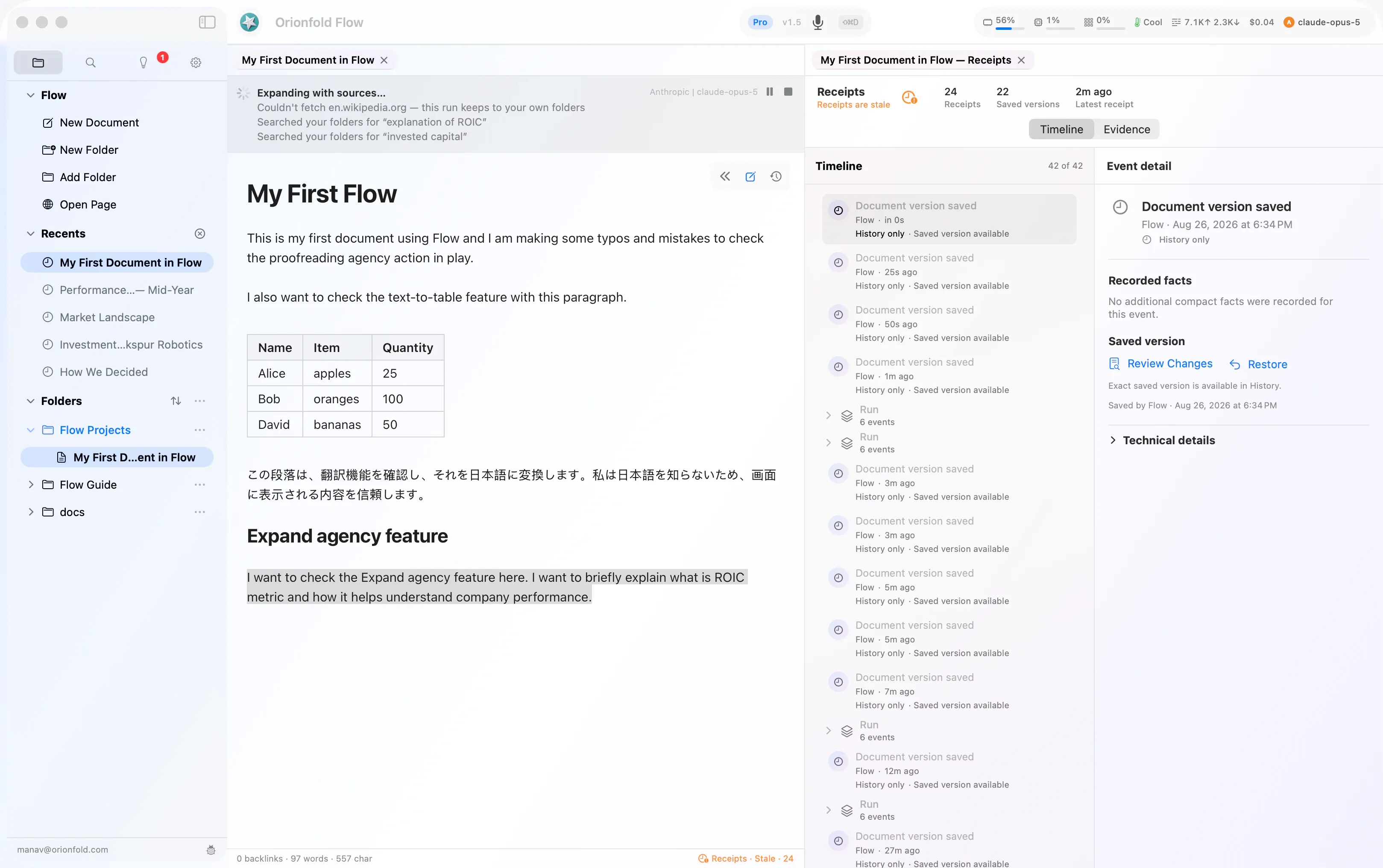
Consent
Destination, sources, estimate, authority.
For a hosted route, the sheet names what will leave, where it will go, and the estimated cost to the digit. Permission is read-only and granted once.
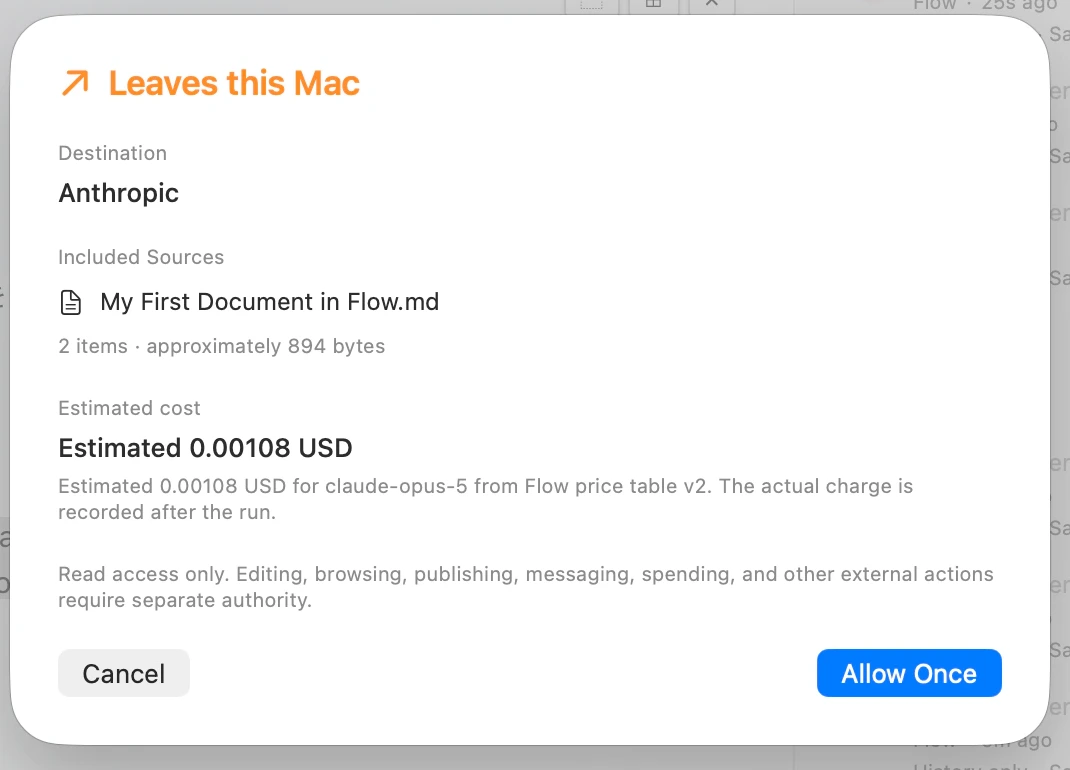
Receipt
Estimate before. Recorded cost after.
One measured run estimated 0.000924 USD and later recorded 0.026684 USD. Those are two facts, kept separate. The saved change is bound to its before-and-after fingerprints.
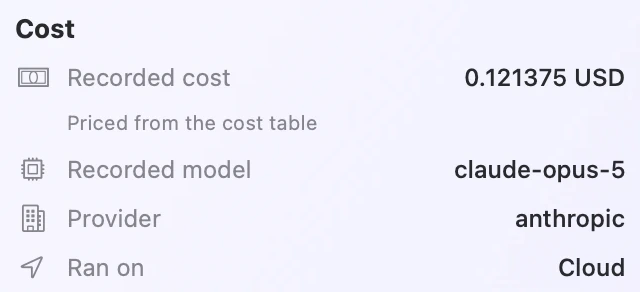
The screenshots show a historical hosted run. The local lookup path shipped in Flow 1.6. Web Lookups is a separate control in Settings ▸ General and starts off; when enabled, words from a document may appear in the requested address.
The tool strip
AI belongs beside the work.
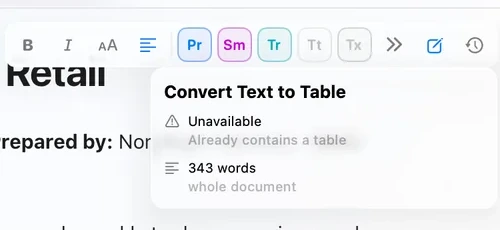
Seven actions sit beside bold and italic. Ready actions stay in colour. An action that cannot run stays visible, names the reason, and shows no invented model or cost.
Long documents
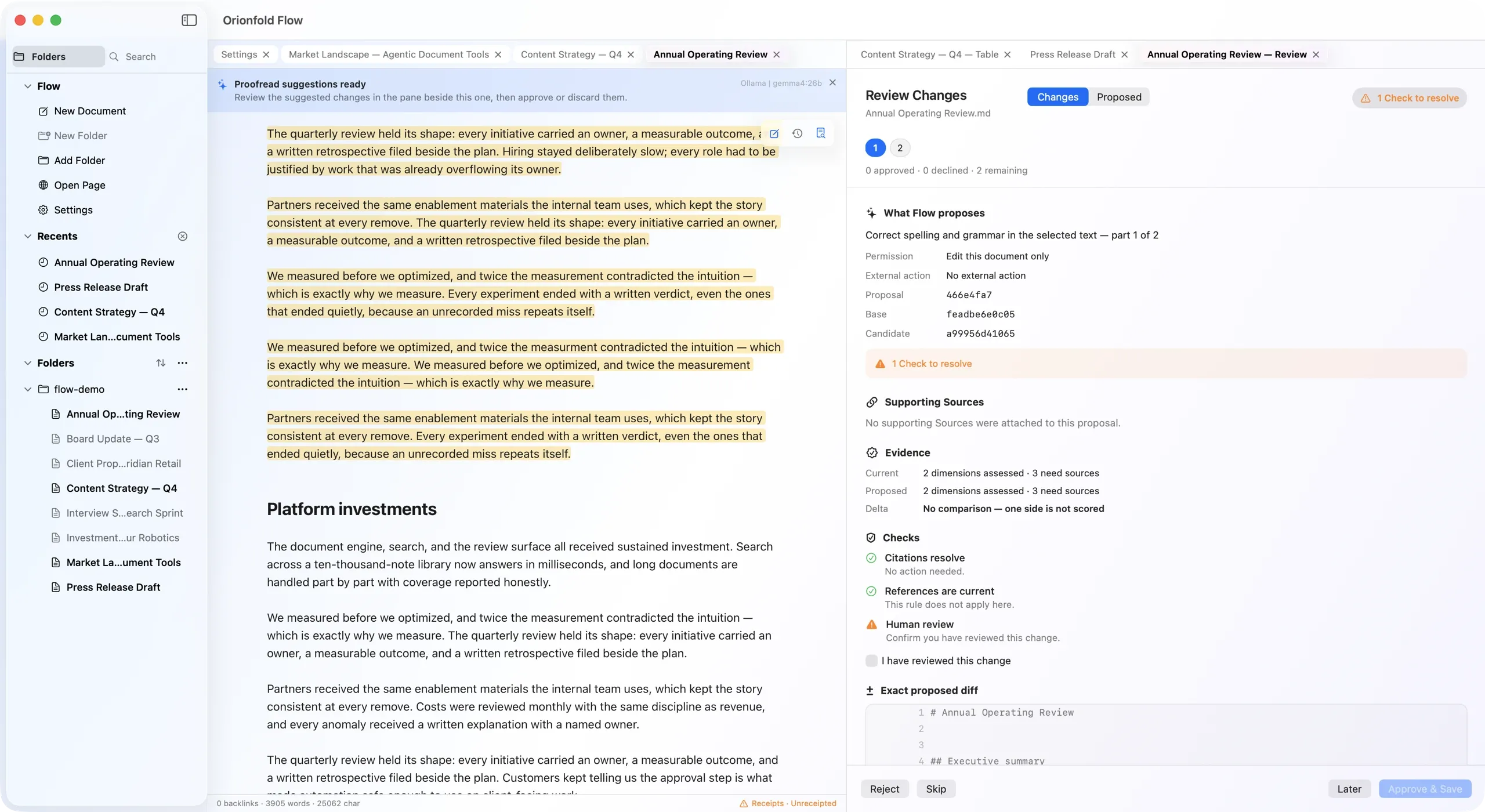
Review the whole document. Part by part.
Flow splits a long local-model run only between top-level blocks, then gives every part its own review, evidence, and receipt. Approve, decline, or skip in any order. The finish line reports exactly what you approved; everything else stays byte-for-byte unchanged.
Today this path runs on local models. Cloud models decline work beyond one window instead of silently cutting it.

Need the exact limits?
Requirements, formats, model states, plan boundaries, and qualified measurements live in Tech Specs.