What This Chapter Helps You Do
This chapter helps you use customers, projects, and tasks as the basic map for local Relay work.
The Operator Story
Northstar Automation Studio has several kinds of work in motion. Harbor & Field Advisors needs a renewal decision. Brightline Books needs a support reply approved. CivicSpring Foundation has grant work to track. Studio Vale has a web preview. None of those jobs should live only as chat messages.
An operator needs a way to answer, “Who is this for? Which project owns it? What is the current work state? What did it cost? What should happen next?”
Relay uses customers, projects, and tasks for that map. Customers give business ownership. Projects group related work. Tasks show execution state and the next action. When these records are used well, Relay becomes easier to audit. When they are skipped, the workspace turns into loose runs and unclear cost.
This chapter teaches the habit of naming work before running work.
What This Part Of Relay Is For
Relay works best when business work has a place to land.
- Customers tell you who the work is for.
- Projects group related tasks, documents, workflows, and working folders.
- Tasks show the work state and the agent or runtime activity behind it.
Customers are first-class records. A customer can be an outside client, an internal department, or another account-like owner. Projects are narrower. A project is where a set of tasks, workflows, documents, and working context come together. Tasks are the visible work items. They can be created by a person, by a workflow, or by a pack-backed app.
These records organize work inside the active Relay cell. They are not tenant isolation. A customer record does not create a new database, file store, credential store, agent boundary, or runtime policy. A project working directory chooses where supported task runtimes work; it is not a sandbox. This distinction matters when one operator serves several clients.
The point is not paperwork. The point is traceability. If an agent run fails, a workflow waits, or a cost spike appears, you need to know which customer and project it belongs to.
Walk The Screen Like An Operator
Start with Customers. Use it when your work is tied to a client, account, department, or business unit.
What you should notice:
- Customer rows or cards.
- Linked project and spend context.
- Enough detail to decide which customer needs attention.
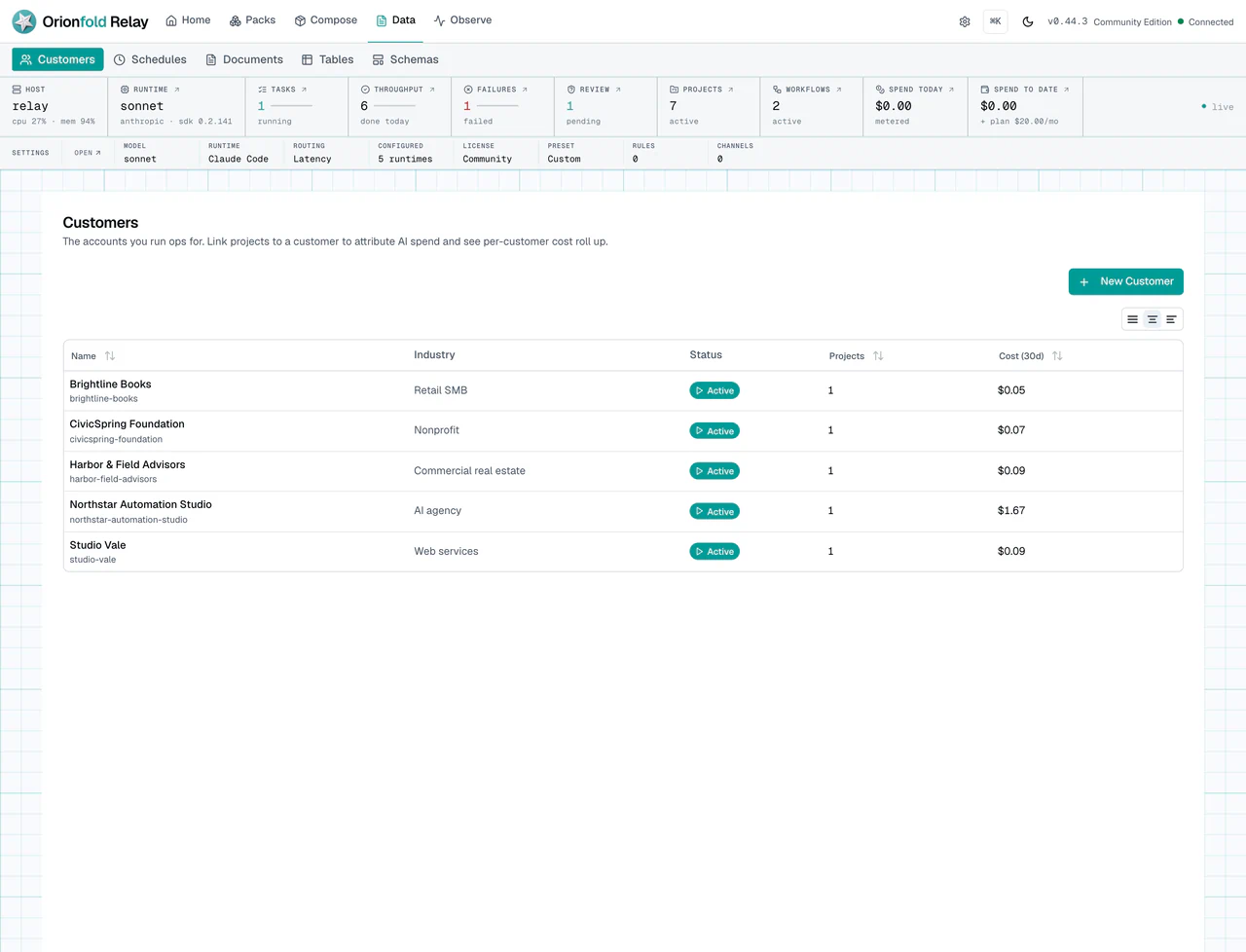
The customer list is where you keep business ownership visible. In a client-service setting, this prevents a common problem: useful work exists, but no one can tie it back to the account, retainer, or review. Look for the customer name, linked work, and any spend or activity signals Relay can show.
On customer detail, Relay labels this relationship Attribution, not isolation and links to the canonical cell explanation in Settings. If a client needs its own security boundary, run that work in a separate Relay cell rather than relying on the customer row.
After you know the customer, open Projects. A project is the container for a block of work. It can hold tasks, documents, workflow context, and working-directory context.
What you should notice:
- Project cards or rows.
- Status and priority signals.
- Links into the work that belongs to the project.
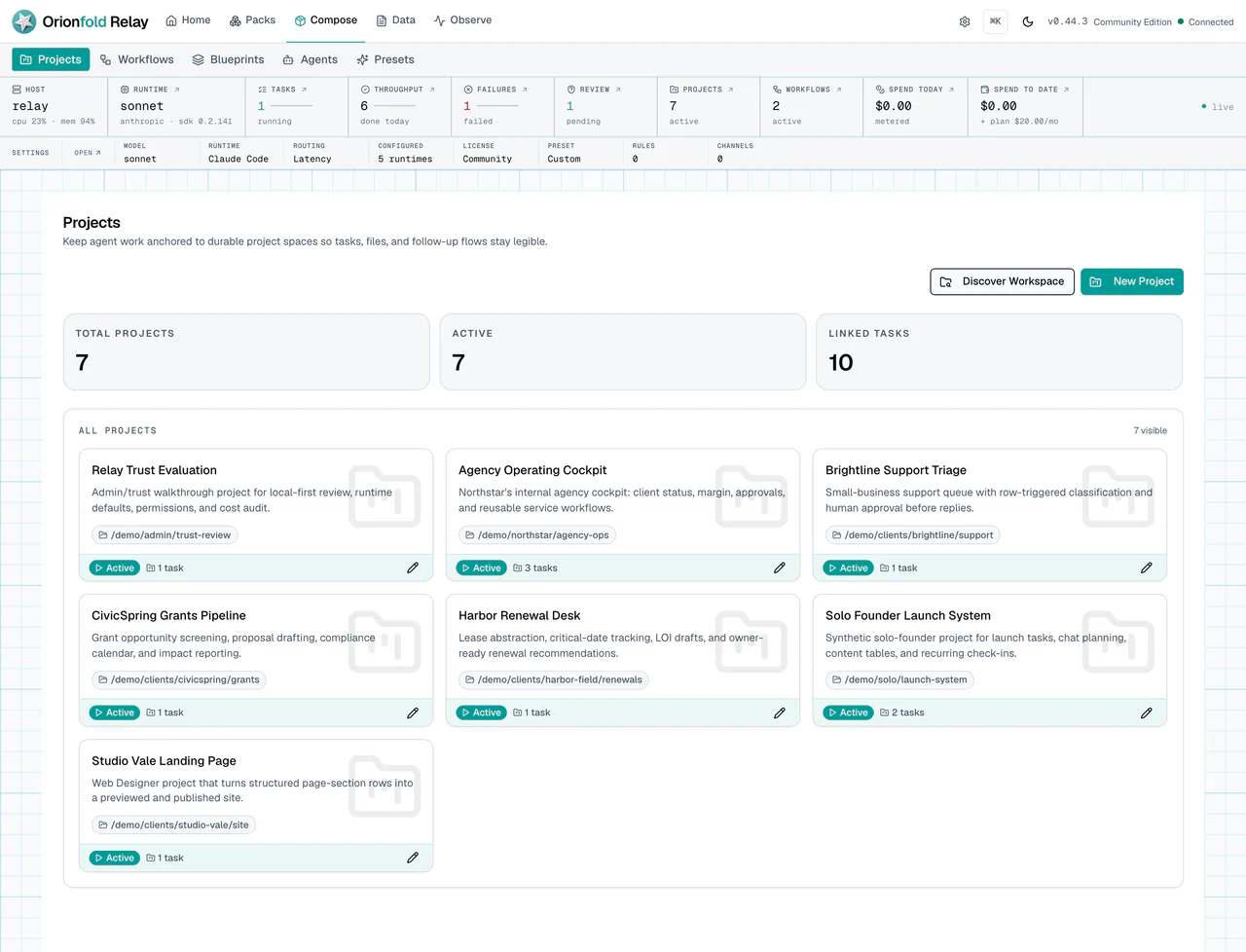
Projects should feel like work folders with state. A project can be active without every task running. It can also carry context that chat and workflow paths should reuse. That matters because duplicate projects create confusion. Before you create a new project, check whether an existing one already owns the work.
Project detail shows the effective working directory and whether it came from the project or the Relay launch workspace. Read the Execution context, not isolation note before treating a folder choice as a security control.
Project detail also names the linked customer in the action row. Use that link to check the account before you run or review work. If the project is not linked, Relay says No customer instead of implying that attribution exists. Edit the project to choose or clear its customer when ownership changes.
Documents follow the same project map. In Documents, choose a Project in the upload dialog when the file belongs to one block of work. If the list is already filtered to a project, Relay starts the upload dialog with that project selected. The file is linked from its first saved record, even while text extraction is still running. Choose No project when the document is intentionally global.
Run The Work Carefully
Open Tasks. Use the board or table view to decide what should run, what is waiting, and what needs review.
What you should see:
- Tasks show status, priority, and project linkage.
- Workflow-created tasks link back to workflow context.
- Run, Re-run, or Stop actions appear only where they make sense.
- Failed work should show visible failure state.
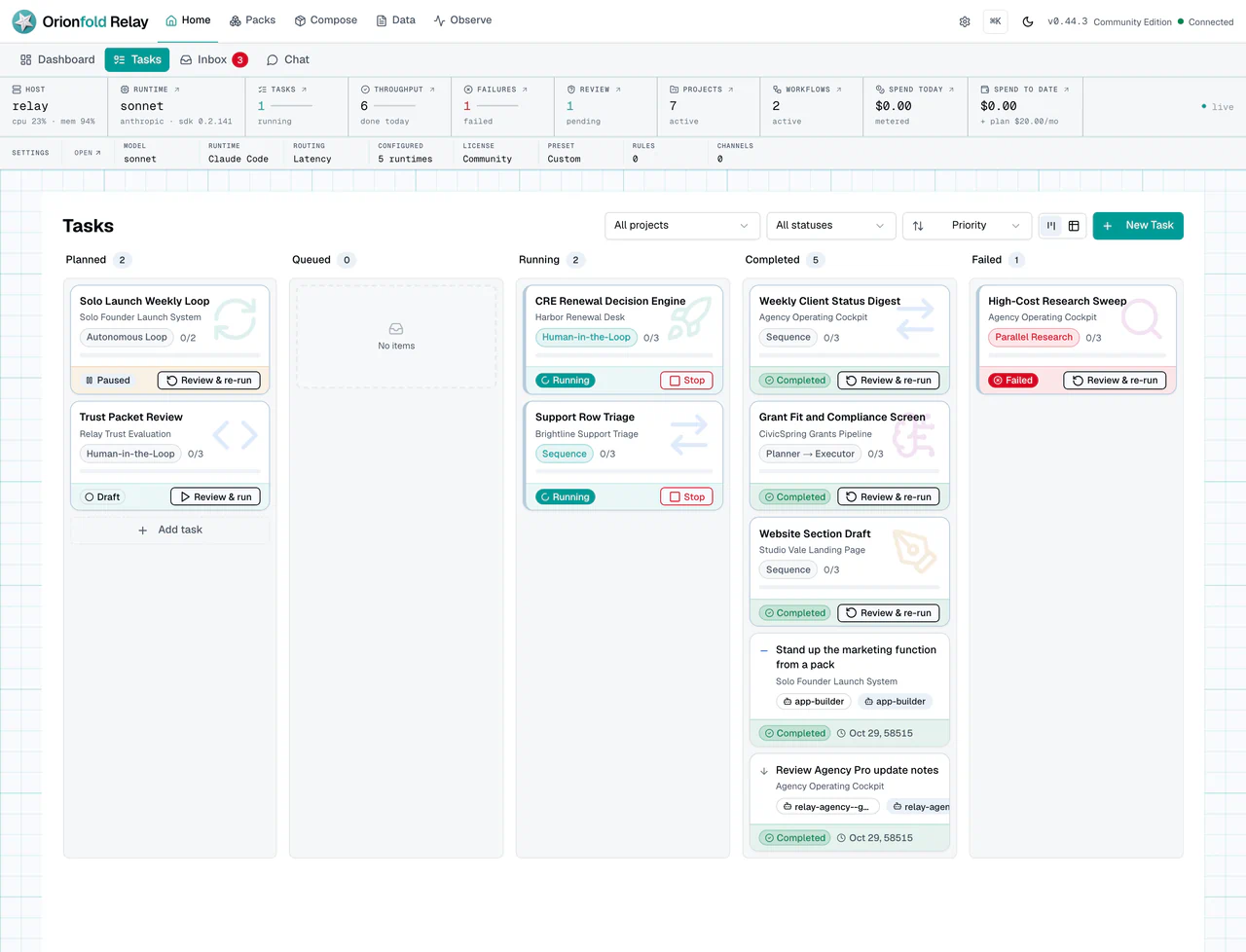
The task board is where state becomes action. A running task should not look completed. A failed task should not disappear. A queued approval should not be treated like an error. Relay uses these states so an operator can decide what to do next.
Before a queued task runs, its execution-target panel shows the effective runtime, model, Relay cell, and working directory together. Those fields explain where work will execute. They do not create another customer data or credential boundary.
In the seeded board, you can see work at different points in the lifecycle. That mix is useful. Real operations rarely contain only clean success states. A good workspace shows the active, the waiting, the failed, and the done.
Use Cost & Usage, under the Observe section, when you need the spend view for customer or project work. It does not replace customer and project structure. It depends on it.
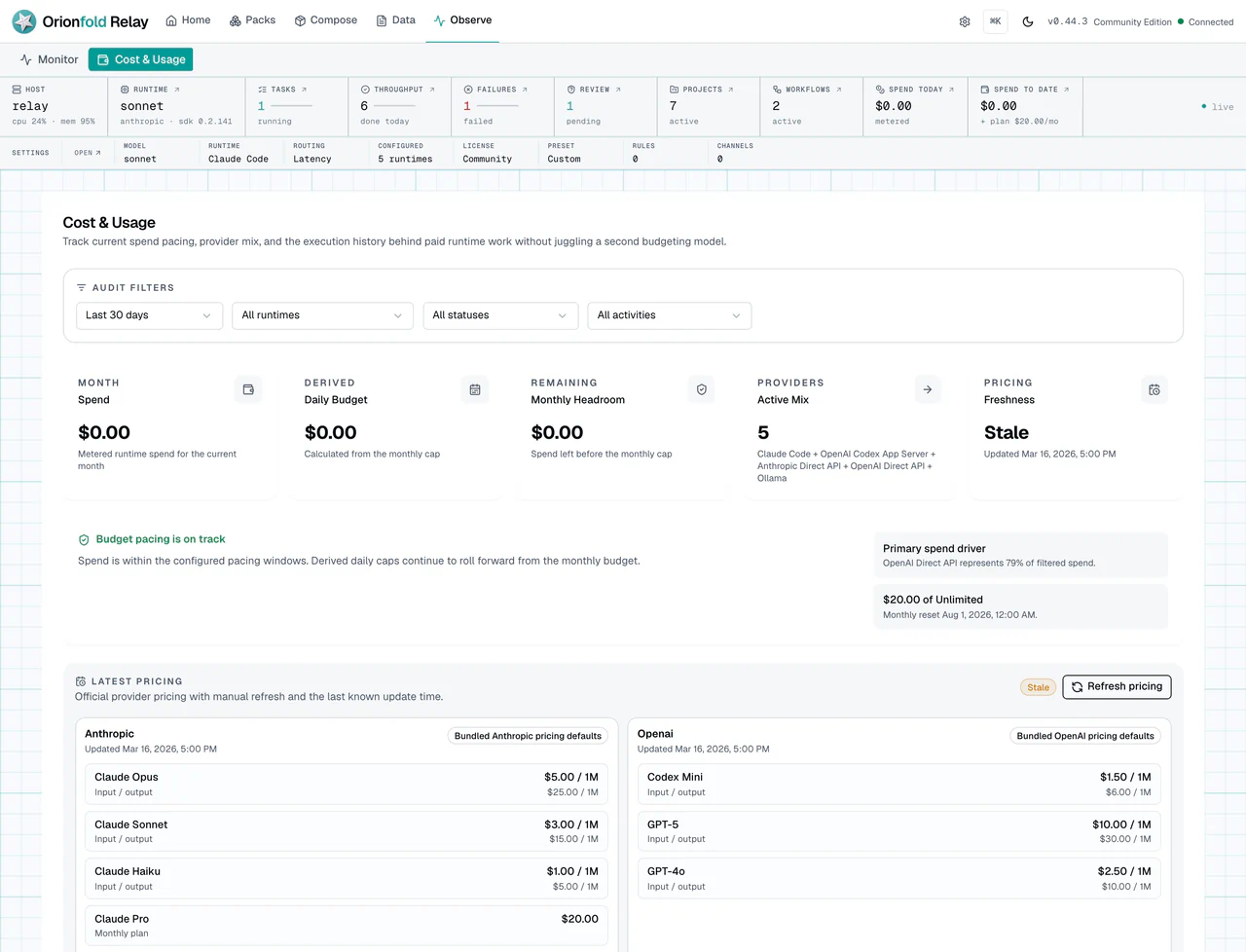
The Cost & Usage screen helps you check whether usage connects back to the work map. A cost row without customer or project context is harder to explain later. If you sell client services, this is where margin review starts. If you run internal work, this is where budget review starts.
What To Do When The State Looks Wrong
If a project is missing, search from the current list before creating another one. Duplicate projects make later audits harder.
If a task looks stuck, open Monitor or the task detail before running it again. A stalled workflow, a waiting approval, and a failed provider call need different fixes.
If spend attribution looks empty, check whether the task or run is linked to the right customer or project. Empty attribution may be honest if the work had no owner. It is still a signal to improve how future work starts.
If a card action is unclear, use the detail view rather than guessing. Detail screens exist so important work does not depend on tiny card text.
If a customer record has no projects, decide if that is a real empty state or a setup gap. Relay should make both cases visible.
If an uploaded file does not appear as ready context, check its status in Documents. Uploaded and Processing mean Relay is still preparing it. Error means processing failed and needs inspection. The workflow picker keeps these rows visible but does not let you select them until they are Ready.
If two client records must not share data, files, credentials, agents, or
runtimes, do not try to solve that with customer links or working directories.
Use separate Relay cells with distinct processes/containers and data roots. If
the clients must not trust the same Relay Host administrator, use separate VMs
or machines. The local relay host CLI and licensed Settings → Relay Host
deployment journey enforce local Cell roots, ports, networks, resource
reservations, signed managed-Cell capacity, and content-free lifecycle receipts
on one Host. Cloud Server Preview is a deterministic simulation and creates no
provider resources. The separate DigitalOcean guided beta explains how to
run that same local Host surface on a customer-owned Ubuntu Droplet. Relay does
not request a DigitalOcean token or create the server; the customer owns the
account, bill, DNS, keys, backups, and administration. Upgrade, rollback,
transfer, and Fleet control are outside the current Host lifecycle surface.
What This Changes In Daily Work
The daily habit is to attach work to its owner. Do that before the work grows. A single task can be easy to remember. Ten tasks across three customers cannot be managed by memory.
For an agency, this makes client review easier. For a solo founder, it keeps product, marketing, support, and admin work from blending together. For an SMB operator, it gives each department or process a place to live.
Relay is local-first, but local does not mean informal. The value comes from local records that are clear enough to audit.
Where To Go Next
Next, read Plan Work With Chat, Agents, And Runtimes to learn how Relay helps create and run work.