What This Chapter Helps You Do
This chapter helps you use chat, agents, and runtime settings without losing control of the work.
The Operator Story
Evan runs a one-person launch studio. He uses Relay to turn scattered product notes into tasks, client updates, and repeatable workflows. On a busy morning, he does not want to decide from scratch which model to use, which instructions to give it, or which tools it may touch. He wants a guided way to plan the work, choose the right agent, and keep approvals visible.
Chat is the place where the planning conversation happens. Agents are reusable instruction profiles that shape how work is done. Runtimes are the execution paths that carry the work, such as Claude Code, OpenAI Codex App Server, direct provider paths, or local Ollama when configured.
These three ideas belong together. If you use chat without knowing the agent, you may get a plan that does not match the job. If you use an agent without knowing the runtime, you may be surprised by cost or capability. If you use a runtime without approvals, you may let a tool action move faster than the business should allow.
The goal is not to become a model-routing expert. The goal is to know what Relay will do before you ask it to act.
What This Part Of Relay Is For
Relay chat is not only a message box. It can plan work with local context, mention Relay entities, use tools, branch or rewind a conversation, and create work from existing primitives. That makes it useful, but it also makes it worth governing.
Agents give repeatable shape to the work. A support agent, a research agent, and a launch-planning agent should not behave the same way. Runtimes decide where the work runs. Your model preference can apply beyond chat to tasks, workflows, and AI-assist paths unless a more specific setting wins.
Approvals are the safety layer. Sensitive tool actions can route through confirmation flows. When Relay asks for approval, it is not being slow for no reason. It is keeping a person in charge of actions that may affect files, data, customer work, or cost.
Walk The Screen Like An Operator
Open Agents first. Choose an agent that matches the job before you start a serious chat.
What you should notice:
- Agent cards have names, status, and source pack context.
- Built-in presets provide starting points.
- The current UI uses the name “Agents,” not the older “Profiles” label.
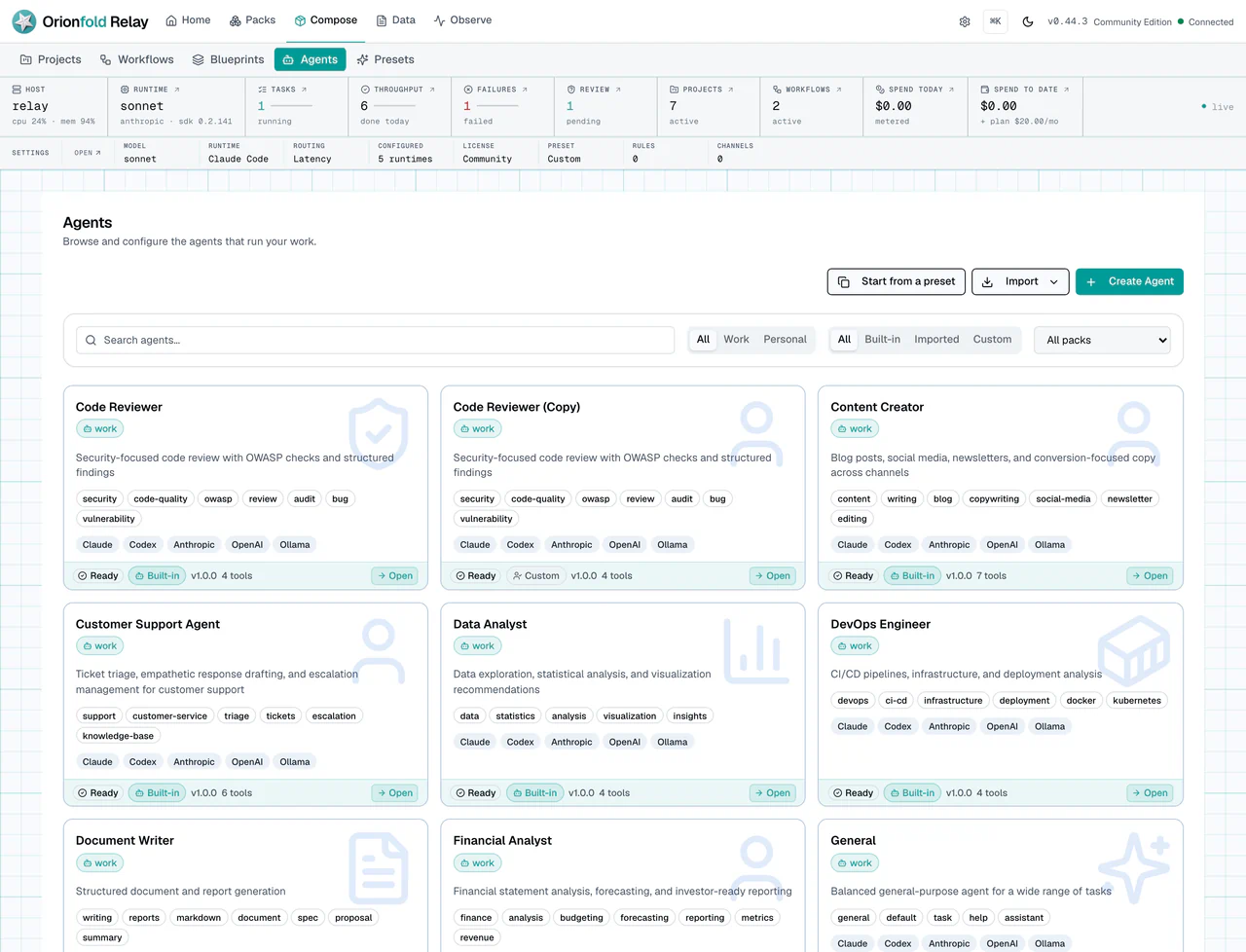
This figure shows why agents matter before chat. The list gives you named ways of working. If an agent came from a pack, that context helps you understand why it exists. A pack-backed agent may fit a workflow family. A built-in preset may be better for general planning.
After you choose the agent style, open Settings and review Runtime. The runtime panel tells you which model paths are configured and which defaults Relay can use.
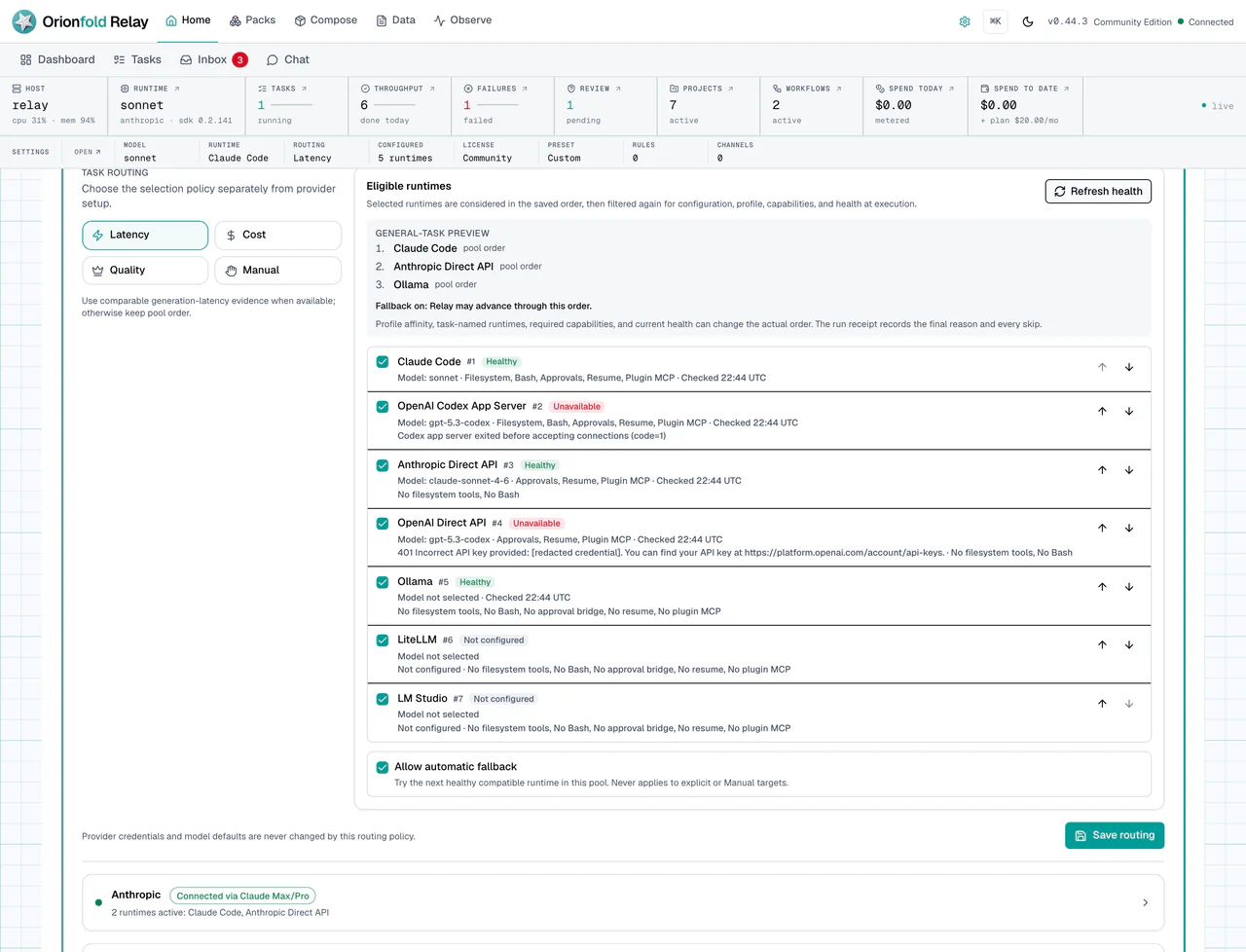
Read this screen as a control panel, not as a developer-only page. If local Ollama is configured, local chat usage should be recorded as local-free usage. If a provider path is selected, cost and capability may differ. If a runtime is missing, fix that before you ask Relay to run client work.
Run The Work Carefully
Now open Chat. Use it to plan, not just to ask. Name the customer, project, table, or task when that context matters. If you want Relay to create work from existing primitives, say that directly.
What you should see:
- Conversation history stays visible.
- Model selection is visible.
- Tool access and permission prompts are explicit.
- Local model failures surface as errors instead of clearing the answer.
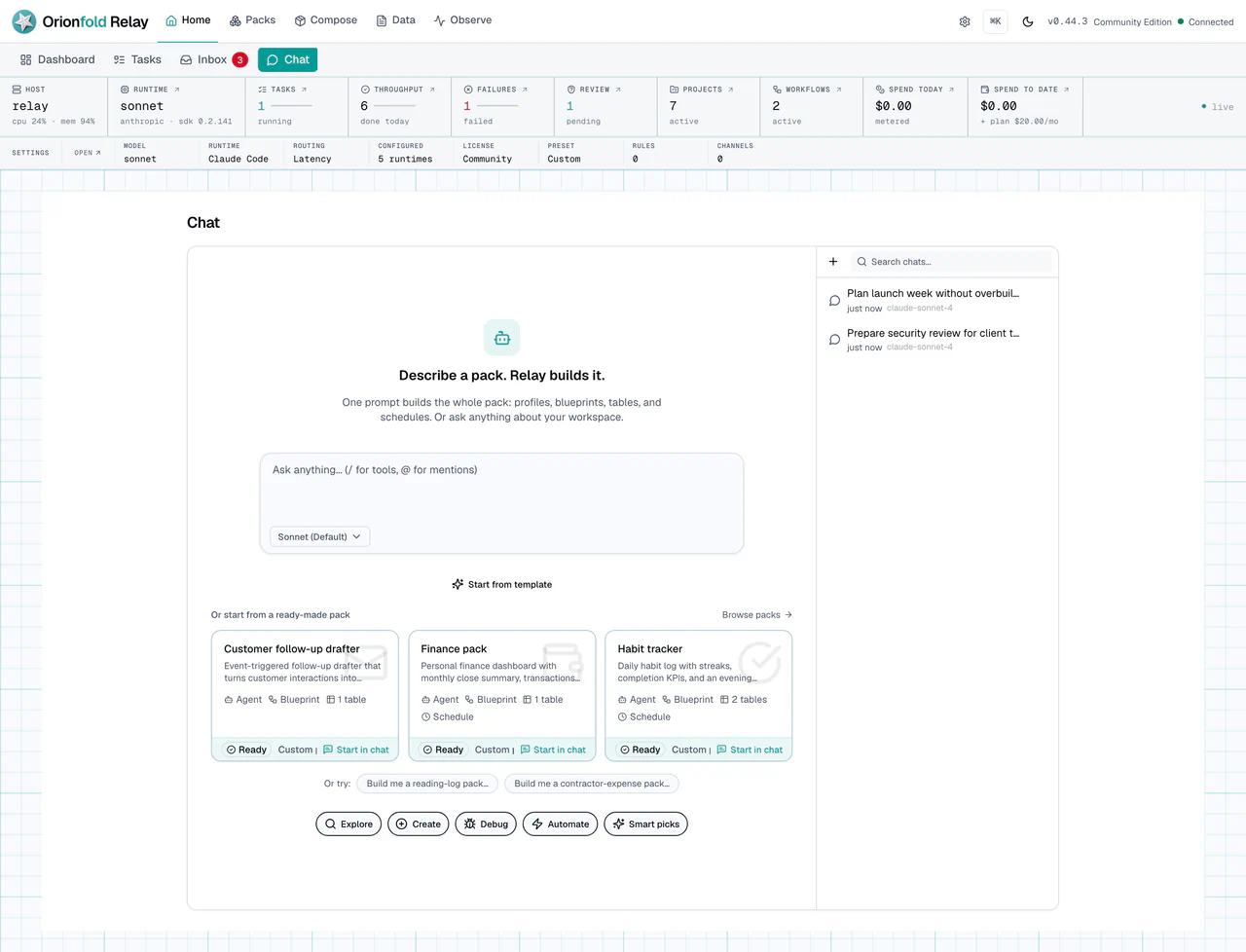
The Chat workspace is where the plan becomes concrete. A good prompt is not “do the launch work.” A better prompt names the goal, the customer or project, the constraints, and the kind of output you want. For example: “Plan the next Studio Vale publish review. Use the existing web designer app, keep the output as tasks, and ask before any publish action.”
If Relay needs to use a sensitive tool, you should see a permission path. That path may send an item to Inbox.
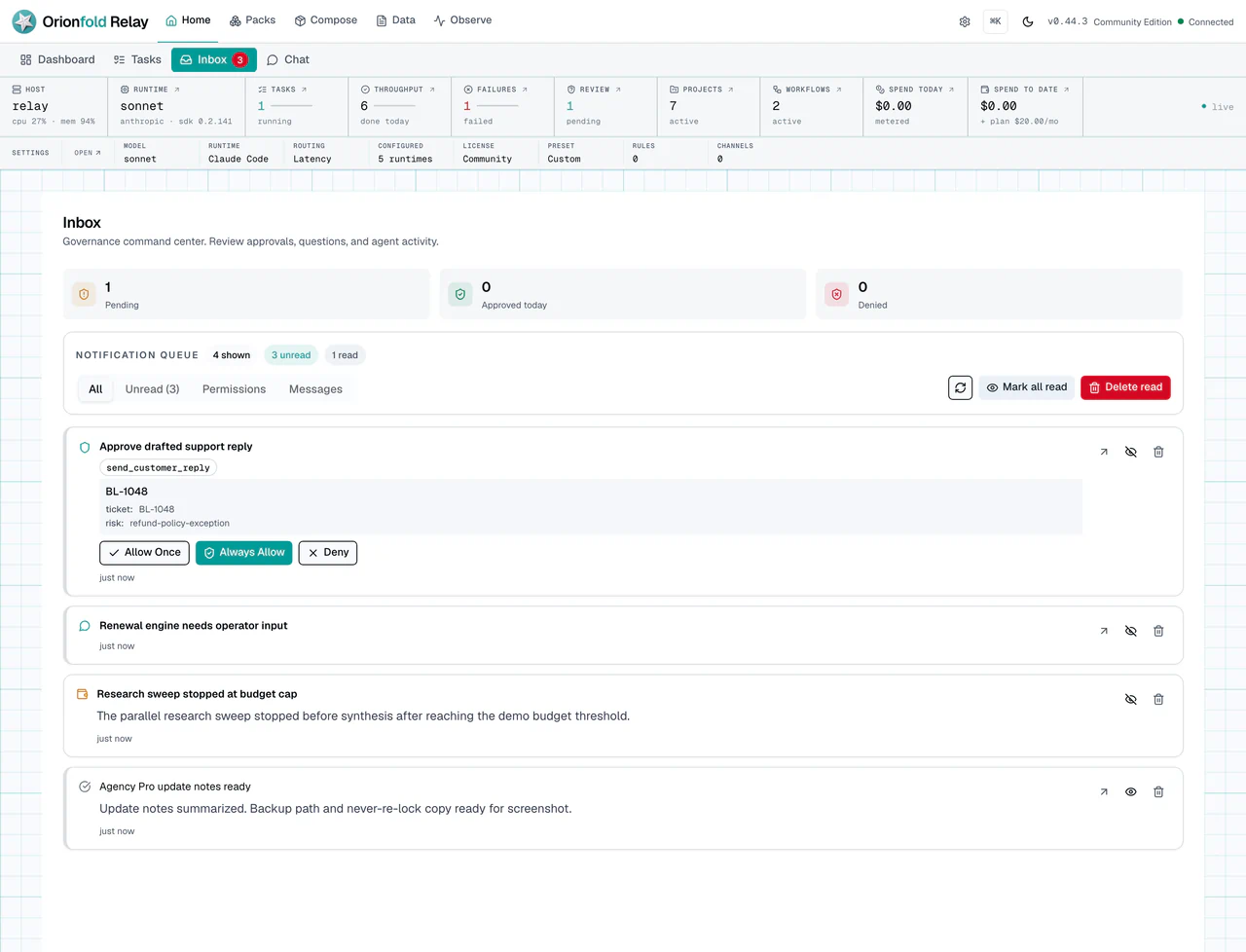
Inbox turns chat from an uncontrolled agent session into governed work. If an approval waits there, answer it before you start more work. The approval is part of the run, not a side quest.
When work starts from chat, keep Monitor and Tasks in mind. Chat is the conversation. Tasks and Monitor are where you audit what happened.
What To Do When The State Looks Wrong
If chat cannot use a runtime, return to Runtime settings and check provider setup. Do not keep rewriting the prompt if the execution path is missing.
If a tool prompt appears twice, answer the visible prompt and watch Inbox or Monitor for the resulting state. Back-to-back prompts should not leave the run hanging.
If work starts but you cannot tell what is happening, open Monitor before starting another run. A second run can hide the first problem.
If output looks unrelated to the project, check whether you named the right customer, project, or task. Local context helps only when Relay can connect the request to the right record.
If local model usage does not appear as expected in cost views, confirm the runtime path. A model setting and a runtime path are related, but they are not the same evidence.
What This Changes In Daily Work
The daily habit is to separate planning, identity, and execution. Chat is for planning. Agents carry reusable work style. Runtime settings control where the work runs. Inbox keeps sensitive actions visible.
For a solo founder, this prevents the common pattern of one long chat thread becoming the whole operating system. For an agency, it helps different client services use different agents and approvals. For an admin, it gives a place to explain why a run used one model path instead of another.
Good Relay work starts with the right agent, the right runtime, and a clear approval path. The prompt is only one part of the system.
Where To Go Next
Next, read Run Workflows With Human Checkpoints when you want repeatable work with approval steps.